
Can I Run Valheim on My PC / Laptop?
A low-poly Viking survival game that runs on almost any PC, until a sprawling base or a busy server turns it into a CPU game.
Check if your PC can run Valheim
Pick your graphics card and processor to check.
Can I run Valheim on my PC?
Use the checker above to find out in seconds. Pick your graphics card and processor and it compares them against Valheim's official requirements. As a quick guide, you need at least a GeForce GTX 950 or Radeon HD 7970 graphics card, a 2.6 GHz Quad Core or similar processor, and 8 GB RAM of RAM to play at 1080p.
Can I run Valheim on my laptop?
Yes, if your laptop has a dedicated graphics card around a GeForce GTX 950 or Radeon HD 7970 or better and 8 GB RAM of RAM. Laptops with only integrated graphics usually fall short. Enter your laptop's GPU in the tool above to check. Keep in mind that the laptop version of a card runs a little slower than the desktop card of the same name, and heat can lower sustained frame rates.
Valheim will run on nearly anything built in the last ten years. The official minimum is a GTX 950 or Radeon HD 7970, a 2.6 GHz quad core, and 8 GB of RAM, and the recommended spec only asks for a GTX 1060 or RX 580 with 16 GB of RAM. What people get wrong is treating it like a graphics-card game. It mostly isn't. Valheim leans on a single CPU thread for its heavy lifting, so once you build a sprawling base or join a crowded server, your frame rate is decided by how fast that one core runs, not by how strong your GPU is.
Compare your own parts against these numbers using the checker above. The rest of the page has the full official specs, real frame rates for common cards, and the platform and performance answers people keep asking, including where things stand with the Deep North update and Valheim's move out of Early Access on September 9, 2026.
Valheim system requirements
| Minimum | Recommended | |
|---|---|---|
| Processor (CPU) | 2.6 GHz Quad Core or similar | i5 3GHz or Ryzen 5 3GHz |
| Graphics card (GPU) | GeForce GTX 950 or Radeon HD 7970 | GeForce GTX 1060 or Radeon RX 580 |
| Memory (RAM) | 8 GB RAM | 16 GB RAM |
| Operating system | Windows 10 or later | Windows 10 or later |
| DirectX | Version 11 | Version 11 |
| Storage | 1 GB available space | 1 GB available space |
Storage: Steam lists 1 GB, though that figure predates several years of biome updates. Budget a few GB for the install plus room for world and character saves. No SSD is required, though one shortens the pause when a new zone streams in.
Full performance tiers
| Tier | Target | CPU | GPU | RAM |
|---|---|---|---|---|
| Minimum | 1080p, low settings, fresh world | 2.6 GHz Quad Core or similar | GeForce GTX 950 or Radeon HD 7970 | 8 GB RAM |
| Recommended | 1080p, high settings, fresh world | i5 3GHz or Ryzen 5 3GHz | GeForce GTX 1060 or Radeon RX 580 | 16 GB RAM |
| Large base or busy server | 1080p, holding a steady frame rate near a big base or with 5+ players | High single-core boost clock, roughly a Ryzen 5 7600 or Core i5-13400 and up | RTX 3060 or better, though the GPU is rarely the limiter here | 16 GB RAM |
Valheim FPS by graphics card
| Graphics card | 1080p | 1440p | 4K | Notes |
|---|---|---|---|---|
| GTX 1650 | ~65-80 | , | , | Wide range depending on the CPU it is paired with. In a loaded base, expect the low end of that. |
| GTX 1660 | ~90-97 | , | , | Comfortable at high settings in a fresh world. |
| RTX 2060 | ~100-110 | , | , | Well past 60 fps until a large base or dense forest brings the CPU into play. |
| RTX 3060 | ~100-105 | ~70-75 | , | A strong match for this game at both resolutions. |
| RX 6600 | ~95-108 | ~65 | ~40 | Similar tier to the RTX 3060 in most scenes. |
| RTX 3070 | ~130+ | ~90-95 | , | GPU headroom to spare; a fast CPU is what keeps this number up in a big base. |
| RTX 4070 | ~145-155 | ~100-105 | ~60 | Handles 4K well in open areas, though busy bases still lean on the CPU. |
| RTX 4090 | ~230+ | very high | ~120+ | The GPU stops mattering here. A fast single-core CPU is what actually caps your frame rate. |
Numbers come from a fresh or lightly built world on a fast CPU, so treat them as a ceiling. Once you add a big base, terraforming, dense foliage, or several other players, Valheim's single-core CPU bottleneck takes over and the numbers drop well below this table regardless of your graphics card.
Can these graphics cards run Valheim?
| Graphics card | Verdict | Notes |
|---|---|---|
| GTX 1050 Ti | Playable | Runnable at minimum. Low to medium 1080p, ease settings back. |
| GTX 1650 | Playable | Just clears it. 1080p low to medium, smoother after tuning. |
| RX 570 | Playable | Minimum covered. 1080p low to medium is the target. |
| RX 580 | Playable | Passes minimum. Aim low to medium 1080p, upscaling helps. |
| GTX 1060 6GB | Runs well | Strong fit. High settings at 1080p, 1440p within reach. |
| GTX 1650 Super | Runs well | Recommended tier or better. High 1080p, with room for 1440p. |
| GTX 1660 | Runs well | Strong fit. High settings at 1080p, 1440p within reach. |
| GTX 1660 Super | Runs well | Beats the recommended spec. Comfortable high 1080p, playable 1440p. |
| RTX 3050 | Runs well | Strong fit. High settings at 1080p, 1440p within reach. |
| GTX 1660 Ti | Runs well | At or above the recommended card. Smooth 1080p high, 1440p realistic. |
| RX 6600 | Runs well | Strong fit. High settings at 1080p, 1440p within reach. |
| RTX 2060 | Runs well | Beats the recommended spec. Comfortable high 1080p, playable 1440p. |
| RTX 4050 | Runs well | Above recommended. 1080p high is easy, and 1440p works too. |
| Arc A750 | Runs well | Beats the recommended spec. Comfortable high 1080p, playable 1440p. |
| RTX 3060 | Runs well | Past the recommended tier. High settings at 1080p, 1440p on the table. |
| RX 6600 XT | Runs well | At or above the recommended card. Smooth 1080p high, 1440p realistic. |
| RX 7600 | Runs well | Past the recommended tier. High settings at 1080p, 1440p on the table. |
| RX 6700 XT | Runs well | Above recommended. 1080p high is easy, and 1440p works too. |
| RTX 4060 | Runs well | Beats the recommended spec. Comfortable high 1080p, playable 1440p. |
| RTX 3060 Ti | Runs well | Recommended tier or better. High 1080p, with room for 1440p. |
| RTX 3070 | Runs well | Exceeds recommended. 1080p high is comfortable, 1440p fine. |
| RTX 4070 | Runs well | Exceeds recommended. 1080p high is comfortable, 1440p fine. |


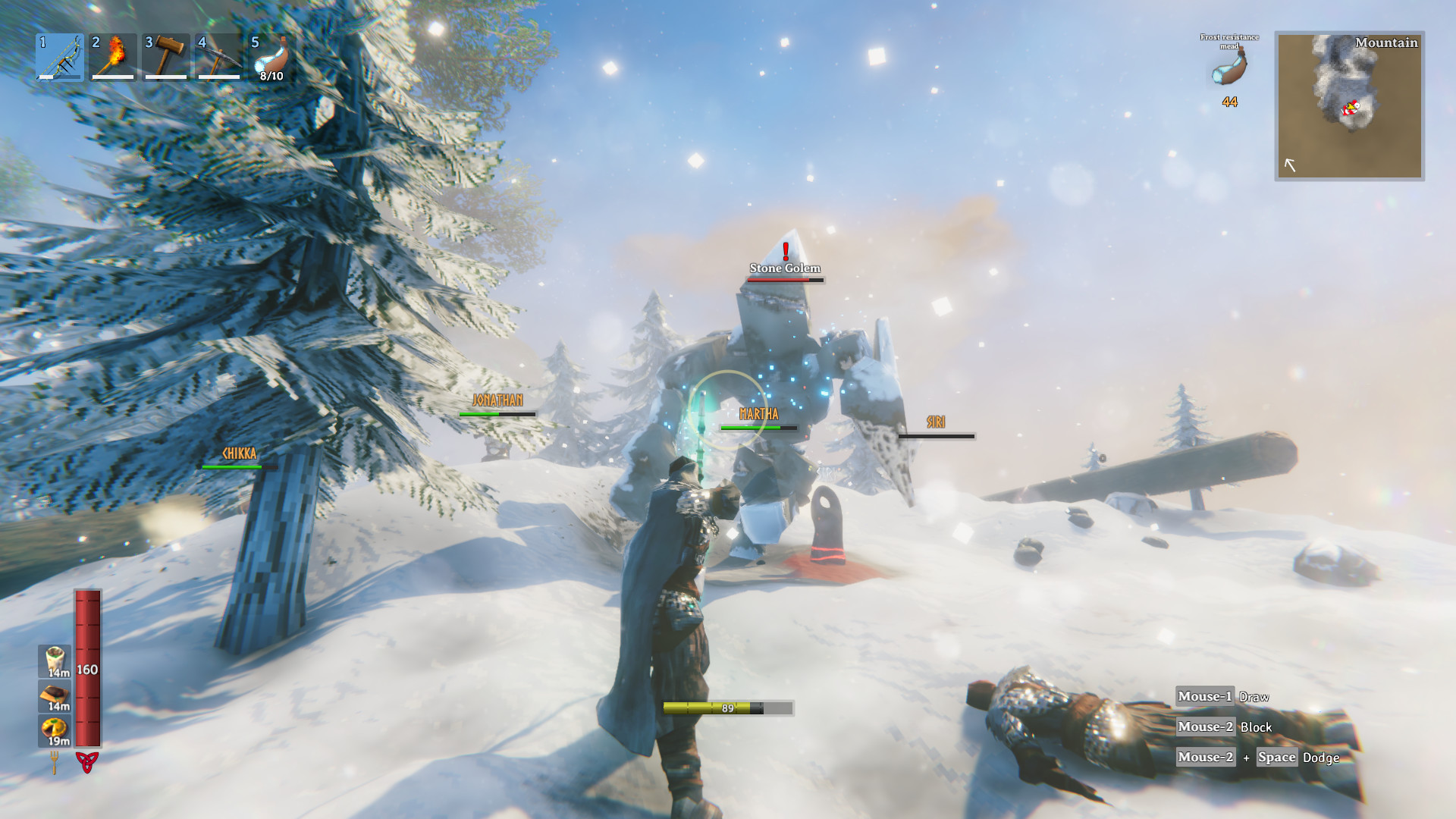

Why your CPU decides this game, not your GPU
Valheim's engine leans on a single CPU thread for world simulation, physics, and networking, and that thread is the real ceiling. A six-core CPU with a high boost clock will often beat an eight-core chip with a lower clock, because Valheim barely touches the extra cores. This is why a GTX 1060 owner and an RTX 4070 owner can end up at nearly the same frame rate once they build a sprawling base near Mistlands or Ashlands. The graphics card stopped being the bottleneck a long time before that.
Terraforming makes it worse. Raised walls, dug moats, and flattened building plots all add geometry the game has to keep tracking, and a heavily edited plot next to a big base can cost more frames than swapping in a slower graphics card would. If your frame rate drops specifically around your own base or a friend's, this is almost always why, and a GPU upgrade will not fix it.
The Vulkan option, and when to use it
Valheim ships with an optional Vulkan renderer alongside the default DirectX 11 path, switched on through a launch option in the game's Steam properties. Vulkan carries less overhead on the CPU side, so on an older or weaker processor it can free up a real chunk of frame rate, and some players see fewer crashes once they turn it on.
It is not a guaranteed upgrade for everyone. A handful of players report more instability on Vulkan than on the default renderer, particularly on older AMD drivers, so treat it as something to test rather than a sure win. If your CPU is modern and your performance is already stable, there is little reason to switch.
What changes when 1.0 and the Deep North arrive
As of this writing Valheim is still in Early Access, and Iron Gate has set September 9, 2026 as the date it leaves that status. The Deep North update adds the game's final biome, a frozen expanse with new enemies, new weapons, a grappling hook, a new dungeon type, and dozens of achievements. It is also the day Valheim launches on PlayStation 5 and Nintendo Switch 2 for the first time, with full crossplay across PC, PS5, Xbox, and Switch 2.
None of that has raised the official PC requirements so far. A new biome with more enemies and bigger set pieces will add some load in that specific area, the same way Ashlands did when it landed, but the GTX 950 minimum has held through every content update since 2021. Expect the usual pattern: a modest frame rate hit in the newest zone until Iron Gate optimizes it in a later patch.
Getting a smoother frame rate on weaker hardware
Point light count is the setting most worth touching. Torches, campfires, and lanterns are cheap individually but add up fast inside a base, and turning down or limiting dynamic lights recovers more frame rate than most other graphics settings combined. After that, lower shadow quality and vegetation density, since both scale directly with how dense a forest or Mistlands area looks.
On 8 GB of RAM you are sitting at the bare minimum. Valheim itself is light on memory, but Windows, the Steam overlay, and voice chat push you close to the edge during a long session, so 16 GB is worth the upgrade if you build large bases or host a server. A hard drive works fine for install, but an SSD shortens the pause when the game streams in a new area.
Can I run Valheim? Your questions answered
A 2.6 GHz quad core processor or similar, a GeForce GTX 950 or Radeon HD 7970 graphics card, and 8 GB of RAM. The full minimum and recommended specs are in the table above.
An i5 3GHz or Ryzen 5 3GHz processor, a GeForce GTX 1060 or Radeon RX 580 graphics card, and 16 GB of RAM for a steadier experience at higher settings.
CPU, by a wide margin once you are past the early game. The engine runs its world simulation, physics, and networking mostly on one thread, so a fast single-core CPU matters more than a powerful graphics card, especially near large bases.
It clears the official minimum, though not by much once Windows, Steam, and voice chat are all sharing that same 8 GB alongside the game. The recommended 16 GB is the safer number for a session that runs long.
It's enough for the recommended spec, and it handles most solo or small-group sessions without issue. The case for going to 32 GB shows up mainly if you're also hosting a dedicated server or running a heavily modded world at the same time.
Steam lists 1 GB, a figure that predates several biome updates. In practice, budget a few GB for the install and extra room for world and character save files, which grow the longer you play.
No, it is not required, and a hard drive installs and runs it fine. An SSD does shorten the brief pause you get when the game streams in a new zone.
DirectX 11 by default. There is also an optional Vulkan renderer you can switch on for potentially better performance on weaker CPUs.
Try Vulkan if you have an older or weaker CPU, since it carries less overhead and can free up frame rate. If your performance on the default DirectX 11 renderer is already stable, there is little reason to switch.
Yes. Hosting adds the load of simulating the world for every connected player on top of your own game, so a fast single-core CPU matters even more when you are running the server yourself rather than joining someone else's.
Not as far as Iron Gate has said. The official minimum has held since 2021 through every prior biome, including Ashlands. Expect the new frozen biome to run a little heavier than older areas until it gets optimized, but not a hard requirements change.
Yes. There is a native Linux build in addition to Windows, so Steam Deck and other Linux setups do not need Proton to play it, though Proton also works if you prefer it.
Often, yes, as long as it has a quad core CPU and a graphics card at least as capable as a GTX 950. The requirements are old by design; the game was built to run on modest hardware from the start.
Yes, especially mods that add building pieces, creatures, or expand world generation. Anything that adds more for the game to simulate piles onto the same single CPU thread the base game already leans on, so a modded server needs a stronger CPU than a vanilla one running the same player count.
The low-poly look keeps the GPU workload light, but the demand comes from what you build and how much the game has to track, not from geometry or texture detail. Two players with identical graphics cards can end up with very different frame rates depending on what their world looks like.
Only up to a point. Past roughly an RTX 3060, extra GPU power mostly helps at higher resolutions and frame rate caps in open areas. Inside a large base, your CPU's single-core speed is what limits you, not the card.
CPU clock speed matters more here than in most games, so a higher sustained boost clock, whether from a better cooler or a mild overclock, can make a real difference in CPU-heavy moments like a big base. Faster RAM has a smaller but genuine effect too, since the CPU leans on memory bandwidth as well.
Yes. Valheim was built to run on modest, years-old hardware, and the low-poly art style keeps the GPU workload small. The catch is that light only holds for a fresh world. A big base, heavy terraforming, or a crowded server puts real load on your CPU no matter how simple the graphics look.
Yes, more than almost anything else in the game. Every wall, floor, and piece you build adds something the engine has to track on its single main thread, so a sprawling base can cost more frames than a weaker graphics card ever would. Clearing out unused pieces or splitting a base into smaller sections helps more than turning down graphics settings does.
No. Valheim's own minimum is 8 GB, and 4 GB falls short of that before Windows and Steam even take their share. On 4 GB, expect stuttering and long load times even in a fresh, empty world.
No. Valheim has no built-in DLSS, FSR, or XeSS option, since the low-poly art style means it does not need one to hit a good frame rate. You can try forcing driver-level upscaling or frame generation if your card supports it, but the game itself offers no such toggle.
Not officially. Iron Gate has not built a native VR mode, so the only way to play Valheim in VR is a community mod. That means extra setup on your end, and no guarantee the mod still works after the next game update.
For the most part, yes, especially given how old its minimum hardware bar still is. Iron Gate has kept the GTX 950 minimum in place through years of biome updates, though each new biome tends to run a little heavier until a follow-up patch smooths it out, and single-core CPU load remains the game's one real weak spot.
Unity. That is part of why the graphics stay light on hardware. Iron Gate built a small, focused setup rather than one aimed at photorealistic detail, and put its optimization effort into world simulation instead.
Yes. The RTX 3050 has headroom over Valheim's recommended card, so you can push 1080p high and move to 1440p when you want. Around 90 fps at 1080p, comfortably past 60 in most scenes outside a heavy base.
Good enough to play. The GTX 1650 sits at Valheim's minimum, so expect 1080p low to medium and a bit of tuning for smoothness. About 65 to 80 fps at 1080p depending on the CPU it is paired with; a loaded base pulls it toward the lower end.
That is more than enough. The GTX 1060 6GB clears Valheim's recommended requirement, so aim for high at 1080p or step up to 1440p. Holds close to 60 fps in most open play, but dips into the 40s and lower in a well-lit base with several other players around.
Yes, though keep expectations modest. The RX 580 clears Valheim's minimum, so plan on 1080p at low to medium and trim a setting or two for a steady frame rate. In the same tier as the GTX 1060 6GB, roughly 55 to 65 fps in a fresh world, with the same CPU-driven drop near big bases.
Yes, with room to spare. Valheim recommends less than the RTX 4060 offers, so expect smooth 1080p high and a playable 1440p. Well past 100 fps at 1080p; the GPU has headroom to spare here.
Comfortably, yes. The RTX 3060 clears Valheim's recommended bar, which puts high 1080p and 1440p both in reach. About 100 to 105 fps at 1080p and 70 to 75 fps at 1440p, a strong match for this game.
Yes, comfortably. The RTX 2060 sits at or above Valheim's recommended card, so 1080p on high is smooth and 1440p is well within reach. Roughly 100 to 110 fps at 1080p, well above the point where the GPU is your limiter.
Yes, with room to spare. Valheim recommends less than the GTX 1660 offers, so expect smooth 1080p high and a playable 1440p. Around 90 to 97 fps at 1080p on high settings in a fresh world.
Comfortably, yes. The GTX 1660 Super clears Valheim's recommended bar, which puts high 1080p and 1440p both in reach.
For sure. The RX 6600 outpaces Valheim's recommended card, leaving you high 1080p now and 1440p whenever you like. Close to the RTX 3060, around 95 to 108 fps at 1080p and about 65 fps at 1440p.
Yes, comfortably. The GTX 1660 Ti sits at or above Valheim's recommended card, so 1080p on high is smooth and 1440p is well within reach.
The RTX 3060 Ti is a strong fit for Valheim. It lands at or above the recommended spec, so high 1080p is comfortable and 1440p works.
That is more than enough. The RTX 4050 clears Valheim's recommended requirement, so aim for high at 1080p or step up to 1440p.
You can play it. The GTX 1050 Ti is at Valheim's minimum, so keep to 1080p low to medium and lower a setting if it stutters. Around 60 to 70 fps at 1080p in a fresh world, dropping toward the 30s once a base or dense forest is in view.
Yes. The RTX 4070 has headroom over Valheim's recommended card, so you can push 1080p high and move to 1440p when you want. Around 145 to 155 fps at 1080p, 100 to 105 fps at 1440p, and about 60 fps at 4K.
Yes. Valheim has a native macOS build that runs directly on Apple Silicon Macs, no Windows layer or workaround needed. Steam lists an M1 chip as the recommended Mac spec, and older Intel Macs with a Radeon Pro 450 or better also meet the minimum.
Recent Intel integrated graphics, such as Iris Xe on newer laptops, can run Valheim at 1080p on low to medium settings. Older or weaker integrated chips fall short of the minimum and will struggle.
A Chromebook can't run either the Windows or Mac build locally, since it has no dedicated graphics hardware for the game to use. Streaming it through a service like GeForce Now is the workaround, rendering Valheim on remote hardware and sending the picture back to your screen.
Yes, and Valheim is Steam Deck Verified. A recent update added a 60 fps performance mode on Deck along with better battery life, and the game runs at native resolution rather than upscaled. ROG Ally and Legion Go, being more powerful, run it just as comfortably or better.
An RTX 4070 or RX 6800 class card and up handles 4K comfortably in open areas, somewhere around 60 fps. Dense bases still fall back on your CPU regardless of how strong the GPU is at any resolution.
An RTX 3060 or RX 6600 and up holds a steady 70 fps or so at 1440p in normal play. As with every resolution here, a big base or crowded server is what actually caps the number, not the GPU.
Almost any card at or above the recommended GTX 1060 or RX 580 clears 60 fps at 1080p in open play. Holding 60 fps specifically inside a large base depends far more on your CPU's single-core speed than on the graphics card.
A GTX 1660 or better handles the highest in-game settings at 1080p without trouble in a fresh world. The setting that costs the most is dynamic point lights, so a base full of torches and campfires will pull frame rate down no matter how high-end your card is.
No. Valheim's low-poly art style keeps VRAM use light, so even 4 GB cards are rarely limited by memory in this game. Whatever frame rate problems you run into are almost always CPU-driven, not VRAM-driven.
Within reason, yes. At the official minimum of a GTX 950, a 2.6 GHz quad core, and 8 GB of RAM you can play at 1080p on low settings. Below that hardware, or once you start a large base, expect real struggles regardless of settings.
A recent i3 or Ryzen 3 with four cores and a decent clock speed clears the minimum and plays fine in open exploration. Where it will show its limits is single-core speed once you build a big base or join a busy server, since that is what this game leans on hardest.
A CPU below the 2.6 GHz quad core floor, under 8 GB of RAM, an outdated graphics driver, or a sprawling base and heavy terraforming nearby dragging down that single busy CPU thread; these are what usually cause rough performance here. Try switching to the Vulkan renderer, update your drivers, and see whether the slowdown follows you into an empty area, which points at the CPU rather than the graphics card.
Yes. Valheim is available on GeForce Now and Xbox Cloud Gaming, which stream the game from remote hardware, so a weak PC, Mac, or Chromebook can still play it as long as the connection is stable.
Neither has a clear edge in this game. Valheim is not GPU-heavy, so an Nvidia and an AMD card of similar tier perform about the same, and the CPU attached to either one decides more of your frame rate than the GPU brand does.
It depends on the chip. Older Intel UHD Graphics, like the 620 or 630, sit below Valheim's minimum and will struggle even at low settings. AMD's Vega 8, found in older Ryzen laptop chips, and the newer Radeon 780M in Ryzen AI processors both clear the minimum and can hold 1080p on low to medium settings in a fresh world, though a big base will still slow either one down.
Yes. Valheim launched on Xbox Series X/S and Xbox One in March 2023 and has been part of Xbox Game Pass since. It also supports full crossplay with PC players. This page focuses on the PC version.
Not yet at the time of writing. Valheim comes to PlayStation 5 on September 9, 2026, the same day it leaves Early Access with the 1.0 release and the Deep North update. There is no PS4 version planned.
Not the original Switch. Valheim launches on Nintendo Switch 2 on September 9, 2026, alongside the 1.0 release. Before that date there is no Switch version at all.
Currently PC and Xbox share full crossplay. From September 9, 2026, Iron Gate has confirmed crossplay expands to cover PC, PlayStation 5, Xbox, and Switch 2 together, all in the same worlds with no platform-locked lobbies.
Yes, the PC version has controller support alongside mouse and keyboard, and the interface adapts to whichever input you are using.
The default multiplayer limit is 10 players per world, though dedicated server hosts can raise that with configuration changes. Larger player counts put more load on whoever is hosting, since the host's CPU simulates the world for everyone connected.
No. Valheim is online multiplayer only, on both PC and Xbox, with no split-screen or local couch co-op mode.
Solo play works fully offline. An internet connection is only needed for joining someone else's world, hosting your own multiplayer session, or playing on Xbox with an active Game Pass subscription.
Only in a limited way. A Raspberry Pi lacks the single-core speed the server needs, so it can technically host a very small, lightly built world for one or two players, but it falls behind quickly once the world grows or more players join. A cheap mini PC or a low-cost VPS is a much better fit for a dedicated server.
Xbox One holds a lower, sometimes uneven frame rate in busy areas, similar to what a weak PC sees. Xbox Series X/S runs noticeably smoother and closer to 60 fps in normal play, though the same rule applies as on PC: a very large base or crowded server drags the frame rate down on any Xbox.