
Can I Run The Division 2 on My PC / Laptop?
An open-world third-person shooter RPG set in a devastated Washington D.C. It's an easier game to run than most modern open-world titles, and DirectX 12 is the setting that matters most.
Check if your PC can run The Division 2
Pick your graphics card and processor to check.
Can I run The Division 2 on my PC?
Use the checker above to find out in seconds. Pick your graphics card and processor and it compares them against The Division 2's official requirements. As a quick guide, you need at least a AMD R9 280X (3 GB), NVIDIA GeForce GTX 780 (3 GB with Shader Model 5.0+), or better graphics card, a AMD FX 6350, Intel Core i5-2500K, or better (SSE 4.2 and AVX support required) processor, and 8 GB RAM of RAM to play at 1080p.
Can I run The Division 2 on my laptop?
Yes, if your laptop has a dedicated graphics card around a AMD R9 280X (3 GB), NVIDIA GeForce GTX 780 (3 GB with Shader Model 5.0+), or better or better and 8 GB RAM of RAM. Laptops with only integrated graphics usually fall short. Enter your laptop's GPU in the tool above to check. Keep in mind that the laptop version of a card runs a little slower than the desktop card of the same name, and heat can lower sustained frame rates.
The Division 2 is one of the easier modern shooters to run. If your graphics card is at least a GTX 1060 6GB or an RX 580, you clear the recommended tier and can expect a smooth 1080p experience. The thing most guides skip is the render mode: the game defaults to DirectX 11, but switching to DirectX 12 in the display settings is worth 15 to 20 extra frames in busy firefights on the same hardware, especially on AMD cards.
Compare your own CPU and GPU against the official requirements using the checker above. Below that are the full spec tables, real frame rates across a range of cards, why DX12 matters here, what actually limits performance, and what to know about the always-online connection before you install.
The Division 2 system requirements
| Minimum | Recommended | |
|---|---|---|
| Processor (CPU) | AMD FX 6350, Intel Core i5-2500K, or better (SSE 4.2 and AVX support required) | AMD Ryzen 5 1500x, Intel Core i7-4790, or better (SSE 4.2 and AVX support required) |
| Graphics card (GPU) | AMD R9 280X (3 GB), NVIDIA GeForce GTX 780 (3 GB with Shader Model 5.0+), or better | AMD RX 480 (4 GB), NVIDIA GeForce GTX 970 (4 GB with Shader Model 6.0+), or better |
| Memory (RAM) | 8 GB RAM | 8 GB RAM |
| Operating system | Windows 10 64-bit | Windows 10/11 64-bit |
| DirectX | Version 11 | Version 12 |
| Storage | 77 GB available space | 77 GB available space |
Storage: 77 GB. An SSD isn't required, but it shortens load times noticeably.
The Division 2 FPS by graphics card
| Graphics card | 1080p | 1440p | 4K | Notes |
|---|---|---|---|---|
| GTX 1060 6GB | ~55-60 (High) | , | , | Around 45 on Ultra. The 3GB variant runs closer to 40 and needs settings turned down further. |
| RX 580 8GB | ~50-55 (High) | , | , | Similar tier to the GTX 1060 6GB, an official recommended-adjacent card. |
| RTX 2060 | ~85-95 (Ultra) | ~65-70 (Ultra) | , | Comfortable 1080p Ultra with room to spare at 1440p. |
| RTX 3060 | ~100+ (Ultra) | ~80 (Ultra) | ~45-50 | The game is well optimized, so this card has real headroom at 1080p. |
| RTX 4060 | ~120+ (Ultra) | ~90 (Ultra) | ~55 | DirectX 12 keeps 1% lows well above DX11 during firefights. |
| RTX 4070 | ~150+ (Ultra) | ~110 (Ultra) | ~70-75 | Strong 4K performance, helped by having no ray tracing to weigh it down. |
| RTX 4090 | ~200+ (CPU-bound) | ~180 (Ultra) | ~120-140 | Frame rate is limited by your CPU well before this card runs out of headroom. |
Numbers are approximate averages at Ultra settings in DirectX 12 mode unless noted, and they shift with your CPU, the specific mission or Dark Zone area, and driver version. Busy firefights and Dark Zone encounters drop frame rates more than open-world exploration.
Can these graphics cards run The Division 2?
| Graphics card | Verdict | Notes |
|---|---|---|
| GTX 1050 Ti | Below minimum | Below the minimum. Very low settings, low frame rates. |
| GTX 1650 | Playable | Minimum covered. 1080p low to medium is the target. |
| RX 570 | Playable | Passes minimum. Aim low to medium 1080p, upscaling helps. |
| RX 580 | Runs well | Exceeds recommended. 1080p high is comfortable, 1440p fine. |
| GTX 1060 6GB | Runs well | Beats the recommended spec. Comfortable high 1080p, playable 1440p. |
| GTX 1650 Super | Runs well | Recommended tier or better. High 1080p, with room for 1440p. |
| GTX 1660 | Runs well | Beats the recommended spec. Comfortable high 1080p, playable 1440p. |
| GTX 1660 Super | Runs well | At or above the recommended card. Smooth 1080p high, 1440p realistic. |
| RTX 3050 | Runs well | Exceeds recommended. 1080p high is comfortable, 1440p fine. |
| GTX 1660 Ti | Runs well | Strong fit. High settings at 1080p, 1440p within reach. |
| RX 6600 | Runs well | Over the recommended bar. Smooth high 1080p, 1440p realistic. |
| RTX 2060 | Runs well | Recommended tier or better. High 1080p, with room for 1440p. |
| RTX 4050 | Runs well | Exceeds recommended. 1080p high is comfortable, 1440p fine. |
| Arc A750 | Runs well | Above recommended. 1080p high is easy, and 1440p works too. |
| RTX 3060 | Runs well | Exceeds recommended. 1080p high is comfortable, 1440p fine. |
| RX 6600 XT | Runs well | At or above the recommended card. Smooth 1080p high, 1440p realistic. |
| RX 7600 | Runs well | Recommended tier or better. High 1080p, with room for 1440p. |
| RX 6700 XT | Runs well | Over the recommended bar. Smooth high 1080p, 1440p realistic. |
| RTX 4060 | Runs well | Strong fit. High settings at 1080p, 1440p within reach. |
| RTX 3060 Ti | Runs well | At or above the recommended card. Smooth 1080p high, 1440p realistic. |
| RTX 3070 | Runs well | Recommended tier or better. High 1080p, with room for 1440p. |
| RTX 4070 | Runs well | Above recommended. 1080p high is easy, and 1440p works too. |

How well it actually runs
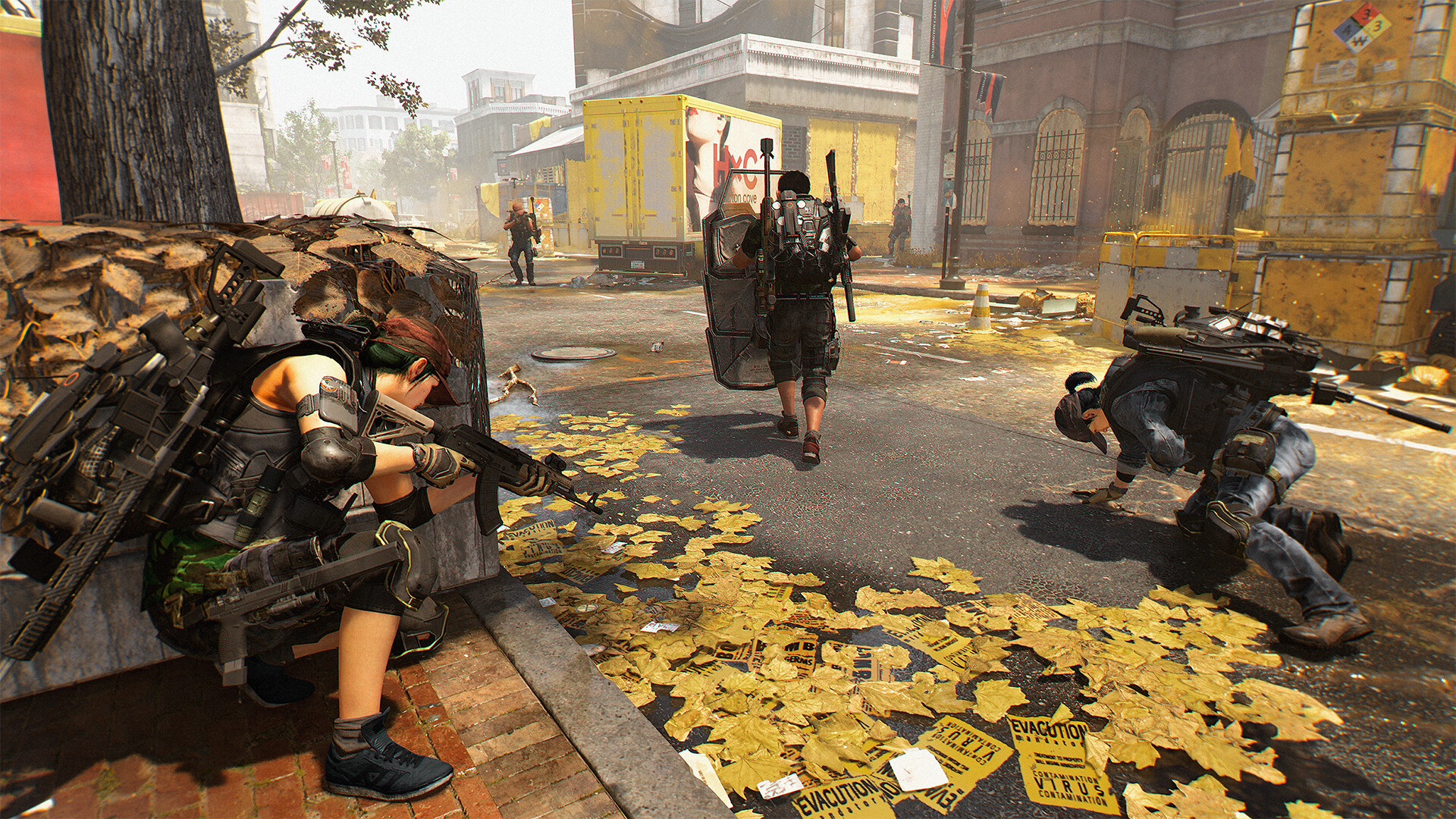
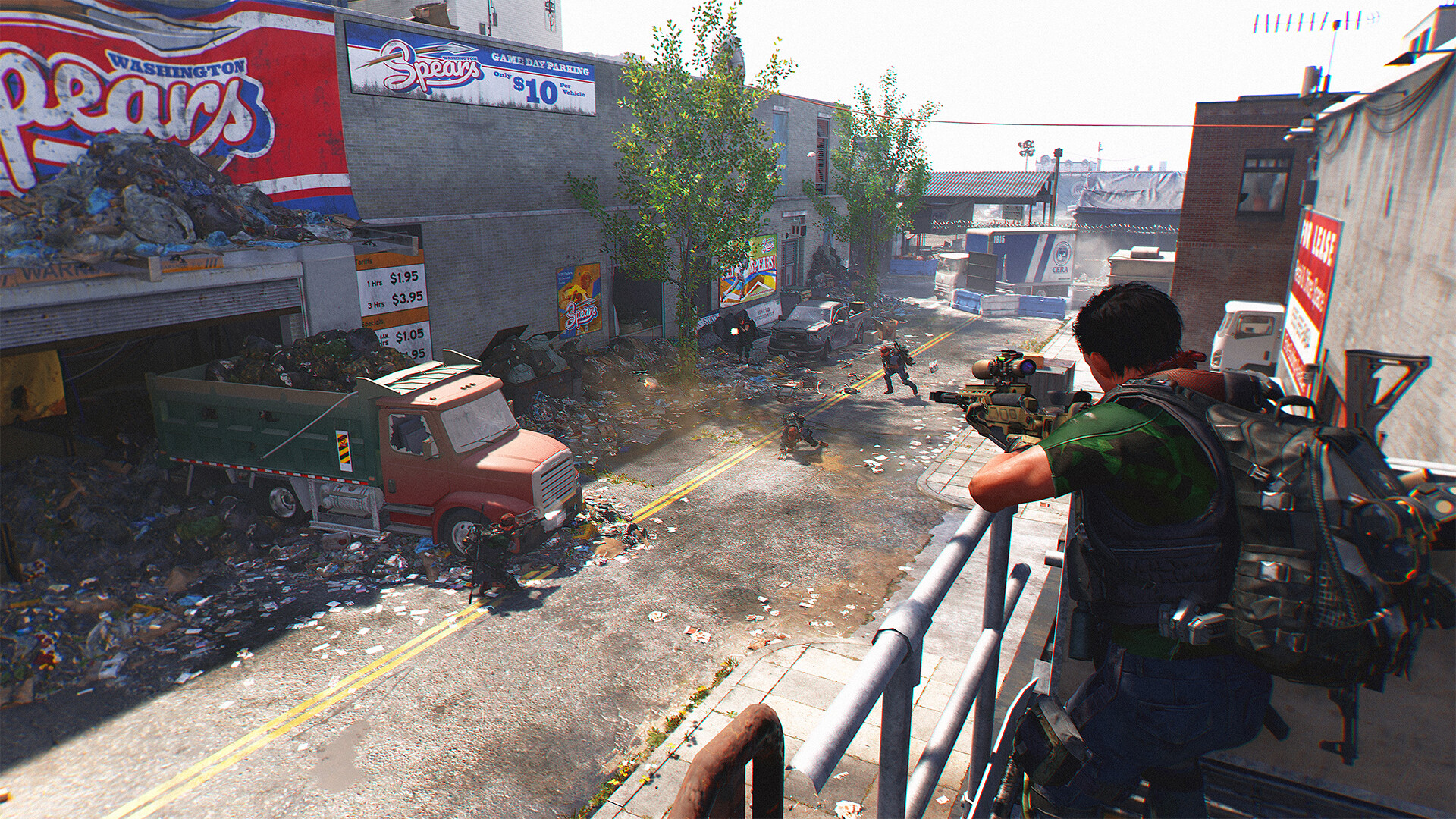
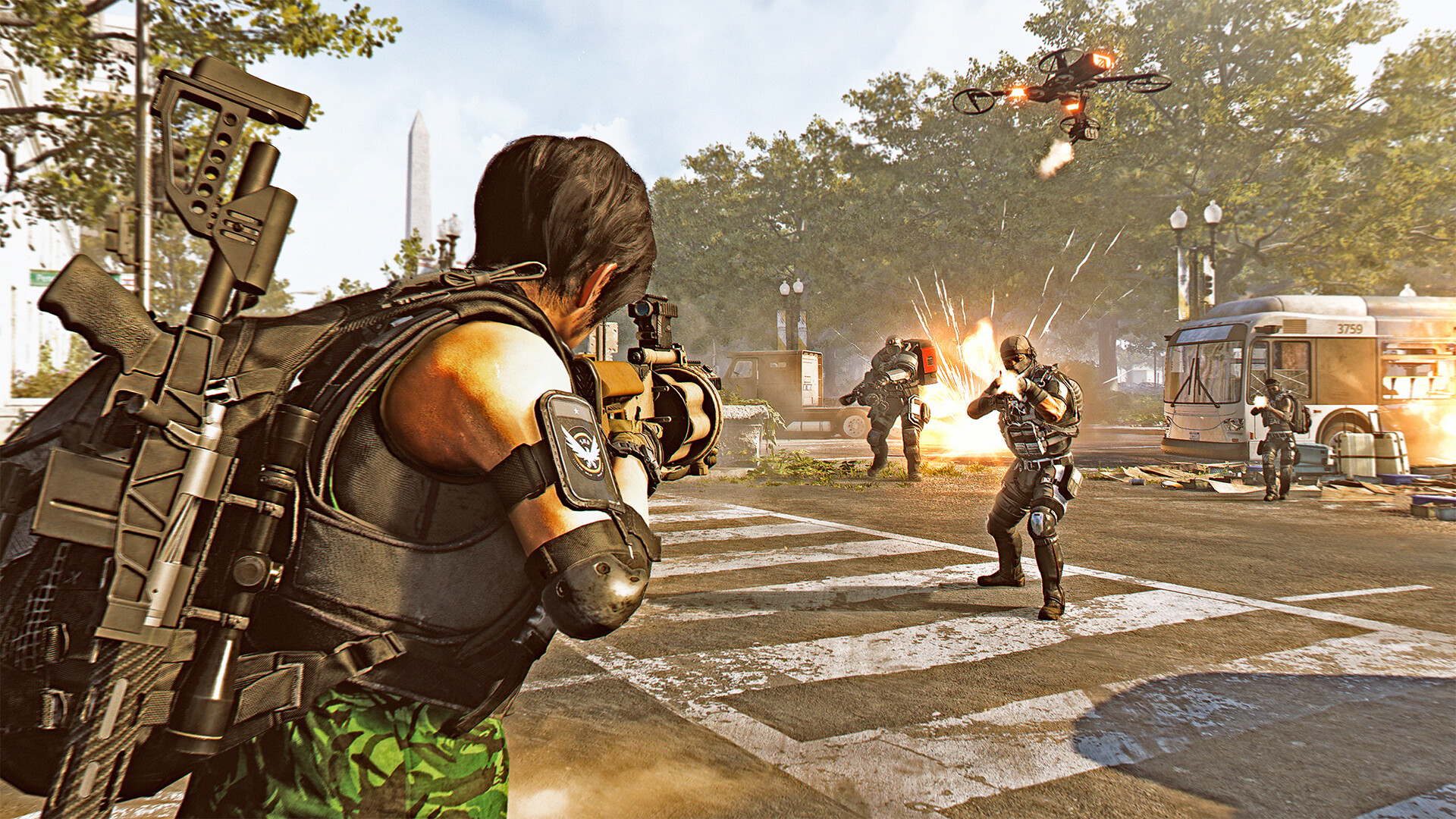
Tom Clancy's The Division 2 is not a demanding game by 2026 standards. Massive Entertainment's Snowdrop engine was tuned for consistency across a wide range of hardware when the game launched in 2019, and years of patches have only made it lighter on modern GPUs. A GTX 1060 6GB holds around 55 to 60 fps at 1080p on High, and anything from an RTX 2060 up runs Ultra settings without much thought.
There's no ray tracing to turn on or off, and no upscaling trick required to hit a comfortable frame rate on mid-range hardware, though DLSS and FSR are both supported if you want extra headroom. The game scales down just as cleanly. Even hardware below the official minimum can often get through the campaign at reduced settings, since Ubisoft's listed requirements are conservative by today's standards.
DirectX 11 or DirectX 12: pick DX12
The Division 2 ships with both a DirectX 11 and a DirectX 12 render path, and which one you pick matters more than almost any single graphics setting. Testing after the DX12 patches settled shows DX12 pulling ahead in average frame rate, roughly 94 fps against 87 fps at 1440p Ultra on the same hardware, and the gap widens under load: DX11 sinks to around 59 fps during a heavy firefight while DX12 holds closer to 80.
AMD cards gain the most, since DirectX 11's driver overhead hits AMD hardware harder than Nvidia's, but Nvidia owners see a real benefit too, mostly in smoother 1% lows rather than a big jump in the average. Switch to DX12 from the display settings menu and you'll notice steadier frame pacing during Dark Zone fights and boss encounters, which is where DX11 tends to stumble.
What actually limits your frame rate
This isn't a VRAM-hungry game. 4GB cards handle 1080p without the texture stutter you'd see in something like Hogwarts Legacy, and even the 8GB recommendation tied to the GTX 970 is more about that card's overall age than its memory size. If you're bottlenecked, it's almost always the CPU, particularly in the open world and Dark Zones where a lot of players, loot, and enemy AI are being tracked at once.
8GB of system RAM is listed for both the minimum and recommended tiers, and that's genuinely enough, since the game doesn't balloon in memory use the way newer open-world titles do. If you're chasing frame rate on a card like an RTX 4070 or better, the ceiling you'll hit at 1080p is your CPU, not your GPU. A mid-range six-core processor from the last five years is usually enough to avoid that wall entirely.
Always-online and what to know before you install
The Division 2 needs a persistent internet connection even when you're playing solo. There's no true offline mode, since the game's servers handle loot, progression, and the shared Dark Zone at all times, so a dropped connection during a mission can pull you out of it. Budget the full 77GB of storage before installing, and while an SSD isn't an official requirement, it noticeably shortens the loading screens between the base of operations and the open world.
Crossplay has been a long-standing request, and Ubisoft has confirmed it's arriving in November 2026 alongside the game's next expansion, more than seven years after launch. As of now, matchmaking is split by platform family: the three PC storefronts (Steam, Epic, and Ubisoft Connect) share one pool, PS4 and PS5 players match together, and Xbox One and Xbox Series X/S match together, but PC and console players still can't group up with each other.
Can I run The Division 2? Your questions answered
The official minimum is an AMD FX 6350 or Intel Core i5-2500K processor, an AMD R9 280X (3 GB) or NVIDIA GTX 780 (3 GB) graphics card, and 8GB of RAM. That covers 1080p on low to medium settings, though these numbers are conservative by 2026 standards.
For a smoother experience Ubisoft recommends an AMD Ryzen 5 1500x or Intel Core i7-4790 processor, an AMD RX 480 (4 GB) or NVIDIA GTX 970 (4 GB) graphics card, and 8GB of RAM. In practice a GTX 1060 6GB or RX 580 clears this comfortably.
Yes. Both the minimum and recommended tiers list 8GB, and the game doesn't push much past that even during large Dark Zone fights. 16GB is a nice-to-have if you multitask while playing, but it won't change your frame rate in this particular game.
No, an SSD isn't an official requirement. A hard drive will run the game fine, but you'll notice longer load times moving between the open world and instanced missions, so an SSD is worth it for convenience rather than performance.
77GB of free space, per the official Steam listing. Leave a little extra room for patches and the Ubisoft Connect overlay files.
DirectX 12. It runs noticeably faster in demanding scenes, roughly 80 fps against DX11's 59 fps during a heavy firefight at 1440p Ultra in one common test, and the advantage is even bigger on AMD graphics cards. Switch it in the display settings if you haven't already.
Running DirectX 11 instead of DirectX 12 is the top cause, especially on AMD hardware or in a crowded Dark Zone fight. Stale graphics drivers and background overlays such as Discord, GeForce Experience, or Ubisoft Connect come next. Update your drivers, switch to DX12, and close anything recording your screen if the hitching keeps up.
Yes, even for the solo campaign. The game is always-online, since the server handles your loot, progression, and the shared Dark Zone at all times. A weak or dropped connection can interrupt a mission that's already in progress.
On mid-range and high-end graphics cards, it's mostly CPU-bound, particularly in busy areas like the Dark Zone where a lot of players and enemies are being simulated at once. A modern six-core processor is enough to avoid hitting that ceiling; the graphics card matters more once you move up to 1440p and 4K.
Massive Entertainment's Snowdrop engine, the same engine family used across Ubisoft's Tom Clancy games. It was built to handle large, persistent open worlds without heavy VRAM use, which is part of why the game runs cleanly on older hardware.
No. The game predates Snowdrop's ray tracing support and has never added it, so there's nothing to toggle on modern cards beyond the standard graphics settings.
No, it's on the easier side. Compared to something like Assassin's Creed Valhalla or Far Cry 6, The Division 2 asks less of your CPU and GPU alike, mostly because Snowdrop was built around consistent performance in a persistent online world rather than a huge single-player map.
Yes. Massive Entertainment patched the DirectX 12 path extensively after launch, added support for modern upscaling, and kept tuning performance through years of seasonal content. The game runs noticeably better on both old and new hardware today than it did at release in 2019.
Easily. With the RTX 3050 you are past The Division 2's recommended tier, which means high settings at 1080p and a genuine shot at 1440p.
Yes, at the lower end. With the GTX 1650 you clear The Division 2's minimum, so 1080p low to medium is the target and easing back a setting helps. Around 45 to 55 fps at 1080p on Medium to High. Its 4GB of VRAM isn't the limiter here, raw power is.
The GTX 1060 6GB is a strong fit for The Division 2. It lands at or above the recommended spec, so high 1080p is comfortable and 1440p works. Around 55 to 60 fps at 1080p on High, or closer to 45 on Ultra. Switch to DirectX 12 for steadier frames in firefights.
Yes. On the RX 580, The Division 2 runs at high settings in 1080p and scales up to 1440p without much fuss. About 50 to 55 fps at 1080p on High, similar territory to the GTX 1060 6GB.
Yes, comfortably. The RTX 4060 sits at or above The Division 2's recommended card, so 1080p on high is smooth and 1440p is well within reach. Around 120 fps or more at 1080p Ultra, about 90 at 1440p, and roughly 55 at 4K.
Yes. The RTX 3060 has headroom over The Division 2's recommended card, so you can push 1080p high and move to 1440p when you want. Over 100 fps at 1080p Ultra, roughly 80 at 1440p Ultra, and around 45 to 50 at 4K.
You are well set. The RTX 2060 exceeds The Division 2's recommended card, so 1080p high is easy and 1440p is realistic. Around 85 to 95 fps at 1080p Ultra, and a comfortable 65 to 70 fps at 1440p Ultra.
Plenty of power here. The GTX 1660 is above The Division 2's recommended tier, so high 1080p is smooth and 1440p is a fair target.
That is more than enough. The GTX 1660 Super clears The Division 2's recommended requirement, so aim for high at 1080p or step up to 1440p. About 70 to 80 fps at 1080p Ultra, a clear step up from the GTX 1060 6GB.
Yes. On the RX 6600, The Division 2 runs at high settings in 1080p and scales up to 1440p without much fuss. Roughly 90 to 100 fps at 1080p Ultra, close to an RTX 3060 in this particular game.
The GTX 1660 Ti is a strong fit for The Division 2. It lands at or above the recommended spec, so high 1080p is comfortable and 1440p works.
You are well set. The RTX 3060 Ti exceeds The Division 2's recommended card, so 1080p high is easy and 1440p is realistic. Close to 110 fps at 1080p Ultra and around 85 at 1440p Ultra.
Plenty of power here. The RTX 4050 is above The Division 2's recommended tier, so high 1080p is smooth and 1440p is a fair target.
Not really. The GTX 1050 Ti falls under The Division 2's minimum card, so you are looking at very low settings and low frame rates, if it starts at all.
For sure. The RTX 4070 outpaces The Division 2's recommended card, leaving you high 1080p now and 1440p whenever you like. Well past 150 fps at 1080p Ultra, around 110 at 1440p, and 70 to 75 at 4K Ultra.
The Division 2 has never been ported to macOS, Air, Pro, or M-series chip included, so a MacBook cannot handle it alone. Cloud streaming through a service like GeForce Now is the real option here.
Not comfortably. Integrated graphics fall below the GTX 780 / R9 280X minimum, so you'd be looking at low resolutions and low settings with frame rates well under 30. A dedicated graphics card, even an older budget one, gives a much better result.
No Chromebook ships with a dedicated graphics card anywhere near the minimum, so GeForce Now cloud streaming is the only practical way to play one on this hardware.
Yes, on all three, though it isn't an officially Valve-verified title. It runs through Proton with generally positive community reports, though a few players note a slower first launch and occasional anti-cheat verification prompts. Expect to tune settings down for a stable handheld frame rate, since the game wasn't built with a handheld preset in mind.
Yes, comfortably on an RTX 4070 or better, since the game has no ray tracing to weigh it down. An RTX 3070 or RX 6800 also holds a solid 4K frame rate at high settings if you're willing to step down from Ultra.
An RTX 3060 or better holds a strong frame rate at 1440p on Ultra, and even a GTX 1070-class card manages a steady 60 fps if you're willing to drop from Ultra to High.
Almost anything from a GTX 1060 6GB up clears 60 fps at 1080p on High settings, and switching to DirectX 12 makes holding a steady 60 in firefights noticeably easier than staying on DX11.
Yes, an RTX 2060 or RX 5700-class card handles 1080p Ultra without much trouble, and anything from an RTX 3060 up has real headroom to spare. This isn't one of the games that reserves Ultra for the newest hardware.
Less than most modern games. 4GB is enough at 1080p, and 6 to 8GB covers 1440p and 4K comfortably. This isn't a game where graphics memory becomes the bottleneck the way it does in newer, texture-heavy titles.
Both, yes. PS5 plays it through backward compatibility with a real performance boost over the PS4 original, even without a dedicated PS5 patch adding extra graphics modes. This page is about the PC version.
No native Linux build exists and Valve has not officially verified it, but Steam Play's Proton gets it running with generally positive community feedback. The first launch tends to run slower with the occasional Ubisoft Connect or anti-cheat prompt, then settles into a stable session once you tune settings down a touch. Nothing here is blocked outright, it just was not built with Proton in mind, so patience on that first run pays off.
Yes, along with the original Xbox One. Xbox One and Xbox Series X/S players match together in the same pool, and the Series X/S version runs at a noticeably higher, steadier frame rate than the older Xbox One hardware. This page covers the PC version.
No, there's no Switch version, either the original hardware or Switch 2. The Division 2 is only available on PC, PlayStation, and Xbox.
Within limits, yes. At the official minimum of a GTX 780 (3 GB) or R9 280X, an FX 6350 or i5-2500K, and 8GB of RAM, you should get a playable 1080p experience on low to medium settings, especially in DirectX 12. Below that hardware, expect to drop resolution as well.
Yes, The Division 2 is supported on GeForce Now, so you can play it on a Chromebook, older laptop, or Mac by streaming it from Nvidia's servers instead of running it locally.
A recent quad-core i3 or Ryzen 3 clears the minimum CPU requirement and can run the game, but you'll hit a CPU ceiling in busy Dark Zone fights sooner than with a six-core processor. It's playable, just not the ideal pairing for a strong graphics card.
Not yet, but Ubisoft has confirmed full crossplay is arriving in November 2026 alongside the game's next expansion, more than seven years after launch. Until then, the three PC storefronts (Steam, Epic, and Ubisoft Connect) share one matchmaking pool, PS4 and PS5 players match together, and Xbox One and Xbox Series X/S match together, but PC and console players can't group up with each other yet.
Yes, comfortably above the recommended tier. Expect around 70 to 80 fps at 1080p on Ultra, and a solid 60 fps at 1440p on High settings.
Yes, well above the recommended tier. It handles 1080p Ultra with fps to spare and holds a steady 60 fps or better at 1440p Ultra.
Yes, easily. It sits well above the recommended card and comfortably runs 1440p Ultra at 70 fps or more, with 1080p Ultra well past 100 fps.
Yes. It's a strong match for this game, holding roughly 100+ fps at 1080p Ultra and a smooth 70 to 80 fps at 1440p Ultra, with 4K at high settings also playable.
Yes, and it's more card than this game really needs at 1080p or 1440p. It's a good pick if your goal is 4K Ultra, where it holds roughly 60 to 70 fps.
Yes, with plenty of headroom. Expect frame rates well past 100 fps at 1080p and 1440p Ultra, and a strong 4K Ultra experience above 70 fps.
Yes, and at 1080p or 1440p you'll be limited by your CPU long before this card runs out of power. At 4K Ultra it comfortably clears 100+ fps, well beyond what the game needs.
Yes. It performs similarly to an RTX 3070 in this game, holding around 90 to 100 fps at 1080p Ultra and a smooth 1440p Ultra experience.
Marginally at best. Iris Xe integrated graphics sit close to the bottom of what the minimum requirement allows on paper, but in practice expect low settings, 720p or lower resolution, and frame rates well under 30. A budget dedicated GPU will treat you far better.