
Can I Run Rainbow Six Siege on My PC / Laptop?
Ubisoft's tactical 5v5 shooter, relaunched in 2025 as Siege X. One of the lightest, best optimized competitive games on PC.
Check if your PC can run Rainbow Six Siege
Pick your graphics card and processor to check.
Can I run Rainbow Six Siege on my PC?
Use the checker above to find out in seconds. Pick your graphics card and processor and it compares them against Rainbow Six Siege's official requirements. As a quick guide, you need at least a Nvidia GTX 1650 4GB / AMD RX 5500XT 4GB / Intel ARC A380 6GB graphics card, a AMD Ryzen 3 3100 / Intel i3-8100 processor, and 8 GB RAM of RAM to play at 1080p.
Can I run Rainbow Six Siege on my laptop?
Yes, if your laptop has a dedicated graphics card around a Nvidia GTX 1650 4GB / AMD RX 5500XT 4GB / Intel ARC A380 6GB or better and 8 GB RAM of RAM. Laptops with only integrated graphics usually fall short. Enter your laptop's GPU in the tool above to check. Keep in mind that the laptop version of a card runs a little slower than the desktop card of the same name, and heat can lower sustained frame rates.
Short answer: almost any PC built in the last decade can run Rainbow Six Siege, and most players are held back by their monitor or their aim, not their hardware. This is a genuinely light game by 2026 standards. Steam lists a GTX 1650 or RX 5500 XT as the minimum card and a Ryzen 3 3100 or i3-8100 as the minimum processor, and those numbers hold up in practice, not just on paper.
The thing people get wrong is assuming Siege needs a strong GPU to run smoothly. It doesn't. Competitive players deliberately turn settings down, not because their PC struggles but because low textures and no ambient occlusion make enemies easier to spot and push frame rates well past 200 on mid-range cards. Use the checker above to see exactly where your setup lands, then read below for the 2025 Siege X changes, the honest answer on RAM, and the Steam Deck catch that trips up a lot of people.
Rainbow Six Siege system requirements
| Minimum | Recommended | |
|---|---|---|
| Processor (CPU) | AMD Ryzen 3 3100 / Intel i3-8100 | AMD Ryzen5 3600 / Intel i5-10400 |
| Graphics card (GPU) | Nvidia GTX 1650 4GB / AMD RX 5500XT 4GB / Intel ARC A380 6GB | NVIDIA RTX 2060 6GB / AMD RX 6600 8GB |
| Memory (RAM) | 8 GB RAM | 8 GB RAM |
| Operating system | Windows 10, Windows 11 (64-bit versions) | Windows 11 (64-bit versions) |
| DirectX | Version 12 | Version 12 |
| Storage | 65 GB available space | 65 GB available space |
Storage: 65 GB available space. An SSD isn't required but it cuts down the wait between rounds.
Full performance tiers
| Tier | Target | CPU | GPU | RAM |
|---|---|---|---|---|
| Minimum | 1080p, low settings, roughly 60 fps | AMD Ryzen 3 3100 / Intel i3-8100 | Nvidia GTX 1650 4GB / AMD RX 5500XT 4GB / Intel ARC A380 6GB | 8 GB RAM |
| Recommended | 1080p, high settings, 100+ fps | AMD Ryzen 5 3600 / Intel i5-10400 | NVIDIA RTX 2060 6GB / AMD RX 6600 8GB | 8 GB RAM |
| Competitive / high refresh | 1080p, low settings, 200+ fps for 144Hz-240Hz monitors | 6-core CPU from the last five years, e.g. Ryzen 5 5600 / i5-12400 | RTX 3060 or RX 6600 or better | 16 GB RAM |
Rainbow Six Siege FPS by graphics card
| Graphics card | 1080p | 1440p | 4K | Notes |
|---|---|---|---|---|
| GTX 1650 | ~65-75 | , | , | High settings. Fine for casual play, competitive players would drop settings further. |
| GTX 1060 6GB | ~80-90 | , | , | High settings, comfortable 1080p. |
| RTX 2060 | ~100-115 | , | , | Ubisoft's own recommended card. Solid 1080p high. |
| RX 6600 | ~105-120 | ~80-90 | , | Handles 1440p high without much trouble. |
| RTX 3060 | ~110-130 | ~85-95 | , | A common competitive-grade pick. |
| RTX 4060 | ~130-150 | ~100-115 | , | Plenty of headroom for a 144Hz monitor. |
| RTX 4070 | ~165-190 | ~140-160 | , | Close to maxing out a 240Hz panel on high settings. |
These are rough, high-settings 1080p ranges pulled from multiple benchmark sources that don't fully agree with each other, so treat them as a starting point, not a guarantee. Dropping to the low-settings competitive preset typically pushes every card well above these numbers, often by 50% or more, since Siege scales its visual settings unusually aggressively compared to most shooters.
Can these graphics cards run Rainbow Six Siege?
| Graphics card | Verdict | Notes |
|---|---|---|
| GTX 1050 Ti | Below minimum | Below spec. Low settings and low fps at best. |
| GTX 1650 | Playable | Minimum covered. 1080p low to medium is the target. |
| RX 570 | Playable | Minimum covered. 1080p low to medium is the target. |
| RX 580 | Playable | Meets the bar. Low to medium settings at 1080p. |
| GTX 1060 6GB | Playable | At the minimum bar. 1080p low to medium, drop a setting if needed. |
| GTX 1650 Super | Playable | Meets minimum. Low to medium at 1080p, tune for a steady rate. |
| GTX 1660 | Playable | Runnable at minimum. Low to medium 1080p, ease settings back. |
| GTX 1660 Super | Playable | Minimum covered. 1080p low to medium is the target. |
| RTX 3050 | Playable | Passes minimum. Aim low to medium 1080p, upscaling helps. |
| GTX 1660 Ti | Playable | Meets the bar. Low to medium settings at 1080p. |
| RX 6600 | Playable | Just clears it. 1080p low to medium, smoother after tuning. |
| RTX 2060 | Runs well | Exceeds recommended. 1080p high is comfortable, 1440p fine. |
| RTX 4050 | Runs well | Past the recommended tier. High settings at 1080p, 1440p on the table. |
| Arc A750 | Runs well | At or above the recommended card. Smooth 1080p high, 1440p realistic. |
| RTX 3060 | Runs well | Over the recommended bar. Smooth high 1080p, 1440p realistic. |
| RX 6600 XT | Runs well | Strong fit. High settings at 1080p, 1440p within reach. |
| RX 7600 | Runs well | Past the recommended tier. High settings at 1080p, 1440p on the table. |
| RX 6700 XT | Runs well | Strong fit. High settings at 1080p, 1440p within reach. |
| RTX 4060 | Runs well | Beats the recommended spec. Comfortable high 1080p, playable 1440p. |
| RTX 3060 Ti | Runs well | At or above the recommended card. Smooth 1080p high, 1440p realistic. |
| RTX 3070 | Runs well | Recommended tier or better. High 1080p, with room for 1440p. |
| RTX 4070 | Runs well | Above recommended. 1080p high is easy, and 1440p works too. |


The one thing that decides your experience
Rainbow Six Siege is one of the least demanding competitive shooters on the market, and that is by design as much as by age. The engine renders small, mostly indoor maps with a fixed player count, so it never has to push the huge draw distances or crowd sizes that make other shooters GPU-hungry. A PC Gamer test years ago found a budget quad-core i3 only lost 10 to 20 percent of the frame rate compared to a high-end i7 at 1080p medium, and that gap has not widened much since, because the game still isn't built to lean hard on extra cores.
What actually decides your experience is your settings, not your silicon. Competitive players run textures, reflections, and ambient occlusion on low, not because their hardware forces them to, but because a flatter, lower-detail scene makes enemies pop against the background and frees up frame rate for a high refresh monitor. Shadows are the one setting most guides leave on high, since Siege uses shadows as a gameplay tell for movement. If you're chasing 144Hz or 240Hz, this is the setting profile to copy, and it works on hardware well below the recommended spec.
What changed with the Siege X relaunch
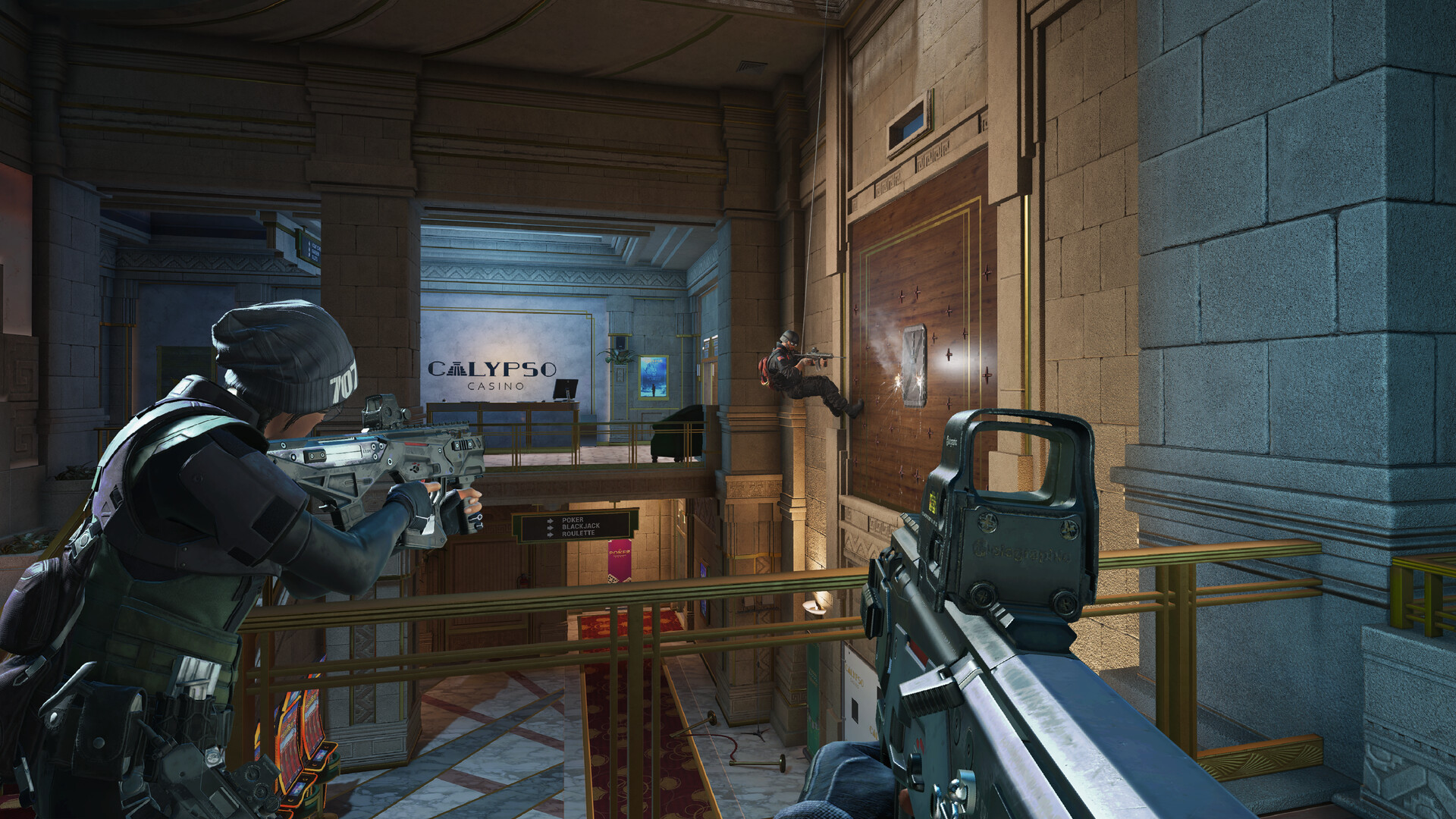
In June 2025, Ubisoft relaunched the game as Siege X: new lighting and shadows, higher-resolution textures with an optional 4K texture pack on PC, and a free 6v6 arcade mode called Dual Front that drops the old attacker/defender split. The core engine didn't change, but the visual pass did, and it nudged the official minimum GPU up to the GTX 1650 / RX 5500 XT / Arc A380 tier you see above, replacing older, weaker cards that used to clear the bar.
One quieter change matters more for stability than for requirements: an earlier update removed the Vulkan renderer entirely, so DirectX 12 is now the only rendering path on PC. If you're following an old guide that mentions switching between DirectX and Vulkan to fix stutter, that option no longer exists. Storage stayed at roughly 65 GB despite the visual overhaul, since Ubisoft improved texture compression at the same time it added the higher-res assets.
Is 8GB of RAM actually enough
Ubisoft's own listed spec still says 8 GB RAM for both minimum and recommended, and the game will start and run with 8 GB installed. But that number describes the game in isolation, not a real desktop. Once Windows 11, Ubisoft Connect, BattlEye, and whatever else is running in the background (Discord, a browser, an overlay) are all sharing that 8 GB, players on 8 GB systems commonly report stutter, especially in the newer Dual Front mode. Treat 8 GB as the number that lets the installer proceed, not the number that gives you a smooth match.
16 GB is the realistic figure for 2026 and it isn't expensive to reach. If you're already at 16 GB you won't gain anything from more for this specific game. VRAM tells a similar story: the pre-Siege X game was comfortable on 4 GB cards even at very high textures, but the Siege X texture and lighting pass pushes usage to somewhere around 6 to 7 GB at 1080p to 1440p on the Ultra preset, so a 4 GB card should stick to low or medium textures rather than maxing everything out.
Steam Deck and handhelds: the catch nobody mentions
Valve rates Rainbow Six Siege 'Playable' on Steam Deck, and that rating undersells the real problem. BattlEye, the anti-cheat this game uses, supports Proton in general, but Ubisoft has not switched that support on for Siege specifically. The practical result: offline modes like Terrorist Hunt and local practice range work fine on Deck, but joining an online multiplayer match through Proton gets you kicked or flagged by anti-cheat. This has been a standing request on Steam's forums for years with no fix from Ubisoft, so don't buy a Deck expecting to rank up on it.
Windows handhelds don't have this problem, because they run the real Windows build with BattlEye working normally, just like any Windows laptop. A ROG Ally gets roughly 30 fps native at 720p, more like 40 with FSR upscaling turned on, and the newer ROG Xbox Ally X reaches 60 fps at 1080p with FSR on its default power mode. A Legion Go, running a similar Windows stack, should land in the same range or a bit better given its stronger APU.
Why it stutters, crashes, or won't launch
The single most common self-inflicted crash cause is an overlay: Discord's in-game overlay, the Ubisoft Connect overlay, GeForce Experience, or a third-party fps counter like RivaTuner can all destabilize the AnvilNext engine when they inject into the game process. Turning overlays off is the first troubleshooting step, before touching graphics settings. If the game won't launch at all after a Windows update, reinstalling BattlEye's service (the BEService setup tool sits in the game's install folder) fixes the majority of those cases.
For general stutter: update your GPU driver, disable fullscreen optimizations in the .exe's compatibility properties, and clear the Ubisoft Connect cache if load times or menu freezes are the issue. On a laptop, check your power plan, since a throttled CPU under a 'balanced' power mode is a common and overlooked cause of inconsistent frame times in a game this light on hardware.
Can I run Rainbow Six Siege? Your questions answered
Windows 10 or 11 (64-bit), a Ryzen 3 3100 or Intel i3-8100, a GTX 1650 4GB, RX 5500 XT 4GB, or Arc A380 6GB, 8 GB of RAM, and 65 GB of storage. This is Ubisoft's official floor and it's realistic, not padded.
A Ryzen 5 3600 or Intel i5-10400, an RTX 2060 6GB or RX 6600 8GB, and 8 GB of RAM on Windows 11. That combination gets you a steady 1080p high-settings experience well above 60 fps.
It's Ubisoft's listed number and the game will run on it, but it's not really enough for a smooth 2026 experience. Once Windows, Ubisoft Connect, BattlEye, and background apps share that 8 GB with the game, stutter shows up, particularly in the Dual Front mode. 16 GB is the realistic recommendation, and it costs very little to get there.
Yes, comfortably. 16 GB covers the game plus your usual background apps with room to spare. Going to 32 GB won't get you extra frame rate in this specific game.
On low to medium textures, 4 GB is still fine. Push to the Ultra preset with the Siege X texture pack and usage climbs to roughly 6 to 7 GB at 1080p and 1440p, so 4 GB cards should stay off the highest texture setting to avoid pop-in and stutter.
Yes, an RTX 4070-class card handles 4K on high settings well, and since most competitive players run low settings anyway, even a mid-range card can hit 4K if you're playing casually rather than chasing frame rate. There's no hard technical block, it's mostly a question of how many frames you're willing to trade for resolution.
Easily, from an RTX 3060 or RX 6600 upward. Siege scales resolution far more gracefully than most modern shooters because the underlying scenes are small and simple, so 1440p rarely costs you as much fps as it would in a bigger open-world game.
Ubisoft's recommended spec, an RTX 2060 or RX 6600 with a Ryzen 5 3600 or i5-10400, clears 60 fps at 1080p high with room to spare. Even the minimum GTX 1650 build should hold close to 60 fps if you drop a few settings.
An RTX 3060 or RX 6600 paired with a 6-core CPU from the last five years will hold well above 144 fps on the low-settings competitive preset, which is what most high-refresh players actually run.
Yes, an RTX 4060 or better runs Ultra smoothly at 1080p, but almost no serious player recommends it. The competitive community deliberately avoids Ultra because lower settings make enemies easier to see and free up frame rate, so treat Ultra as a look-good option for casual play rather than the goal to chase.
It's not required, an HDD will run the game, but it's strongly recommended. With 65 GB to load from, an SSD noticeably cuts the wait between the menu, the map load, and the deployment phase, which matters in a game where matches start on a timer.
Yes. Windows 10 64-bit meets the minimum spec; Windows 11 is only listed for the recommended tier, and in practice Siege runs the same on either as long as your BattlEye and Ubisoft Connect installs are current.
It leans GPU-bound more than CPU-bound. An i3-8100 or Ryzen 3 3100 is the official minimum and holds up fine in practice, since Siege doesn't scale its workload across many cores the way newer engines do. You'll hit your GPU's ceiling before you hit an older quad-core's.
Start by suspecting an overlay before you suspect your hardware. Discord, GeForce Experience, and third-party fps counters all inject into the game process and are the single biggest source of crashes here. A launch failure right after a Windows update usually means BattlEye's service needs reinstalling, found in the game's install folder. For ongoing stutter, update your GPU driver, disable fullscreen optimizations, and clear the Ubisoft Connect cache.
Not a hard one. The in-game frame limiter slider has historically topped out around 144 in the options menu, but the game itself supports far higher, so 240Hz monitors are fully usable. If your fps feels capped below what your hardware should hit, check v-sync and the frame limiter setting in the video menu first.
It clears the bar. The RTX 3050 matches Rainbow Six Siege's minimum, so 1080p on low to medium is realistic once you tune a few settings. Roughly 85-100 fps at 1080p high.
Yes. Rainbow Six Siege runs on the GTX 1650 at 1080p low to medium; shave a setting or two and the frame rate settles. Expect roughly 65-75 fps at 1080p on high settings.
It will run. The GTX 1060 6GB meets Rainbow Six Siege's minimum, which means 1080p on low to medium and a smoother result once you lower a couple of options. Around 80-90 fps at 1080p high, more if you drop to the competitive low preset.
Playable, yes. The RX 580 passes Rainbow Six Siege's minimum bar, so aim for low to medium at 1080p and drop settings if the frame rate dips. Around 75-90 fps at 1080p high, similar tier to the GTX 1060 6GB.
No trouble at all. The RTX 4060 meets or beats what Rainbow Six Siege recommends, so 1080p high runs well and 1440p is realistic. Roughly 130-150 fps at 1080p and 100-115 fps at 1440p, plenty for a 144Hz screen.
You are well set. The RTX 3060 exceeds Rainbow Six Siege's recommended card, so 1080p high is easy and 1440p is realistic. Around 110-130 fps at 1080p, 85-95 fps at 1440p, a common pick for high-refresh play.
The RTX 2060 is a strong fit for Rainbow Six Siege. It lands at or above the recommended spec, so high 1080p is comfortable and 1440p works. Roughly 100-115 fps at 1080p high, Ubisoft's own recommended pairing.
You can play it. The GTX 1660 is at Rainbow Six Siege's minimum, so keep to 1080p low to medium and lower a setting if it stutters. About 95-110 fps at 1080p high.
Playable, yes. The GTX 1660 Super passes Rainbow Six Siege's minimum bar, so aim for low to medium at 1080p and drop settings if the frame rate dips. Around 100-115 fps at 1080p high.
Yes, though keep expectations modest. The RX 6600 clears Rainbow Six Siege's minimum, so plan on 1080p at low to medium and trim a setting or two for a steady frame rate. About 105-120 fps at 1080p and 80-90 fps at 1440p on high settings.
Playable, yes. The GTX 1660 Ti passes Rainbow Six Siege's minimum bar, so aim for low to medium at 1080p and drop settings if the frame rate dips. Roughly 105-120 fps at 1080p high.
Comfortably, yes. The RTX 3060 Ti clears Rainbow Six Siege's recommended bar, which puts high 1080p and 1440p both in reach. Similar to or a bit above an RTX 3060, comfortably north of 130 fps at 1080p high.
Yes. The RTX 4050 has headroom over Rainbow Six Siege's recommended card, so you can push 1080p high and move to 1440p when you want. Around 90-105 fps at 1080p high on a typical gaming laptop power profile.
No, not comfortably. The GTX 1050 Ti misses Rainbow Six Siege's minimum bar, so any session would be very low settings and low fps. Expect roughly 40-55 fps at 1080p low, below the official minimum GPU so treat it as a floor, not a comfortable experience.
You are well set. The RTX 4070 exceeds Rainbow Six Siege's recommended card, so 1080p high is easy and 1440p is realistic. Around 165-190 fps at 1080p and 140-160 fps at 1440p, close to saturating a 240Hz panel.
Not natively. There's no macOS build of Rainbow Six Siege, so an M-series MacBook can't install and run it directly. Your options are cloud streaming through a service like GeForce Now, or running Windows on the Mac through a virtualization layer, which is fiddly and not something Ubisoft supports for a game protected by anti-cheat.
Better than most competitive shooters, but with real limits. Intel Iris Xe (11th-gen and newer) or an AMD Vega iGPU can manage 1080p on low settings, though don't expect it to be smooth. Older Intel UHD chips (620 and earlier) are rougher, more like 25-40 fps at 720p on the lowest settings, playable for casual matches but not something you'd want for ranked.
Not locally, Chromebooks don't run Windows games natively. Cloud streaming through GeForce Now (using your own Steam or Ubisoft Connect license) is the realistic path if your Chromebook supports it.
Yes, it's fully supported on both, with PS5 offering better resolution and frame rate targets, including a 120 fps performance mode on compatible TVs.
Yes, it's on all of them, with Series X|S getting the same higher frame rate and resolution benefits PS5 gets over the older console generation.
No, there's no Switch version, past or current. The Siege X relaunch didn't add one either.
It depends which one. Steam Deck runs SteamOS through Proton, and while Valve lists the game as 'Playable,' Ubisoft has not enabled BattlEye support for that setup, so online multiplayer gets blocked even though offline modes like Terrorist Hunt work fine. ROG Ally and Legion Go run full Windows, so BattlEye and Ubisoft Connect work normally and online play isn't an issue, you're just running the same PC version at lower power, roughly 30-40 fps on Ally at 720p with upscaling, better on Legion Go's stronger hardware.
Yes, through GeForce Now's Bring Your Own Game option, streaming your own Steam or Ubisoft Connect copy through Nvidia's servers. It isn't one of Nvidia's fully managed titles, and Ubisoft's own support pages note occasional launch or session errors on Siege X through the service, so it works but isn't perfectly polished.
Yes, this is one of the more forgiving competitive shooters for older hardware. A GTX 1650-class card with a quad-core CPU from the last eight years clears the official minimum, and plenty of players run it on hardware weaker than that at reduced settings.
There's no native Linux build, so you're relying on Proton the same way Steam Deck does, and the same catch applies: BattlEye isn't enabled for this game on Proton, so online matches get blocked even if the game itself launches. Offline modes work.
Siege X is the June 2025 relaunch of the same game, not a separate title or sequel. It added upgraded lighting and textures, a free 6v6 arcade mode called Dual Front, and a slightly higher minimum GPU requirement. If you already own Siege, Siege X is the same install with those changes applied, there's nothing extra to buy or download separately for the base game.
No, Rainbow Six Mobile is a separate standalone app built for phones, released globally in February 2026. It shares the Siege name and setting but is a different game with its own install, its own requirements, and no direct PC-to-mobile crossplay of the main game.
About 65 GB on PC. That figure has stayed roughly flat across the Siege X visual upgrade because Ubisoft improved texture compression at the same time it added higher-resolution assets.
Because Vulkan was removed. An earlier engine update dropped the Vulkan renderer entirely, so DirectX 12 is now the only rendering path on PC. If an old troubleshooting guide tells you to switch renderers to fix a bug, that option no longer exists.