
Can I Run Palworld on My PC / Laptop?
Pocketpair's creature-collecting survival game. Light enough to run almost anywhere at low settings, but your CPU and RAM take the real hit once bases and multiplayer get involved.
Check if your PC can run Palworld
Pick your graphics card and processor to check.
Can I run Palworld on my PC?
Use the checker above to find out in seconds. Pick your graphics card and processor and it compares them against Palworld's official requirements. As a quick guide, you need at least a GeForce GTX 1660 graphics card, a Intel Core i5-9400F processor, and 16 GB RAM of RAM to play at 1080p.
Can I run Palworld on my laptop?
Yes, if your laptop has a dedicated graphics card around a GeForce GTX 1660 or better and 16 GB RAM of RAM. Laptops with only integrated graphics usually fall short. Enter your laptop's GPU in the tool above to check. Keep in mind that the laptop version of a card runs a little slower than the desktop card of the same name, and heat can lower sustained frame rates.
Yes, but how well depends more on how you play than on which graphics card you own. Palworld's official minimum is a GeForce GTX 1660, an Intel Core i5-9400F, and 16GB of RAM, and the game runs fine at 1080p on Low settings on hardware well below that on a fresh save. What people get wrong is assuming a strong GPU protects them from everything. Once you build a base with fifteen or twenty Pals working at once, or host a few friends, the bottleneck shifts to your CPU and RAM, and no graphics card fixes that.
The checker at the top compares your parts to the spec in one pass; keep reading for base-size fps drops, RAM advice, and settings.
Palworld system requirements
| Minimum | Recommended | |
|---|---|---|
| Processor (CPU) | Intel Core i5-9400F | Intel Core i5-12400 / AMD Ryzen 5 5600X |
| Graphics card (GPU) | GeForce GTX 1660 | GeForce RTX 3060 Ti / Radeon RX 6700 XT |
| Memory (RAM) | 16 GB RAM | 32 GB RAM |
| Operating system | Windows 10 (64-Bit) | Windows 11 (64-Bit) |
| DirectX | Version 11 | Version 11 |
| Storage | 40 GB available space | 40 GB available space |
Storage: 40 GB available space. Free content expansions like Sakurajima and Feybreak have added to that since launch, and there is no paid DLC, so leave some extra room.
Palworld FPS by graphics card
| Graphics card | 1080p | 1440p | 4K | Notes |
|---|---|---|---|---|
| GTX 1060 6GB | ~45 | , | , | Low to Medium settings in a modest base. A crowded base can pull this into the 30s regardless of settings. |
| GTX 1650 | ~35 | , | , | Low settings is the realistic ceiling here, and about the practical floor for a smooth solo game. |
| RX 580 | ~48 | , | , | Medium settings. Similar tier to the GTX 1060 with a bit more headroom from its extra VRAM. |
| RTX 2060 | ~60 | ~42 | , | Holds up well at 1080p High outside of busy bases. |
| RX 6600 | ~65 | ~48 | , | Comfortable at 1080p High. FSR Quality helps push 1440p closer to 60. |
| RTX 3060 | ~85 | ~60 | , | This is the card behind Pocketpair's own recommended spec, and it delivers close to 60 fps even at 1440p. |
| RTX 4060 | ~90 | ~68 | , | DLSS Quality adds real headroom if you want higher settings or a bigger base. |
| RTX 4070 | ~110 | ~85 | ~55 | Enough to run 4K with DLSS Balanced and stay near 60 outside of the heaviest bases. |
These numbers are approximate and gathered from community benchmarks, not Pocketpair. Palworld's frame rate swings more with how many Pals are working in your base and how many players are connected than with any graphics setting, so treat this table as a starting point rather than a promise.
Can these graphics cards run Palworld?
| Graphics card | Verdict | Notes |
|---|---|---|
| GTX 1050 Ti | Below minimum | Beneath the bar. Very low settings, and it may not run. |
| GTX 1650 | Below minimum | Below spec. Low settings and low fps at best. |
| RX 570 | Below minimum | Under minimum. Expect the lowest settings and weak fps. |
| RX 580 | Below minimum | Under minimum. Expect the lowest settings and weak fps. |
| GTX 1060 6GB | Below minimum | Short of minimum. Low settings, a choppy frame rate. |
| GTX 1650 Super | Below minimum | Under the requirement. Lowest settings, low frame rate. |
| GTX 1660 | Playable | Clears the minimum. 1080p low to medium, better with upscaling. |
| GTX 1660 Super | Playable | Passes minimum. Aim low to medium 1080p, upscaling helps. |
| RTX 3050 | Playable | Clears the minimum. 1080p low to medium, better with upscaling. |
| GTX 1660 Ti | Playable | Meets minimum. Low to medium at 1080p, tune for a steady rate. |
| RX 6600 | Playable | Meets the bar. Low to medium settings at 1080p. |
| RTX 2060 | Playable | Runnable at minimum. Low to medium 1080p, ease settings back. |
| RTX 4050 | Playable | Meets minimum. Low to medium at 1080p, tune for a steady rate. |
| Arc A750 | Playable | Minimum covered. 1080p low to medium is the target. |
| RTX 3060 | Playable | Meets the bar. Low to medium settings at 1080p. |
| RX 6600 XT | Playable | Meets the bar. Low to medium settings at 1080p. |
| RX 7600 | Playable | Just clears it. 1080p low to medium, smoother after tuning. |
| RX 6700 XT | Playable | Clears the minimum. 1080p low to medium, better with upscaling. |
| RTX 4060 | Playable | Runnable at minimum. Low to medium 1080p, ease settings back. |
| RTX 3060 Ti | Runs well | Over the recommended bar. Smooth high 1080p, 1440p realistic. |
| RTX 3070 | Runs well | Recommended tier or better. High 1080p, with room for 1440p. |
| RTX 4070 | Runs well | Strong fit. High settings at 1080p, 1440p within reach. |



Pals are the real bottleneck, not your GPU
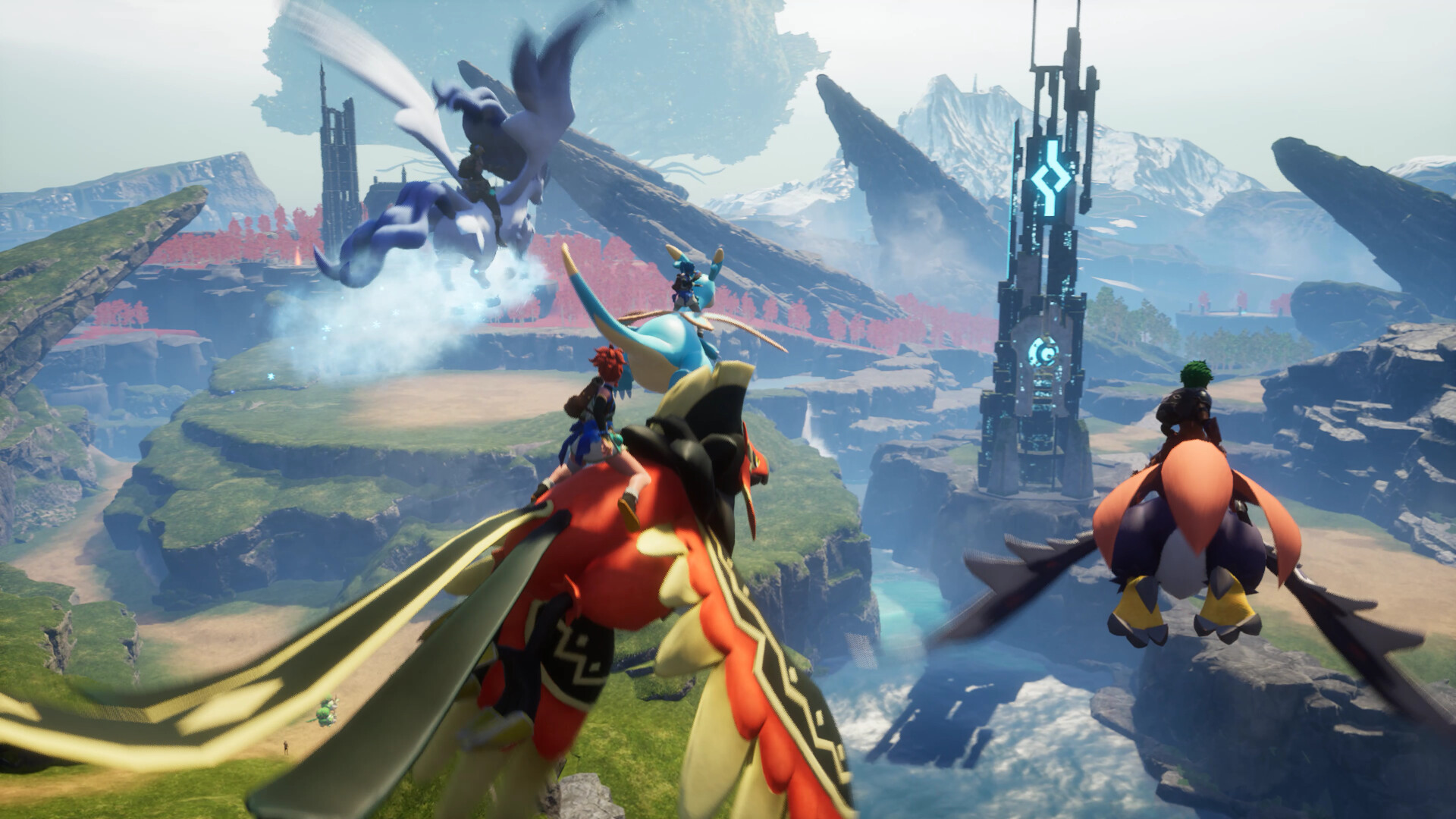
Palworld's base-building loop is where PC performance actually gets tested. Every Pal working a job, whether that is farming, mining, hauling logs, or standing guard, runs its own pathfinding and task logic every frame. Put fifteen to twenty Pals to work in one base and that alone can knock 20 to 40 percent off your frame rate, regardless of whether you are running a GTX 1650 or an RTX 4070.
This is why two players with identical graphics cards can end up with very different experiences. A tidy base with clear paths and less clutter runs noticeably better than a sprawling one buried in half-finished production lines. If your frame rate tanks specifically when you walk into your own base, the fix is almost never a graphics setting. It is trimming your worker count or clearing the items your Pals keep stepping around.
What early access rough edges the 1.0 update actually fixed
Palworld launched into early access on January 19, 2024 and sold millions of copies within its first weeks, which is exactly the kind of launch that exposes an unfinished engine. Early players dealt with memory leaks, save-related stutter, and CPU usage that sat near 100 percent even in fairly modest bases. None of that was really about graphics hardware. It was Unreal Engine 5 and an ambitious simulation running on code that had not been optimized yet.
The version 1.0 release in July 2026 tightened a lot of that up, with better Pal AI scheduling and reduced memory overhead cutting down on the stutter that plagued the first couple of years. It is a noticeably steadier game now than it was at launch, but the underlying shape of the problem has not changed. A wide, busy base and a full multiplayer lobby still ask more of your CPU than any settings menu can give back.
Why 16GB of RAM is a floor, not a target
Sixteen gigabytes is the official minimum, and it is genuinely the least you should have. Palworld keeps a large simulated world, every Pal's stats, and your base's production chains in memory at once, and that adds up fast once you have more than one base running. Drop below 16GB and you will see stutter and eventually crashes, especially on a long session where the game has not had a chance to clean anything up.
Thirty two gigabytes is where the game stops fighting you. If you plan to host a multiplayer server from the same PC you play on, or you keep several large bases going at once, the extra headroom keeps Windows and the game from competing for memory. It will not raise your frame rate much on its own, but it removes one of the more common causes of the freezes people report during busy sessions.
Playing it without a dedicated graphics card
A lot of the search traffic around this game is people asking whether they can play it on a laptop with no graphics card at all. The honest answer is that Palworld is more forgiving of weak graphics than most games from the last few years, because it leans on the CPU more than the GPU for its heaviest work. A recent chip with a strong integrated GPU, like AMD's Radeon 780M or Intel's Iris Xe, can hold somewhere around 25 to 35 fps at 720p on Low settings in a modest base.
That is playable, not comfortable, and combat and boss fights drop further than that. If you are on integrated graphics, turn on FSR set to Quality or Balanced, lower the resolution scale, and keep your base small. A basic dedicated card like a GTX 1650 or an RX 6400 will get you a noticeably steadier experience than any integrated graphics option, so it is worth budgeting for one if you play often.
Can I run Palworld? Your questions answered
The official minimum is an Intel Core i5-9400F processor, a GeForce GTX 1660 graphics card, 16GB of RAM, DirectX 11, and 40GB of free storage. That gets you 1080p on Low settings in a small base, not a crowded multiplayer server.
Pocketpair's recommended spec is an Intel Core i5-12400 or Ryzen 5 5600X, a GeForce RTX 3060 Ti or Radeon RX 6700 XT, and 32GB of RAM. That is enough for 1080p on High settings with a normal-sized base.
16GB is the official minimum and it works for solo play with one or two modest bases. It is not generous, though. Long sessions, multiple bases, or hosting friends will push you toward 32GB, which is what Pocketpair actually recommends.
No, and 4GB is well below what the game can work with at all. Palworld will struggle to load reliably on 8GB, and you should expect crashes once your base grows past a handful of structures. Treat 16GB as the real floor, not 8GB or 4GB.
You do not need it to launch the game, but you will want it if you host a multiplayer server, run several large bases, or leave the game open for long sessions. 32GB is where most of the memory-related stutter people report goes away.
The base game asks for about 40GB of free space. Pocketpair has added free expansions like Sakurajima and Feybreak since launch, and there is no paid DLC, so leave a bit of extra room for future updates rather than filling the drive to the edge.
It is not a hard requirement, but an SSD noticeably shortens load times and reduces the chance of stutter when the game streams in a new area or a large base. On a mechanical hard drive, expect longer waits and occasional hitching.
A graphics card without enough VRAM for your settings is one culprit. A mechanical hard drive instead of an SSD is another. But the one that shows up most once you've played for a while is your own base: every Pal working a job adds its own pathfinding load, and a crowded base drags the frame rate down regardless of your settings.
Palworld leans hard on the CPU for Pal AI, pathfinding, and world simulation, so it is normal to see usage sitting between 85 and 100 percent, especially in a busy base. This is a CPU-bound game in its heaviest moments, not a GPU-bound one, which surprises a lot of players.
Yes. Palworld supports Nvidia DLSS on RTX cards and AMD FSR on any DirectX 12 card, including older Nvidia GPUs without DLSS. Turning on FSR Quality is one of the easiest ways to claw back frame rate on a weaker GPU.
No, not officially. There is no ray tracing option in the settings menu, though some modders have experimented with forcing partial ray-traced effects through configuration edits. For normal play you do not need to worry about it either way.
Yes, noticeably. The game launched in January 2024 with real stutter and memory issues on top of its Unreal Engine 5 foundation. The version 1.0 update in July 2026 improved Pal AI scheduling and memory handling, so the game runs more consistently now, even though busy bases and multiplayer are still the main things that slow it down.
Yes. Hosting adds server simulation on top of whatever you are already rendering, so it asks more of both your CPU and your RAM than solo play. Two players hosted from a Steam Deck is fine; three or four starts to strain even a decent gaming PC.
DirectX 11 is what Pocketpair lists in the official requirements, though the game is built on Unreal Engine 5, which also supports DirectX 12 on modern GPUs.
Yes. Windows 10 64-bit is the listed minimum operating system, and Windows 11 only shows up on the recommended spec because that is what most newer gaming PCs ship with, not because the game needs anything specific to it.
Both matter, but the CPU is where this game actually struggles. Palworld's Pal AI, pathfinding, and simulation load fall on the processor, so a strong GPU paired with a weak CPU will still stutter in a busy base. If you have to choose where to put your upgrade budget, lean toward the CPU.
Install it on an SSD, keep your base under about fifteen active Pals if you can, clear items that pile up on the ground, and turn on FSR or DLSS if your card supports it. Those four changes fix most of the common complaints without touching a single graphics setting.
Pocketpair lists AMD equivalents directly in the official spec. A Ryzen 5 5600X matches the recommended Intel Core i5-12400, and a Radeon RX 6700 XT matches the recommended RTX 3060 Ti. There is no separate, harder bar for AMD hardware.
Not for a fresh, empty world. It becomes demanding gradually, as your bases grow and more Pals go to work, which is a different kind of demand than a game that is simply hard to run from the first minute.
Pocketpair recommends at least 16GB of RAM for a small dedicated server and 32GB if more than a handful of players will connect, plus a modern quad-core or better CPU, since the server does its own Pal AI and world simulation separate from any player's game. A graphics card barely matters here, since a dedicated server has no need to render anything.
Running below 16GB of RAM is the first thing to rule out. After that, look at a corrupted save from a rough shutdown, an outdated graphics driver, or a mod that hasn't caught up to the current version. Updating your driver and running Steam's file verification tool clears up most crashes that aren't simply a RAM shortage.
Yes. Solo play does not require an internet connection once the game and any updates are downloaded. You only need to be online to host or join multiplayer sessions.
Version 1.0 added a DirectX 12 launch option next to the older DirectX 11 mode Pocketpair lists as the official minimum. DirectX 12 tends to use modern GPUs and multi-core CPUs a bit better, which can mean steadier frame pacing in a busy base or a full multiplayer server. DirectX 11 is still the safer pick on older hardware or if you run into odd crashes, since it has had years longer to get stable. Try DirectX 12 first and switch back if you see more crashes or visual glitches than you started with.
Pocketpair never built a native Linux version, but Proton, Steam's compatibility layer for Linux and Steam Deck, handles Palworld well. It holds a Platinum rating on ProtonDB, meaning most players see performance close to Windows with no anti-cheat blocking online play. Installation through Steam works the same as on Windows; just make sure Proton Experimental or a recent stable build is selected.
The RTX 3050 gets you in. It meets Palworld's minimum, so low to medium at 1080p works, and turning a couple of things down keeps it steady.
Not a good match. Palworld asks for more than the GTX 1650 provides, so you would be stuck on very low settings and choppy frame rates. About 35 fps at 1080p Low settings, which is the realistic floor for a smooth solo game.
Not a good match. Palworld asks for more than the GTX 1060 6GB provides, so you would be stuck on very low settings and choppy frame rates. Expect around 45 fps at 1080p on Low to Medium settings, dropping into the 30s in a crowded base.
Not a good match. Palworld asks for more than the RX 580 provides, so you would be stuck on very low settings and choppy frame rates. Close to 48 fps at 1080p Medium settings, similar to the GTX 1060 but with a bit more room thanks to extra VRAM.
It will run. The RTX 4060 meets Palworld's minimum, which means 1080p on low to medium and a smoother result once you lower a couple of options. Around 90 fps at 1080p and about 68 fps at 1440p, with DLSS Quality adding more headroom.
Fine for a lighter setup. The RTX 3060 clears Palworld's minimum, so target 1080p low to medium and adjust down for a steady rate. Close to 85 fps at 1080p and around 60 fps at 1440p, matching Pocketpair's own recommended spec.
Yes. Palworld runs on the RTX 2060 at 1080p low to medium; shave a setting or two and the frame rate settles. Around 60 fps at 1080p High and roughly 42 fps at 1440p outside of busy bases.
Yes, though keep expectations modest. The GTX 1660 clears Palworld's minimum, so plan on 1080p at low to medium and trim a setting or two for a steady frame rate.
Yes, though keep expectations modest. The GTX 1660 Super clears Palworld's minimum, so plan on 1080p at low to medium and trim a setting or two for a steady frame rate.
Yes, though keep expectations modest. The RX 6600 clears Palworld's minimum, so plan on 1080p at low to medium and trim a setting or two for a steady frame rate. About 65 fps at 1080p High, with FSR Quality helping push 1440p closer to 60.
Yes, at the lower end. With the GTX 1660 Ti you clear Palworld's minimum, so 1080p low to medium is the target and easing back a setting helps.
The RTX 3060 Ti is a strong fit for Palworld. It lands at or above the recommended spec, so high 1080p is comfortable and 1440p works.
It will run. The RTX 4050 meets Palworld's minimum, which means 1080p on low to medium and a smoother result once you lower a couple of options.
Expect problems. The GTX 1050 Ti lands below Palworld's minimum card, so low settings and low frame rates are the ceiling, assuming it runs.
Easily. With the RTX 4070 you are past Palworld's recommended tier, which means high settings at 1080p and a genuine shot at 1440p. Over 100 fps at 1080p, around 85 at 1440p, and close to 55 at 4K with DLSS Balanced.
Palworld ships with no Mac build at all, so an M-series MacBook is limited to cloud streaming through something like GeForce Now, or running Windows in a virtualization tool, which is a bumpy way to handle a CPU-heavy game like this.
Yes, with real limits, and it depends heavily on which chip. A recent one like AMD's Radeon 780M or Intel's Iris Xe can hold roughly 25 to 35 fps at 720p on Low settings in a small base. Older integrated graphics like AMD's Vega 8, found in many Ryzen 4000 and 5000 laptops, run noticeably worse, closer to 15 to 20 fps at the same settings. Combat, boss fights, and crowded bases drop below that no matter which chip you have, so treat integrated graphics as a way to play, not a way to play comfortably.
Local play is off the table, but streaming isn't. GeForce Now runs Palworld on remote hardware and sends the video to your Chromebook, so as long as it can run a browser and hold a steady connection, you're fine.
Yes, with a strong card like an RTX 4070 or better, and DLSS or FSR set to Balanced or Performance to keep the frame rate up. Native 4K without upscaling asks a lot even from high-end hardware once your base gets busy.
An RTX 3060 or RX 6600 gets you a playable 1440p experience on medium to high settings, and anything from an RTX 4060 up holds a comfortable frame rate there outside of the heaviest multiplayer bases.
At 1080p, an RTX 2060 or RX 6600-class card paired with a mid-range six-core CPU will hold close to 60 fps in normal play. Getting a steady 60 fps in a crowded base or a full multiplayer server takes a stronger CPU more than a stronger GPU.
There is no official ultra spec, but an RTX 3060 Ti or better handles the highest in-game presets at 1080p comfortably, and an RTX 4070 or better does the same at 1440p. Push to 4K on the highest presets and you will want DLSS or FSR turned on.
Yes, 8GB covers this game comfortably at 1080p and most 1440p settings. Palworld is not a VRAM-hungry title the way some recent Unreal Engine 5 games are, so a card like the RTX 4060 is not limited by its 8GB here.
It runs, but expect it to be the bottleneck. Palworld's heaviest work, Pal AI and pathfinding, falls on the CPU, so a budget quad-core chip like an i3 or Ryzen 3 stutters in busy bases even next to a decent graphics card. A six-core CPU fits this particular game better.
Yes. Palworld runs at ultrawide resolutions and uncapped frame rates on PC, so a high refresh monitor sees the benefit as long as your CPU is not the bottleneck in whatever you are doing at the time.
Yes, day one, including through Xbox Game Pass. Xbox Series X runs it at a higher resolution and steadier frame rate than Series S, which targets a lower resolution to keep performance in check.
Yes, but it is the roughest way to play. Xbox One X runs at 1080p with frame rate dropping into the high teens during busy moments, and Xbox One S drops resolution all the way to 540p with similar frame rate issues. It works, but it is not how the game is meant to be experienced.
Yes. Palworld reached PS5 in September 2024 and has been updated alongside PC and Xbox since, including the version 1.0 release in July 2026.
No. Palworld skipped PS4 entirely and only released on PS5, likely because the game's CPU-heavy simulation would struggle on older console hardware.
No. There is no Switch version of Palworld, and given how CPU-intensive the base and multiplayer simulation is, current Switch hardware would struggle to run it well even if one were made.
Yes. Palworld carries Valve's Steam Deck Verified rating after starting out as merely Playable, and it holds around 40 fps on the OLED Deck or a steady 30 fps on the LCD model with the right settings. A ROG Ally or Legion Go, with more power than a Deck, does at least as well. Hosting multiplayer from a handheld works fine for two players but strains once you add a third or fourth.
Yes. Palworld is available on GeForce Now, which streams both the Steam and Xbox versions, so a weak PC, laptop, or even a Mac or Chromebook can play it at full settings as long as the connection is stable.
Better than you'd expect for a game this size, yes. Palworld's official minimum is modest, and its heaviest demands fall on CPU and RAM rather than GPU, so an older six-core chip paired with an entry-level card and 16GB of RAM gets you something playable, if not comfortable.
A GTX 1650 or RX 570 is a reasonable practical floor for a dedicated card, holding around 35 fps at 1080p Low. Anything weaker than that, or integrated graphics alone, means accepting lower resolutions and frequent dips below 30 fps.
Performance is essentially the same either way, since both versions use the same engine and settings. Any difference you notice usually comes down to your own hardware and settings, not which storefront the copy came from.
A stable, moderate connection is enough for a small group. Palworld's multiplayer is more demanding on your CPU and RAM for running the world simulation than it is on your upload speed, so a typical home connection handles two to four players fine.
No. Palworld does not support split-screen or local couch co-op on any platform. Multiplayer is online only, whether you are joining a dedicated server or a friend's world.
Yes, Palworld supports crossplay across PC, Xbox, and PS5, so your hardware choice does not lock you out of playing with friends on a different platform.
On Xbox, Palworld is included with Xbox Game Pass and you do not need an Xbox Live Gold subscription just to play it solo, though online multiplayer still needs Xbox Live. On PS5, you need PlayStation Plus for online multiplayer, the same as any other online PS5 game. On PC and Steam, no subscription is required at all.