
Can I Run Hogwarts Legacy on My PC / Laptop?
The open-world Harry Potter RPG. Its real challenge is graphics memory and traversal stutter, not raw power.
Check if your PC can run Hogwarts Legacy
Pick your graphics card and processor to check.
Can I run Hogwarts Legacy on my PC?
Use the checker above to find out in seconds. Pick your graphics card and processor and it compares them against Hogwarts Legacy's official requirements. As a quick guide, you need at least a GTX 960 4GB / RX 470 4GB graphics card, a Core i5-6600 / Ryzen 5 1400 processor, and 16 GB of RAM to play at 1080p.
Can I run Hogwarts Legacy on my laptop?
Yes, if your laptop has a dedicated graphics card around a GTX 960 4GB / RX 470 4GB or better and 16 GB of RAM. Laptops with only integrated graphics usually fall short. Enter your laptop's GPU in the tool above to check. Keep in mind that the laptop version of a card runs a little slower than the desktop card of the same name, and heat can lower sustained frame rates.
Hogwarts Legacy will run on a fairly modest PC, but the thing that actually decides your experience is graphics memory (VRAM) and stutter, not how fast your card is. A GTX 960 4GB is the official minimum, and the game asks for 16GB of system RAM even at that minimum.
The two problems people search for are stutter when you fly or sprint through Hogwarts and Hogsmeade, and 8GB graphics cards choking at 1440p or with ray tracing. The checker above places your PC against the requirements, and the sections below cover the VRAM and stutter story that competitors gloss over.
Hogwarts Legacy system requirements
| Minimum | Recommended | |
|---|---|---|
| Processor (CPU) | Core i5-6600 / Ryzen 5 1400 | Core i7-8700 / Ryzen 5 3600 |
| Graphics card (GPU) | GTX 960 4GB / RX 470 4GB | GTX 1080 Ti / RX 5700 XT / Arc A770 |
| Memory (RAM) | 16 GB | 16 GB |
| Operating system | Windows 10 64-bit | Windows 10 64-bit |
| DirectX | 12 | 12 |
| Storage | 85 GB (SSD preferred) | 85 GB SSD |
Storage: 85 GB. An SSD is strongly recommended, not just preferred.
Full performance tiers
| Tier | Target | CPU | GPU | RAM |
|---|---|---|---|---|
| Minimum | 720p Low, 30 fps | i5-6600 / Ryzen 5 1400 | GTX 960 4GB / RX 470 4GB | 16 GB |
| Recommended | 1080p High, 60 fps | i7-8700 / Ryzen 5 3600 | GTX 1080 Ti / RX 5700 XT / Arc A770 | 16 GB |
| Ultra | 1440p Ultra, 60 fps | i7-10700K / Ryzen 7 5800X | RTX 2080 Ti / RX 6800 XT | 32 GB |
| Ultra 4K | 4K Ultra, 60 fps | i7-10700K / Ryzen 7 5800X | RTX 3090 Ti / RX 7900 XT | 32 GB |
Hogwarts Legacy FPS by graphics card
| Graphics card | 1080p | 1440p | 4K | Notes |
|---|---|---|---|---|
| GTX 1060 6GB | ~30-45 | , | , | Medium or low, often with FSR. The 3GB version is not really playable. |
| RTX 3060 12GB | high | ~60-63 (medium) | , | The 12GB of VRAM is its advantage here. |
| RTX 4060 8GB | ~60-80 (with DLSS) | , | , | 8GB is the ceiling for ray tracing plus high textures. |
| RX 6700 XT 12GB | , | strong | , | Beats some pricier 8GB cards purely on VRAM. |
| RTX 4070+ | , | ~60 (full RT + DLSS) | , | The point where ray tracing at 1440p stays smooth. |
Frame rates in Hogwarts Legacy swing hard by area, and Hogsmeade is the toughest spot. Numbers are approximate and the game has been patched many times since launch. At 1080p, GeForce cards hit a CPU-limited ceiling around 110 fps in Hogsmeade regardless of how strong the GPU is.
Can these graphics cards run Hogwarts Legacy?
| Graphics card | Verdict | Notes |
|---|---|---|
| GTX 1050 Ti | Below minimum | Short of minimum. Low settings, a choppy frame rate. |
| GTX 1650 | Playable | Meets minimum. Low to medium at 1080p, tune for a steady rate. |
| RX 570 | Playable | Minimum covered. 1080p low to medium is the target. |
| RX 580 | Playable | Just clears it. 1080p low to medium, smoother after tuning. |
| GTX 1060 6GB | Playable | Meets minimum. Low to medium at 1080p, tune for a steady rate. |
| GTX 1650 Super | Playable | At the minimum bar. 1080p low to medium, drop a setting if needed. |
| GTX 1660 | Playable | Meets minimum. Low to medium at 1080p, tune for a steady rate. |
| GTX 1660 Super | Playable | Meets minimum. Low to medium at 1080p, tune for a steady rate. |
| RTX 3050 | Playable | Runnable at minimum. Low to medium 1080p, ease settings back. |
| GTX 1660 Ti | Playable | At the minimum bar. 1080p low to medium, drop a setting if needed. |
| RX 6600 | Playable | Runnable at minimum. Low to medium 1080p, ease settings back. |
| RTX 2060 | Playable | Meets minimum. Low to medium at 1080p, tune for a steady rate. |
| RTX 4050 | Playable | Runnable at minimum. Low to medium 1080p, ease settings back. |
| Arc A750 | Playable | Meets minimum. Low to medium at 1080p, tune for a steady rate. |
| RTX 3060 | Playable | Meets minimum. Low to medium at 1080p, tune for a steady rate. |
| RX 6600 XT | Playable | Minimum covered. 1080p low to medium is the target. |
| RX 7600 | Playable | Passes minimum. Aim low to medium 1080p, upscaling helps. |
| RX 6700 XT | Playable | Meets minimum. Low to medium at 1080p, tune for a steady rate. |
| RTX 4060 | Playable | Meets minimum. Low to medium at 1080p, tune for a steady rate. |
| RTX 3060 Ti | Runs well | Over the recommended bar. Smooth high 1080p, 1440p realistic. |
| RTX 3070 | Runs well | Over the recommended bar. Smooth high 1080p, 1440p realistic. |
| RTX 4070 | Runs well | At or above the recommended card. Smooth 1080p high, 1440p realistic. |

VRAM matters more than raw power here
Hogwarts Legacy is hungry for graphics memory. An 8GB card is fine at 1080p on high settings without ray tracing, but it strains at 1440p or once you turn ray tracing on, where the game wants 10 to 12GB. This is why a 12GB card like the RTX 3060 or RX 6700 XT often does better than a faster but 8GB card.
If you have an 8GB card and see sudden hitching, drop Texture Quality from Ultra to High and turn ray tracing off. That clears most of the VRAM-overflow stutter on its own.
Fixing the traversal stutter
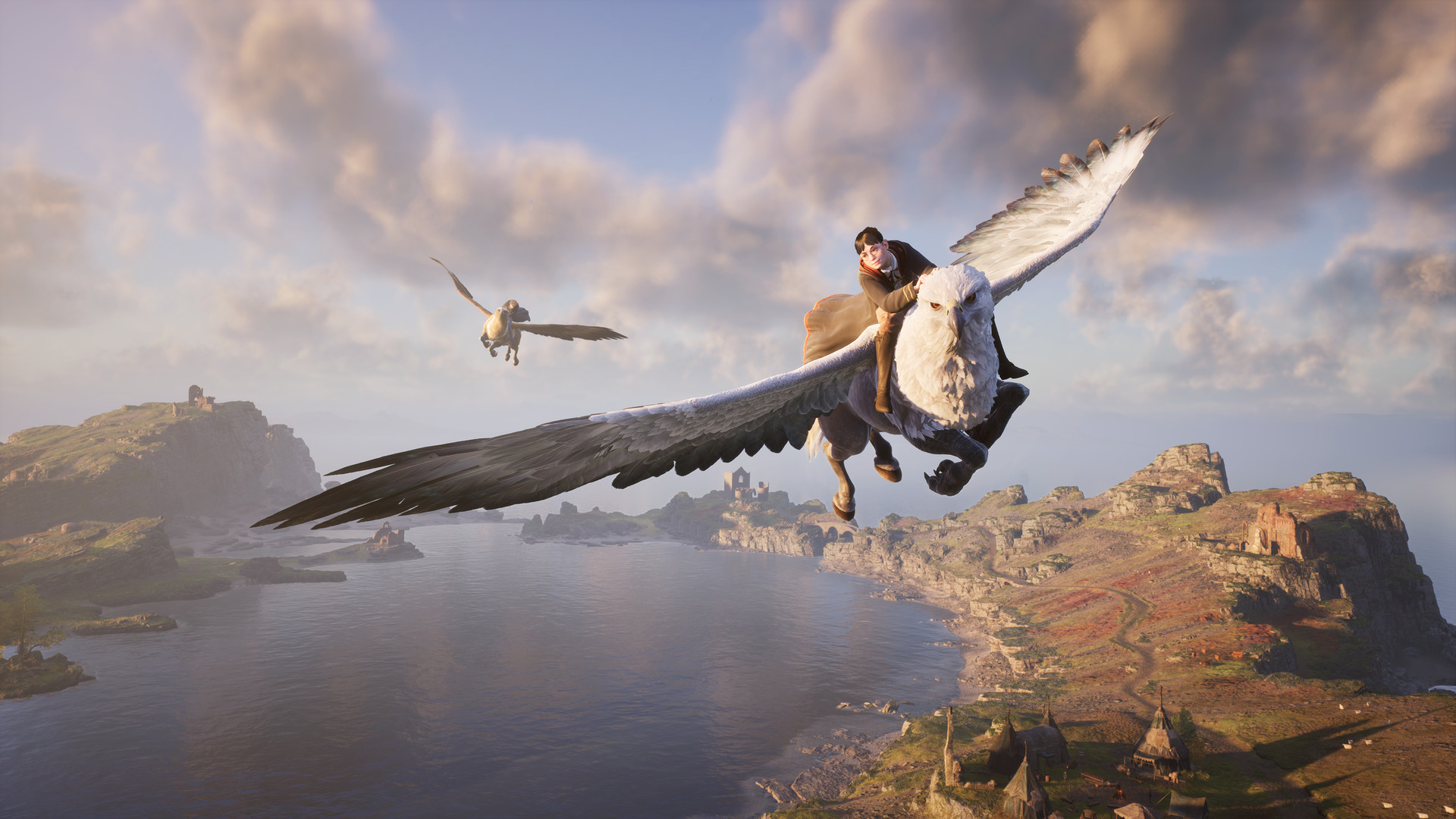
The stutter you feel flying on a broom or sprinting through Hogsmeade is the game streaming new areas from your drive. It is worst on a hard drive, on 8GB cards, and with ray tracing on.
Install the game on an SSD, which is the biggest fix. Then cap your frame rate slightly below your average to smooth the frame timing, turn foliage and population density down, and keep your GPU drivers current. The game shipped in early 2023 with heavy stutter that patches and drivers have improved a lot since.
Ray tracing and settings that pay off
Ray tracing looks nice on wet stone and interiors, but it roughly halves your frame rate and eats VRAM, so most mid-range players should leave it off. Even an RTX 3080 cannot do native 1080p Ultra with ray tracing in some areas.
For the biggest gains on a weaker PC: turn ray tracing off, set foliage and shadow quality to medium, keep textures at High rather than Ultra on 8GB cards, and use DLSS, FSR, or XeSS on Quality. RTX 40-series owners can add Frame Generation for a large boost.
Can I run Hogwarts Legacy? Your questions answered
Yes, the 6GB version, at 1080p on medium or low settings for around 30 to 45 fps, usually with FSR on. The 3GB version is not really playable.
It is fine at 1080p on high settings without ray tracing. It falls short at 1440p or with ray tracing, where the game wants 10 to 12GB and 8GB cards start to hitch.
Yes for the minimum and recommended tiers at 1080p. The Ultra and 4K tiers officially ask for 32GB.
About 85GB, and it is best installed on an SSD.
Yes, around 60 fps at medium to high settings without ray tracing. Its 12GB of VRAM helps a lot in this game.
Yes, at 1080p with DLSS and Frame Generation. Its 8GB of VRAM is the limit when you combine ray tracing with high textures.
It looks good in interiors and on wet surfaces, but it roughly halves your frame rate and uses heavy VRAM. Most mid-range players should leave it off.
Hogwarts Legacy is CPU-limited at 1080p. GeForce cards hit a ceiling around 110 fps in Hogsmeade no matter how powerful the card, so a faster CPU and an SSD matter more there.
Marginally, at 1080p Low around 30 fps. Its 4GB of VRAM is limiting, so expect to keep textures low.
Turn ray tracing off, keep textures at High, set foliage to medium, use DLSS or FSR on Quality, and cap your frame rate to smooth the frame timing.
No. Hogwarts Legacy asks for 16GB of RAM at both the minimum and recommended tiers. On 8GB you will see stutter, long load times, and possible crashes even on Low settings, since the game streams a lot of world data as you move.
Yes, DirectX 12 is required. There is no DirectX 11 fallback, so your GPU and drivers both need DX12 support before the game will launch.
Yes, all three are built in: Nvidia DLSS with Frame Generation on RTX 40 series cards, AMD FSR, and Intel XeSS. Setting one to Quality mode is one of the easiest ways to get frame rate back on an 8GB card without a big hit to image quality.
It covers 1080p on medium to high settings with ray tracing off. Push to Ultra textures or turn ray tracing on and a 6GB card starts stuttering as it runs out of room to hold textures.
Yes, comfortably. 12GB covers 1440p at high settings with room left for ray tracing, which is why cards like the RTX 3060 12GB or RX 6700 XT often do better here than faster 8GB cards.
The open world streams Hogwarts, Hogsmeade, and the grounds around them continuously as you move or fly, and that world data has to sit in system memory as well as VRAM. 16GB is the floor Avalanche needed to keep that streaming from stalling.
Not to play. It is a single-player game with no online modes, but most versions need a one-time internet connection to download a day-one patch and activate. After that you can play offline.
No, there is no fps counter in the settings menu. Use Steam's overlay counter, the Xbox Game Bar, or a tool like MSI Afterburner to see your frame rate on PC.
No, the PC version runs uncapped by default, though you can set a limit yourself in the graphics options. Consoles are capped by mode instead: 30 fps in the quality modes and up to 60 fps in Performance mode.
At minimum a Core i5-6600 or Ryzen 5 1400, a GTX 960 4GB or RX 470 4GB, and 16GB of RAM, which gets you 720p Low around 30 fps. For a comfortable 1080p High at 60 fps you want closer to an i7-8700 or Ryzen 5 3600 with a GTX 1080 Ti or RX 5700 XT class card. The checker above compares your exact parts against both tiers.
Runnable. The RTX 3050 covers Hogwarts Legacy's minimum, meaning 1080p low to medium and a smoother feel after a small settings drop. Around 30 to 40 fps at 1080p low to medium, best with FSR or DLSS on.
It will run. The GTX 1650 meets Hogwarts Legacy's minimum, which means 1080p on low to medium and a smoother result once you lower a couple of options. Marginal, around 25 to 35 fps at 1080p low. Its 4GB of VRAM is the limiter.
Runnable. The GTX 1060 6GB covers Hogwarts Legacy's minimum, meaning 1080p low to medium and a smoother feel after a small settings drop. Around 30 to 45 fps at 1080p medium, usually with FSR on.
Yes. Hogwarts Legacy runs on the RX 580 at 1080p low to medium; shave a setting or two and the frame rate settles.
Fine for a lighter setup. The RTX 4060 clears Hogwarts Legacy's minimum, so target 1080p low to medium and adjust down for a steady rate. Good at 1080p high, and 60 to 80 fps with DLSS and Frame Generation.
Yes, though keep expectations modest. The RTX 3060 clears Hogwarts Legacy's minimum, so plan on 1080p at low to medium and trim a setting or two for a steady frame rate. About 60 fps at 1440p medium, helped by its 12GB of VRAM.
Fine for a lighter setup. The RTX 2060 clears Hogwarts Legacy's minimum, so target 1080p low to medium and adjust down for a steady rate.
It will run. The GTX 1660 meets Hogwarts Legacy's minimum, which means 1080p on low to medium and a smoother result once you lower a couple of options.
It will run. The GTX 1660 Super meets Hogwarts Legacy's minimum, which means 1080p on low to medium and a smoother result once you lower a couple of options.
Yes, on modest settings. The RX 6600 meets what Hogwarts Legacy needs at minimum, so 1080p low to medium is the sweet spot.
The GTX 1660 Ti gets you in. It meets Hogwarts Legacy's minimum, so low to medium at 1080p works, and turning a couple of things down keeps it steady.
Yes, comfortably. The RTX 3060 Ti sits at or above Hogwarts Legacy's recommended card, so 1080p on high is smooth and 1440p is well within reach.
Good enough to play. The RTX 4050 sits at Hogwarts Legacy's minimum, so expect 1080p low to medium and a bit of tuning for smoothness.
It is under the bar. The GTX 1050 Ti does not meet Hogwarts Legacy's minimum, so any play would be very low settings with weak performance.
That is more than enough. The RTX 4070 clears Hogwarts Legacy's recommended requirement, so aim for high at 1080p or step up to 1440p.
A MacBook, even the newest M-series chip, cannot launch Hogwarts Legacy on its own since Avalanche never built a native Mac version. Cloud streaming or a Windows compatibility layer are the workarounds, but given how much VRAM this game eats, you get a smoother result on a Windows PC with a real dedicated GPU.
No. Integrated graphics fall below the GTX 960 minimum, so you need a dedicated graphics card.
Steam Deck runs it well and carries Valve's Verified rating. ROG Ally and Legion Go handle it too, but expect to lower settings and cap the frame rate on all three. A smooth 60 fps is not realistic on a handheld, so 30 to 40 fps with tuned settings and FSR is the practical target.
1440p Ultra wants an RTX 2080 Ti or RX 6800 XT class card, and 4K Ultra wants an RTX 3090 Ti or RX 7900 XT. VRAM matters a lot here, so 10 to 12GB and up is best at these resolutions.
An RTX 3060 or better holds 60 fps at 1080p high without ray tracing. Hogsmeade is the toughest area and is CPU-limited, so a modern CPU and an SSD matter there too.
An SSD is not strictly required but strongly recommended. A hard drive makes the traversal stutter and load times noticeably worse.
Yes to both. The PS4 build is scaled back, while the PS5 version runs well. The PC version this page covers is far more capable.
It is usually VRAM and streaming, not raw power. Install on an SSD, drop Texture Quality to High and turn ray tracing off on 8GB cards, lower foliage density, and keep your drivers current.
No. Both sit well below the GTX 960 minimum. Intel Iris Xe can limp through lighter games at very low settings, but Hogwarts Legacy's VRAM and RAM demands make it impractical even at 720p Low.
Not well. Radeon 780M, found in newer Ryzen laptops and handhelds, can produce a rough 20 to 30 fps at 720p Low with FSR on. Vega 8, the older integrated chip, falls short of that and struggles to hold even 20 fps at the lowest settings.
Avalanche never shipped a native Linux build, but Steam Play's Proton compatibility layer handles it on most distributions, the same route Steam Deck uses under the hood. Set Proton to a recent version and performance lands close to what you'd see on Windows.
Yes. Windows 10 and Windows 11 are both supported and Windows 11 carries no performance penalty. The official requirements list Windows 10 64-bit, but the game runs fine on 11.
It is below what Avalanche tested for, since the official minimum is a Core i5-6600 or Ryzen 5 1400. A modern i3 or Ryzen 3 can sometimes scrape by at 720p Low, but expect stutter in Hogsmeade and crowded areas, since the game leans on CPU performance there more than the GPU.
Yes, on Xbox Series X and S, plus a scaled-back Xbox One version. This page covers the PC version.
At the minimum of a GTX 960 4GB, an i5-6600 and 16GB of RAM you can play 720p to 1080p low with FSR. VRAM is the limiter on low-end cards, so keep textures modest and ray tracing off.
Yes, there is a Switch version, though it is heavily scaled back. The PC version this page covers is far more capable.
PS5 offers a Fidelity mode targeting 30 fps at close to native 4K, a Performance mode targeting 60 fps at a lower dynamic resolution, and a ray-traced Fidelity option with slower, more detailed reflections and shadows. Performance mode is the smoother choice for most players.
Series X mirrors PS5 with a 30 fps Fidelity mode and a 60 fps Performance mode. Series S runs Performance mode around 30 to 60 fps at a reduced resolution, since it has less GPU power to work with.
Much better than the original Switch port. The Switch 2 version targets 30 fps using Nvidia DLSS to reconstruct the image, up to 1440p docked and 1080p in handheld mode, with lighting noticeably closer to the PS5 version. It holds that 30 fps target consistently instead of dipping the way the original Switch release did.
Yes, Hogwarts Legacy is available on GeForce Now, which is the practical way to play it on a Mac, Chromebook, or any PC below the minimum requirements without buying new hardware.