
Can I Run Halo Infinite on My PC / Laptop?
343 Industries' free multiplayer shooter with a paid campaign, tuned to run on old hardware but rough around the edges when it launched on PC.
Check if your PC can run Halo Infinite
Pick your graphics card and processor to check.
Can I run Halo Infinite on my PC?
Use the checker above to find out in seconds. Pick your graphics card and processor and it compares them against Halo Infinite's official requirements. As a quick guide, you need at least a AMD RX 570 or Nvidia GTX 1050 Ti graphics card, a AMD Ryzen 5 1600 or Intel i5-4440 processor, and 8 GB RAM of RAM to play at 1080p.
Can I run Halo Infinite on my laptop?
Yes, if your laptop has a dedicated graphics card around a AMD RX 570 or Nvidia GTX 1050 Ti or better and 8 GB RAM of RAM. Laptops with only integrated graphics usually fall short. Enter your laptop's GPU in the tool above to check. Keep in mind that the laptop version of a card runs a little slower than the desktop card of the same name, and heat can lower sustained frame rates.
Halo Infinite's official minimum is a AMD RX 570 or Nvidia GTX 1050 Ti with 8 GB of RAM, and multiplayer really does run on hardware that old. What the spec sheet doesn't tell you is that campaign is the harder test, not multiplayer, and that video memory matters more than raw GPU speed once you push texture quality up.
Drop your CPU and GPU into the checker above to see exactly where they land against those numbers. Further down, you'll find why multiplayer and campaign feel so different performance-wise, the stutter that shipped at launch and has since settled, why 8 GB cards run into VRAM as the real ceiling, and the Steam Deck sign-in bug that has nothing to do with your hardware.
Halo Infinite system requirements
| Minimum | Recommended | |
|---|---|---|
| Processor (CPU) | AMD Ryzen 5 1600 or Intel i5-4440 | AMD Ryzen 7 3700X or Intel i7-9700k |
| Graphics card (GPU) | AMD RX 570 or Nvidia GTX 1050 Ti | Radeon RX 5700 XT or Nvidia RTX 2070 |
| Memory (RAM) | 8 GB RAM | 16 GB RAM |
| Operating system | Windows 10 RS5 x64 | Windows 10 19H2 x64 |
| DirectX | Version 12 | Version 12 |
| Storage | 50 GB available space | 50 GB available space |
Storage: 50 GB for the base Steam listing, though the real install has grown past that since campaign and multiplayer stopped sharing files in mid-2023. An SSD isn't officially required, but it noticeably cuts down the streaming stutter.
Halo Infinite FPS by graphics card
| Graphics card | 1080p | 1440p | 4K | Notes |
|---|---|---|---|---|
| GTX 1050 Ti | ~35-45 (low) | , | , | The official minimum card. Multiplayer stays close to this range, campaign dips lower in busy fights. |
| GTX 1060 6GB | ~28-35 (medium) | , | , | Drop to low for a steadier 40+. Campaign is the harder workload on this card, not multiplayer. |
| RX 580 | ~40-50 (low-medium) | , | , | AMD cards tend to do a little better here, since Halo Infinite was built around Xbox's AMD hardware. |
| RTX 2060 | ~75-90 (high) | , | , | A comfortable multiplayer framerate. Campaign runs 15 to 20 fps lower at the same settings. |
| RTX 3060 | ~60-75 (high) | ~45-55 (medium) | , | Roughly where campaign holds a steady 60. Multiplayer clears 100 fps with settings turned down. |
| RX 6600 | ~75-90 (high) | , | , | A clean 60 fps campaign card with room to spare in multiplayer. |
| RTX 4060 | ~90-110 (high) | ~65-80 (high) | , | High refresh rate territory in multiplayer, still smooth in campaign at 1440p. |
| RTX 4070 | ~140+ (high) | ~100+ (high) | , | The GPU stops being the limit. Your CPU and the asset streaming cap you before the card does. |
These numbers are approximate, drawn from launch-window GPU benchmarks and community testing, and they move with your CPU, driver version, and whether you're in multiplayer or campaign. Multiplayer consistently runs higher than campaign on the same PC.
Can these graphics cards run Halo Infinite?
| Graphics card | Verdict | Notes |
|---|---|---|
| GTX 1050 Ti | Below minimum | Below the minimum card. Very low settings, if it runs. |
| GTX 1650 | Below minimum | Below spec. Low settings and low fps at best. |
| RX 570 | Playable | Meets the bar. Low to medium settings at 1080p. |
| RX 580 | Playable | Meets the bar. Low to medium settings at 1080p. |
| GTX 1060 6GB | Playable | Meets the bar. Low to medium settings at 1080p. |
| GTX 1650 Super | Playable | Clears the minimum. 1080p low to medium, better with upscaling. |
| GTX 1660 | Playable | Minimum covered. 1080p low to medium is the target. |
| GTX 1660 Super | Playable | Clears the minimum. 1080p low to medium, better with upscaling. |
| RTX 3050 | Playable | Meets minimum. Low to medium at 1080p, tune for a steady rate. |
| GTX 1660 Ti | Playable | Just clears it. 1080p low to medium, smoother after tuning. |
| RX 6600 | Playable | Runnable at minimum. Low to medium 1080p, ease settings back. |
| RTX 2060 | Playable | Meets the bar. Low to medium settings at 1080p. |
| RTX 4050 | Playable | Passes minimum. Aim low to medium 1080p, upscaling helps. |
| Arc A750 | Runs well | Strong fit. High settings at 1080p, 1440p within reach. |
| RTX 3060 | Runs well | Exceeds recommended. 1080p high is comfortable, 1440p fine. |
| RX 6600 XT | Runs well | Recommended tier or better. High 1080p, with room for 1440p. |
| RX 7600 | Runs well | Above recommended. 1080p high is easy, and 1440p works too. |
| RX 6700 XT | Runs well | Past the recommended tier. High settings at 1080p, 1440p on the table. |
| RTX 4060 | Runs well | At or above the recommended card. Smooth 1080p high, 1440p realistic. |
| RTX 3060 Ti | Runs well | Strong fit. High settings at 1080p, 1440p within reach. |
| RTX 3070 | Runs well | Recommended tier or better. High 1080p, with room for 1440p. |
| RTX 4070 | Runs well | Strong fit. High settings at 1080p, 1440p within reach. |


Multiplayer is easy on your PC. Campaign is the real test
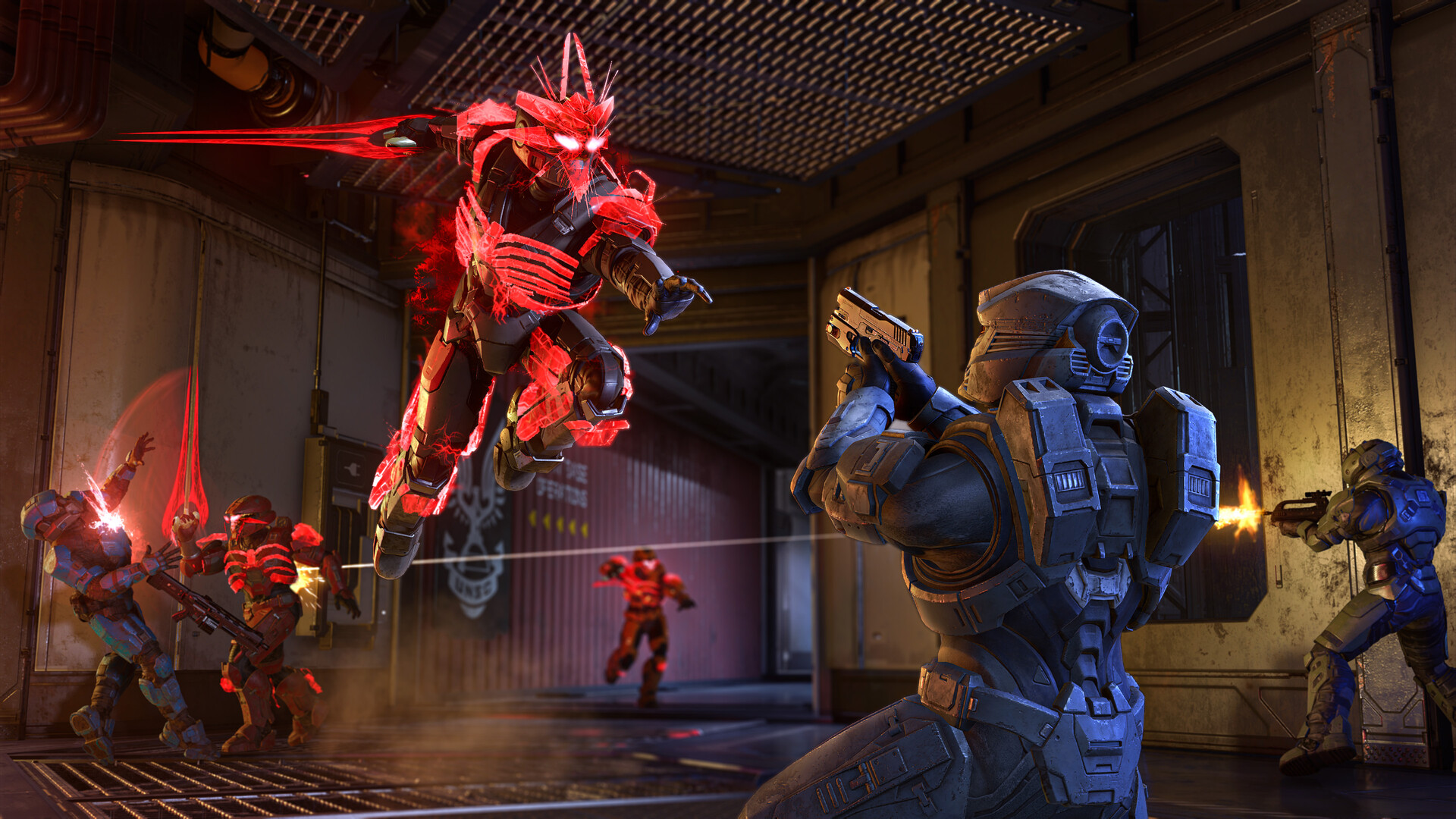
The reputation Halo Infinite has for running on almost anything comes from multiplayer, not the whole game. It's free to play, it was built to still work on Xbox One, and its maps and modes are lighter on the CPU than most shooters this size. That's the version most of the benchmark chatter is talking about when people say an old GTX 1060 or a Ryzen 5 1600 handles it fine.
Campaign is a different animal. At launch, reviewers running a Core i9-10900K couldn't hold a locked 120 fps in campaign, and that wasn't a GPU problem, it was CPU load from the open-world traversal and AI. If you're buying a card based on multiplayer numbers you've seen online, knock 15 to 20 fps off your expectations for campaign on the same hardware.
The stutter that shipped at launch, and what actually fixes it
Halo Infinite launched with two separate stutter problems, and they still show up in different forms today. The first is traversal stutter: the Slipspace engine streams in assets continuously as you move, and it hitches worst in Big Team Battle where a lot is loading at once. An SSD helps here more than a faster GPU does, because the bottleneck is disk read speed, not rendering.
The second is shader compilation stutter, which reappears briefly after almost every game patch or graphics driver update, then settles down once your system has rebuilt its cache. If you patch the game or update your GPU driver and the first few matches feel rough, that's normal, not a broken install. If stutter doesn't clear up on its own, capping your frame rate a bit below your monitor's refresh rate and turning Async Compute on both help smooth out busy fights.
343 Industries has patched a lot of this since 2021, so the game runs noticeably better now than it did at launch. It's just not gone entirely, especially in the campaign's more open sections.
VRAM is the ceiling, not the GPU itself
Halo Infinite uses more video memory than its spec sheet suggests. Benchmarks have shown it pushing past 8 GB at 1080p on the highest texture setting, which is why cards with only 8 GB or less can stall out on Ultra even when they'd otherwise have the horsepower for it. This matters more than it does in most games this size.
If your card has 6 GB or 8 GB of VRAM and you're seeing stutter that looks like frame drops rather than low average fps, try dropping Texture Quality one notch before you touch anything else. It usually solves the problem outright, and the visual difference is small next to the smoothness you get back.
Steam Deck, Linux, and the sign-in bug that isn't about hardware
Halo Infinite runs on Steam Deck through Proton, sitting at a Silver rating on ProtonDB rather than Valve's official Verified badge. Campaign and casual multiplayer generally work, but ranked multiplayer's anti-cheat can be inconsistent on a non-standard Linux kernel, so expect the occasional false flag there. ROG Ally and Legion Go run the same Steam build under the same conditions, with reports of a steady 60 fps at 1080p on optimized settings.
Separately from performance, there's a well-documented sign-in loop on Steam Deck and other Linux setups where cached Xbox Live credentials get stuck and you can't log in at all, even after reinstalling. It's covered directly on Halo Waypoint's own support site and it's a login bug, not a spec problem: your hardware is fine, the fix involves clearing the cached credential file in the Proton prefix, not upgrading anything.
Can I run Halo Infinite? Your questions answered
8 GB is the official minimum and it does work, but it's not comfortable. You'll see occasional stutter as Windows and the game compete for memory, especially with a browser or Discord open in the background. 16 GB, which is what Halo Infinite actually recommends, is the honest baseline if you want the game to stop being the reason your PC feels sluggish.
16 GB is the recommended spec and it's enough for smooth play, including campaign with everything else you'd normally have open. 32 GB doesn't add fps here. It only matters if you're streaming, recording, or running heavy background software at the same time.
Steam lists 50 GB, but that figure predates a mid-2023 update that split campaign and multiplayer into separate installs instead of sharing files, so the real footprint on a fully installed game is larger now. Leave closer to 90 to 100 GB free if you plan to keep both campaign and multiplayer installed.
It's not a hard requirement, the game will install and run on a hard drive. But an SSD meaningfully reduces the traversal stutter caused by asset streaming, particularly in Big Team Battle and campaign's open areas, so it's worth prioritizing over squeezing out a slightly faster GPU.
Multiplayer is online-only, since it's built around matchmaking. Campaign is fully playable offline once it's installed and you've signed in at least once. There's no local split-screen or system link support on PC.
For a steady 60 fps in campaign at 1080p on high settings, aim for an RTX 3060, RX 6600, or better. Multiplayer hits 60 fps on much less, closer to an RTX 2060 or an older RX 580 at reduced settings.
You can, but it takes a strong card since there's no DLSS or FSR to lean on. An RTX 4070 or better is a realistic starting point for a steady 60 fps at 4K on high settings, and anything below that means dialing settings down or accepting a lower framerate.
An RTX 3060 Ti or RX 6700 XT class card handles 1440p at high settings comfortably in multiplayer, with campaign running somewhat lower on the same hardware.
No. Steam only documents a minimum and recommended tier, and in-game the top graphics preset is labeled High, not Ultra. There's no hidden higher tier you're missing.
No. Halo Infinite has never added Nvidia DLSS or AMD FSR, despite years of player requests. The closest thing it has is a basic dynamic resolution scaler, which lowers render resolution under load rather than upscaling intelligently.
No hard cap. The settings menu lets you unlock the frame rate entirely, and a strong PC in multiplayer at 1080p can comfortably clear 150 to 200 fps. If you feel stuck at a number like 144, check your GPU driver's Vsync or G-Sync settings, since those can override the in-game unlock.
Two things account for most of it: traversal stutter from asset streaming as you move around, which an SSD noticeably improves, and shader compilation stutter right after a patch or driver update, which fades after your first session or two. Neither explains it? Drop Texture Quality one notch, since running out of VRAM causes stutter that mimics both of those.
They're separate builds. Performance reports go both ways, some players find the Xbox app version smoother, others say the opposite, and there's no solid benchmark proving one is consistently better. Cross-play and progression are shared either way, so pick whichever storefront you'd rather manage updates through.
It's tight. 4 GB gets you through at low settings and 1080p, but you'll need to keep Texture Quality low too, since Halo Infinite's textures are heavier on VRAM than the game's overall requirements suggest.
Mostly, but it's the actual ceiling, not the GPU underneath it. Benchmarks have shown the game using more than 8 GB at 1080p on the highest texture setting, so an 8 GB card can stutter at High even when it has enough raw power. Dropping Texture Quality one notch usually fixes it.
Texture Quality first, since VRAM is the more common bottleneck than raw GPU power in this game. After that, Async Compute on and a frame rate cap set a little below your monitor's refresh rate both help smooth out stutter in busy multiplayer fights.
This is usually a Microsoft Gaming Services or install problem rather than a hardware one. On the Microsoft Store or Xbox app version, go to the game's Manage menu, terminate it, then repair and reset both Halo Infinite and Gaming Services. On Steam, use Verify Integrity of Game Files first. Also check that campaign is actually ticked to install if you're missing it, update your Visual C++ redistributable if you see a missing DLL error, and temporarily disable antivirus or VPN software, since some security tools block the game outright.
Fine for a lighter setup. The RTX 3050 clears Halo Infinite's minimum, so target 1080p low to medium and adjust down for a steady rate.
Underpowered here. The GTX 1650 sits below Halo Infinite's minimum, so expect the lowest settings and a frame rate to match.
You can play it. The GTX 1060 6GB is at Halo Infinite's minimum, so keep to 1080p low to medium and lower a setting if it stutters. Roughly 28 to 35 fps at 1080p medium. Drop to low for a steadier 40 plus.
Yes, though keep expectations modest. The RX 580 clears Halo Infinite's minimum, so plan on 1080p at low to medium and trim a setting or two for a steady frame rate. About 40 to 50 fps at 1080p on low to medium settings.
Plenty of power here. The RTX 4060 is above Halo Infinite's recommended tier, so high 1080p is smooth and 1440p is a fair target. Around 90 to 110 fps at 1080p high, 65 to 80 fps at 1440p high.
Easily. With the RTX 3060 you are past Halo Infinite's recommended tier, which means high settings at 1080p and a genuine shot at 1440p. Roughly 60 to 75 fps at 1080p high, and about 45 to 55 fps at 1440p medium.
Playable, yes. The RTX 2060 passes Halo Infinite's minimum bar, so aim for low to medium at 1080p and drop settings if the frame rate dips. Around 75 to 90 fps at 1080p high in multiplayer, 15 to 20 fps lower in campaign.
Fine for a lighter setup. The GTX 1660 clears Halo Infinite's minimum, so target 1080p low to medium and adjust down for a steady rate.
The GTX 1660 Super gets you in. It meets Halo Infinite's minimum, so low to medium at 1080p works, and turning a couple of things down keeps it steady.
Fine for a lighter setup. The RX 6600 clears Halo Infinite's minimum, so target 1080p low to medium and adjust down for a steady rate. About 75 to 90 fps at 1080p high, a clean 60 fps campaign card.
You can play it. The GTX 1660 Ti is at Halo Infinite's minimum, so keep to 1080p low to medium and lower a setting if it stutters.
You are well set. The RTX 3060 Ti exceeds Halo Infinite's recommended card, so 1080p high is easy and 1440p is realistic.
Yes, on modest settings. The RTX 4050 meets what Halo Infinite needs at minimum, so 1080p low to medium is the sweet spot.
Not recommended. Running Halo Infinite on the GTX 1050 Ti means very low settings and low frame rates, and it may refuse to launch. Around 35 to 45 fps at 1080p on low settings, close to the official minimum experience.
Yes, comfortably. The RTX 4070 sits at or above Halo Infinite's recommended card, so 1080p on high is smooth and 1440p is well within reach. Over 140 fps at 1080p high and past 100 fps at 1440p, with the CPU and streaming becoming the limit before the GPU does.
There's no native Mac version, on Apple Silicon or Intel. Your options are streaming it through Xbox Cloud Gaming with a Game Pass Ultimate subscription, or GeForce Now if you link your Steam or Microsoft account, both playable through a browser without installing anything.
Not comfortably. Integrated GPUs like Intel Iris Xe or AMD's Radeon 680M/780M sit below the official minimum. Multiplayer might limp along at 720p on the lowest settings, but campaign is realistically not playable.
Only through cloud streaming, via Xbox Cloud Gaming or GeForce Now in a supported browser. Chromebooks don't have the hardware or the Windows compatibility to run it locally.
Yes, it's a full native release on both, sharing progression and cross-play with PC. Series X targets up to 120 fps, and Series S gained 120 fps support in a later season update.
No. Halo Infinite has never released on PlayStation, and Microsoft hasn't announced any plans to bring it there.
No, there's no Switch version, and none has been announced. If you want Halo on a handheld, Steam Deck, ROG Ally, or a similar Windows handheld are your real options.
Yes, through the Steam build specifically, not the Microsoft Store version. Valve hasn't given it an official Verified badge, and community ProtonDB reports put it at Silver, meaning it runs but sometimes needs a workaround. Campaign and casual multiplayer generally work, ranked matchmaking's anti-cheat can be flaky, and players report steady 1080p performance around 60 fps on optimized settings on both ROG Ally and Legion Go.
This is a known account bug, not a performance problem. Cached Xbox Live credentials in the Proton prefix can get stuck in a sign-in loop, which Halo Waypoint's own support pages document. The fix is clearing that cached credential file, not upgrading your Deck or changing any settings.
Yes to both. Xbox Cloud Gaming streams it as part of Game Pass Ultimate, no separate purchase needed since the game is free to play. GeForce Now supports it if you link an existing Steam or Microsoft account. Either way, it's a real option if your own PC doesn't meet the requirements.
Multiplayer, yes, as long as you clear the official minimum: a RX 570 or GTX 1050 Ti, 8 GB RAM, and a mid-2010s CPU. Campaign is a noticeably harder ask on the same hardware, so treat the minimum spec as a multiplayer baseline, not a promise for the whole game.
It leans more CPU-bound than most shooters, especially in campaign, where open-world traversal and AI load the processor hard. At launch even a high-end Core i9 couldn't hold a locked 120 fps in campaign. Multiplayer is lighter and more forgiving on an older CPU.
A recent i3 or Ryzen 3 can handle multiplayer at reasonable settings, since it's the lighter half of the game. Campaign is where an older or lower-tier CPU shows its limits first, before your GPU does.
Yes, it runs fine on both Windows 10 and Windows 11. The official minimum specifies Windows 10, but that's about the build era, not an actual restriction, and there are no known Windows 11-specific issues.
It can, through Proton on the Steam build, using the same setup and the same Silver ProtonDB rating that Steam Deck gets. A desktop Linux install with a discrete GPU will generally perform closer to its Windows equivalent than a handheld does.
Multiplayer is entirely free. The campaign is a separate paid purchase, though it's often included with Xbox Game Pass. You don't need to buy anything to try the game and see how it runs on your PC first.