
Can I Run Grand Theft Auto IV on My PC / Laptop?
Rockstar's 2008 Liberty City crime game, sold today as a notoriously rough PC port that still leans on a single fast CPU core more than it leans on your graphics card.
Check if your PC can run Grand Theft Auto IV
Pick your graphics card and processor to check.
The checker above tests against a realistic modern bar, not GTA IV's official 2008 spec sheet. That original sheet lists a 2005-era graphics card no current benchmark database even tracks, so it cannot tell you anything useful about a PC built in the last decade. Clear the bar here and you should get a mostly stable experience, though the CPU-bound stutter in dense traffic can still show up regardless.
Can I run Grand Theft Auto IV on my PC?
Use the checker above to find out in seconds. Pick your graphics card and processor and it compares them against Grand Theft Auto IV's official requirements. As a quick guide, you need at least a 256MB Nvidia 7900 / 256MB ATI X1900 graphics card, a Intel Core 2 Duo 1.8GHz, AMD Athlon X2 64 2.4GHz processor, and 1.5GB of RAM to play at 1080p.
Can I run Grand Theft Auto IV on my laptop?
Yes, if your laptop has a dedicated graphics card around a 256MB Nvidia 7900 / 256MB ATI X1900 or better and 1.5GB of RAM. Laptops with only integrated graphics usually fall short. Enter your laptop's GPU in the tool above to check. Keep in mind that the laptop version of a card runs a little slower than the desktop card of the same name, and heat can lower sustained frame rates.
The honest answer is that most PCs built in the last decade meet GTA IV's official specs easily, but that number doesn't tell you much. This is a 2008 game with an infamous PC port, and the thing that decides whether it runs smoothly isn't your graphics card, it's your CPU's single-core speed. People buy a new GPU expecting it to fix the stutter and are surprised when nothing changes, because the game was never built to spread its work across modern hardware.
Below the checker, the sections walk through why a strong gaming PC still stutters in downtown Liberty City, the 32-bit memory quirks that crash modern GPUs, what actually changed when Rockstar replaced the old GFWL release with the Complete Edition, and how to squeeze a playable frame rate out of an old or budget machine.
Grand Theft Auto IV system requirements
| Minimum | Recommended | |
|---|---|---|
| Processor (CPU) | Intel Core 2 Duo 1.8GHz, AMD Athlon X2 64 2.4GHz | |
| Graphics card (GPU) | 256MB Nvidia 7900 / 256MB ATI X1900 | |
| Memory (RAM) | 1.5GB | |
| Operating system | Windows 10 (64-bit) | Windows 10/11 64-bit |
| DirectX | 11 | 11 |
| Storage |
Storage: About 32 GB free space. Steam only lists a minimum tier for this game, not a recommended one. An SSD isn't required, but it does cut down on the pop-in you get on a hard drive.
Full performance tiers
| Tier | Target | CPU | GPU | RAM |
|---|---|---|---|---|
| Minimum (official) | 1080p, low settings, unstable frame rate | Core 2 Duo 1.8GHz / Athlon X2 64 2.4GHz | 256MB Nvidia 7900 / 256MB ATI X1900 | 1.5 GB |
| Recommended (Rockstar's original spec) | 1080p, medium settings | Core 2 Quad Q6600 2.4GHz / Phenom X3 8750 | 512MB GeForce 8800GT / Radeon HD3870 | 2 GB |
| What actually gives you a stable 60 fps today | 1080p, high settings, steady 60 fps in most areas | A CPU with strong single-core speed, roughly a Core i5-8400 / Ryzen 5 2600 or newer | GTX 1060 6GB or better (the GPU matters far less than the CPU here) | 8 GB |
Grand Theft Auto IV FPS by graphics card
| Graphics card | 1080p | 1440p | 4K | Notes |
|---|---|---|---|---|
| Integrated graphics (Intel UHD 630) | ~30-40 | , | , | 720p, low settings, with commandline.txt tweaks. 1080p is a stretch. |
| GTX 750 Ti | ~40-50 | , | , | Medium settings. Dips into the 30s downtown. |
| GTX 1050 Ti | ~50-60 | , | , | High settings. One of the few tiers where the GPU is still the limit. |
| GTX 1060 6GB | ~60-70 | , | , | Maxed settings. Reported as unstable rather than a locked 60 by many owners. |
| RTX 2060 / GTX 1660 Super | ~65-75 | , | , | Maxed settings. The CPU is now clearly the limiting factor, not this card. |
| RTX 3060 | ~70-80 | , | , | Maxed settings. Barely ahead of a 1660 Super here, because of the CPU ceiling. |
| RTX 4060 | ~70-85 | , | , | Maxed settings, same story: CPU-bound, not GPU-bound. |
| RTX 4090 | ~75-95 | , | , | Native rasterized settings. Even this card gains little over an RTX 3060 in dense traffic. |
These are approximate ranges pulled from player benchmarks and forum reports, not a single lab test, and they swing a lot by scene: driving fast through downtown Algonquin with heavy traffic and pedestrians costs far more frames than an empty street in Bohan. Treat the top end of the table as a ceiling the CPU sets, not the GPU.
Can these graphics cards run Grand Theft Auto IV?
| Graphics card | Verdict | Notes |
|---|---|---|
| GTX 1050 Ti | Playable | Meets minimum. Low to medium at 1080p, tune for a steady rate. |
| GTX 1650 | Playable | Passes minimum. Aim low to medium 1080p, upscaling helps. |
| RX 570 | Playable | Just clears it. 1080p low to medium, smoother after tuning. |
| RX 580 | Playable | Just clears it. 1080p low to medium, smoother after tuning. |
| GTX 1060 6GB | Runs well | Strong fit. High settings at 1080p, 1440p within reach. |
| GTX 1650 Super | Runs well | Beats the recommended spec. Comfortable high 1080p, playable 1440p. |
| GTX 1660 | Runs well | At or above the recommended card. Smooth 1080p high, 1440p realistic. |
| GTX 1660 Super | Runs well | Exceeds recommended. 1080p high is comfortable, 1440p fine. |
| RTX 3050 | Runs well | Past the recommended tier. High settings at 1080p, 1440p on the table. |
| GTX 1660 Ti | Runs well | Exceeds recommended. 1080p high is comfortable, 1440p fine. |
| RX 6600 | Runs well | Exceeds recommended. 1080p high is comfortable, 1440p fine. |
| RTX 2060 | Runs well | Above recommended. 1080p high is easy, and 1440p works too. |
| RTX 4050 | Runs well | Over the recommended bar. Smooth high 1080p, 1440p realistic. |
| Arc A750 | Runs well | Beats the recommended spec. Comfortable high 1080p, playable 1440p. |
| RTX 3060 | Runs well | Strong fit. High settings at 1080p, 1440p within reach. |
| RX 6600 XT | Runs well | Above recommended. 1080p high is easy, and 1440p works too. |
| RX 7600 | Runs well | Strong fit. High settings at 1080p, 1440p within reach. |
| RX 6700 XT | Runs well | Recommended tier or better. High 1080p, with room for 1440p. |
| RTX 4060 | Runs well | Strong fit. High settings at 1080p, 1440p within reach. |
| RTX 3060 Ti | Runs well | Above recommended. 1080p high is easy, and 1440p works too. |
| RTX 3070 | Runs well | Strong fit. High settings at 1080p, 1440p within reach. |
| RTX 4070 | Runs well | Above recommended. 1080p high is easy, and 1440p works too. |
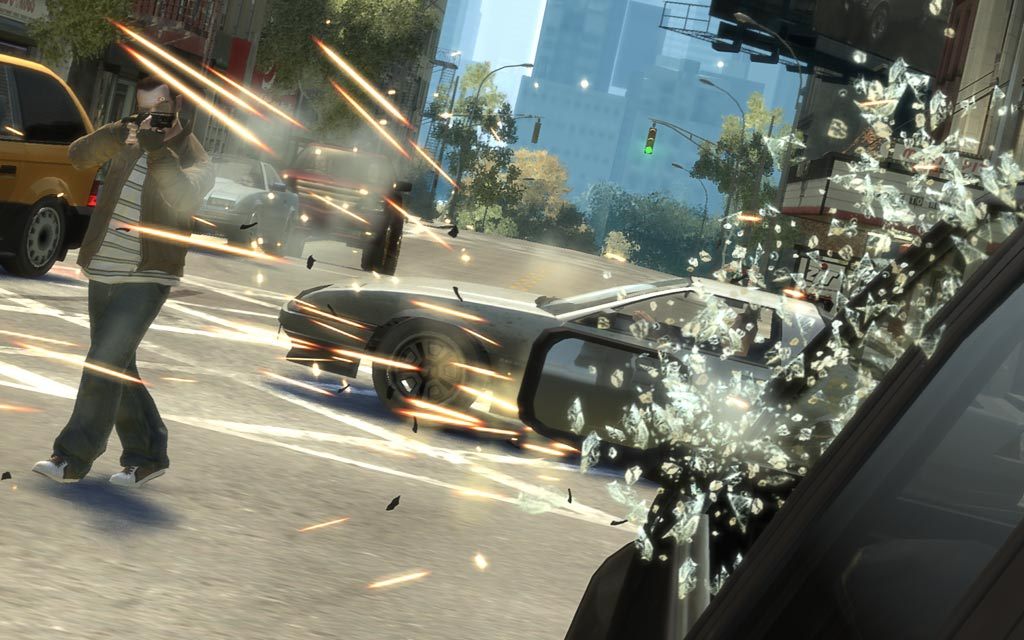
Why a powerful gaming PC still stutters in Liberty City
GTA IV's engine was built around the Xbox 360 version of the game and never really learned to spread its workload across many CPU cores. It leans hard on one or two threads for AI, traffic, physics, and shadow calculations, so a CPU with a handful of very fast cores will beat a CPU with twice as many slower ones. That is the opposite of how most current games behave, which is why the usual advice of "buy a better graphics card" does nothing here.
This shows up most in downtown Algonquin, where dense traffic and pedestrian counts push the single overworked thread past its limit and the frame time spikes, regardless of whether you're running a GTX 1060 or an RTX 4090. Turning down population density and vehicle density in the settings menu helps more than any GPU upgrade will, and dropping Night Shadows specifically frees up CPU headroom rather than GPU headroom, since that setting is calculated on the CPU side.
The DXVK mod, which swaps the game's old DirectX 9 calls for Vulkan, is the closest thing to an official fix the community has produced. It doesn't add fps so much as smooth out the stutter caused by how the original engine issues draw calls, and most current guides for a smoother GTA IV start with installing it.
The 32-bit engine and the memory errors nobody explains well
GTA IV still runs as a 32-bit process, which caps how much memory a single instance of the game can address. On modern 64-bit Windows that ceiling sits around 2GB by default, and the community fix is a Large Address Aware (LAA) patch that flips a flag in the executable so it can use up to 4GB instead. Without it, long play sessions with mods or high-resolution texture packs are more likely to crash to desktop.
Separately, the game's video memory detection code predates GPUs with more than a gigabyte or two of VRAM, so a modern card with 8, 12, or 24GB can confuse it into throttling settings or throwing an out-of-memory error it has no real reason to throw. The standard workaround is a commandline.txt file dropped into the install folder with flags like -availablevidmem and -norestrictions, telling the game how much video memory it actually has instead of letting it guess wrong.
None of this is exotic modding. It is closer to a checklist every long-time PC player runs through once after installing, and it fixes real crashes rather than just improving performance.
What changed in the Steam Complete Edition
The version sold today is not quite the 2008 release. In 2020, Rockstar pulled the original Games for Windows Live version from Steam entirely after GFWL's login servers stopped working, and replaced it in March that year with The Complete Edition, which folds in the Episodes from Liberty City expansions and drops the GFWL requirement for good.
Separately, back in 2018, expiring music licenses forced Rockstar to strip more than fifty songs from the in-game radio stations, including most of Vladivostok FM and the Sum 41 track that played over the original intro cutscene. That change happened before the Complete Edition existed and carried straight into it, so if you remember the game sounding or opening differently, that memory is accurate. It's not a bug in your install.
Getting it running on an old or low-end PC
Because the bottleneck is CPU speed rather than GPU horsepower, a genuinely old PC can still play GTA IV reasonably if the processor's clock speed holds up. A dual-core from the Core 2 Duo era struggles regardless of settings, but a budget quad-core from the last ten years, even paired with integrated graphics, can hold a playable frame rate at 720p on low settings.
The moves that matter most are dropping resolution before dropping detail sliders, turning down traffic and pedestrian density, disabling Night Shadows, and setting up the commandline.txt tweaks mentioned above so the game stops fighting your hardware instead of using it. None of this requires the graphics card people assume it does.
Can I run Grand Theft Auto IV? Your questions answered
It's a 2008 engine ported roughly to PC, and it leans on one or two CPU threads for traffic, AI, and shadows instead of spreading the work across cores the way current games do. A fast graphics card doesn't fix that, because the CPU is what's actually struggling, especially in dense areas like downtown Algonquin.
Two culprits cause most crashes: the game's 32-bit memory ceiling, and old video memory detection code that gets confused by a modern GPU packing a lot of VRAM. A Large Address Aware (LAA) patch raises the memory ceiling, and a commandline.txt file with flags like -availablevidmem and -norestrictions corrects the VRAM misreading. If neither fixes it, setting compatibility mode to Windows 7 and running as administrator clears up most of what's left on Windows 10 and 11.
The stutter is a CPU and draw-call problem baked into the original engine, not a graphics card limitation. It gets worse in traffic-heavy areas because the game's single busiest thread is doing AI, physics, and traffic calculations all at once. Installing the DXVK mod, lowering traffic and pedestrian density, and turning off Night Shadows are the fixes that actually help.
It still runs as a 32-bit process today, which limits how much memory it can address. The common fix is a Large Address Aware (LAA) patch that raises the ceiling from about 2GB to about 4GB, which helps with crashes during long sessions or with texture mods installed.
Yes, and Windows 10 and Windows 7 as well. Steam's Complete Edition lists Windows 10 64-bit as its baseline, but people run it fine on Windows 11 with the same commandline.txt and LAA fixes that Windows 10 players use if they hit crashes or stutter.
More than enough. Rockstar's official minimum was 1.5GB and the original recommended spec topped out at 2GB, both tiny by today's standards. 8GB comfortably covers the game and a modern Windows install running alongside it, and going up to 16GB or 32GB buys you nothing extra here.
Yes. 4GB clears the official requirement comfortably. The game itself rarely uses more than 1 to 2GB even now, so RAM was never the constraint people assume it is.
It's close to the edge. The original recommended spec asked for 2GB, so it can technically run, but with a modern operating system also using memory in the background you'll likely see more loading hitches and occasional crashes than on 4GB or more. If you're on 2GB, closing background programs before launching makes a real difference.
No. It's a 2008 game and runs fine installed on a hard drive. An SSD shortens load times and reduces the texture pop-in you sometimes get driving fast through the city, but it won't fix the CPU-driven stutter, since that's a compute problem, not a storage one.
Plan on about 32GB free. Steam doesn't publish a separate recommended storage figure for this one, just the minimum install size.
Yes, most PCs from the last decade can max out the visual sliders, since the textures and shadow quality options are relatively light by modern standards. The setting worth watching is Night Shadows, which costs CPU time rather than GPU time and is the one slider actually worth turning down if you're chasing a smoother frame rate.
No. The game runs on DirectX 9 internally and Steam lists DirectX 11 as the system requirement, referring to the runtime installed on your PC rather than the API the game itself uses. You don't need a DirectX 12 capable card.
Yes. The Complete Edition on Steam bundles the base game with both Episodes from Liberty City expansions, The Lost and Damned and The Ballad of Gay Tony, in a single purchase.
Yes. The Complete Edition on Steam launches through the free Rockstar Games Launcher, tied to your Social Club account, in addition to Steam itself, so both are running the first time you start the game. This replaced Games for Windows Live rather than removing the extra launcher step entirely. Some players use community tools like xliveless to skip it, but that's an unofficial workaround, not something Steam or Rockstar support out of the box.
It genuinely was removed for about two months. Rockstar pulled the original release from sale on Steam in January 2020 because Games for Windows Live's activation servers had been retired years earlier, and there was no way left to generate new GFWL keys for buyers. It came back in March 2020 as The Complete Edition, the version sold today, with GFWL stripped out and the two expansion packs folded in. If you already owned the old version before the delisting, it kept working the whole time; only new sales were paused.
Yes. The RTX 3050 has headroom over Grand Theft Auto IV's recommended card, so you can push 1080p high and move to 1440p when you want. Around 60 to 70 fps at 1080p maxed, in the same CPU-limited range as cards well below it.
You can play it. The GTX 1650 is at Grand Theft Auto IV's minimum, so keep to 1080p low to medium and lower a setting if it stutters. Around 55 to 65 fps at 1080p high. The CPU starts sharing the load with the GPU at this tier.
Yes. On the GTX 1060 6GB, Grand Theft Auto IV runs at high settings in 1080p and scales up to 1440p without much fuss. Commonly reported around 60 to 70 fps maxed out at 1080p, though plenty of owners describe it as unstable rather than a locked 60.
The RX 580 gets you in. It meets Grand Theft Auto IV's minimum, so low to medium at 1080p works, and turning a couple of things down keeps it steady. Similar territory to a GTX 1060, roughly 60 to 70 fps at 1080p maxed, with the same CPU-driven dips in traffic.
The RTX 4060 is a strong fit for Grand Theft Auto IV. It lands at or above the recommended spec, so high 1080p is comfortable and 1440p works. Around 70 to 85 fps at 1080p maxed, again gated by CPU speed rather than this card's headroom.
Yes. On the RTX 3060, Grand Theft Auto IV runs at high settings in 1080p and scales up to 1440p without much fuss. Around 70 to 80 fps at 1080p maxed, only modestly ahead of a GTX 1660 Super because the CPU is the bottleneck.
You are well set. The RTX 2060 exceeds Grand Theft Auto IV's recommended card, so 1080p high is easy and 1440p is realistic. Around 65 to 75 fps at 1080p maxed, with the CPU clearly the limiting factor rather than the GPU.
Easily. With the GTX 1660 you are past Grand Theft Auto IV's recommended tier, which means high settings at 1080p and a genuine shot at 1440p. Around 65 to 75 fps at 1080p maxed. Past this point, your CPU is doing more of the limiting than the card.
Plenty of power here. The GTX 1660 Super is above Grand Theft Auto IV's recommended tier, so high 1080p is smooth and 1440p is a fair target. Around 65 to 75 fps at 1080p maxed, essentially tied with a GTX 1660 since the CPU is the ceiling.
You are well set. The RX 6600 exceeds Grand Theft Auto IV's recommended card, so 1080p high is easy and 1440p is realistic. Around 65 to 75 fps at 1080p maxed, close to a GTX 1660 Super since the CPU sets the ceiling.
Yes. On the GTX 1660 Ti, Grand Theft Auto IV runs at high settings in 1080p and scales up to 1440p without much fuss. Around 65 to 75 fps at 1080p maxed, again capped more by CPU than by this card's actual power.
That is more than enough. The RTX 3060 Ti clears Grand Theft Auto IV's recommended requirement, so aim for high at 1080p or step up to 1440p. Around 70 to 80 fps at 1080p maxed, barely different from a plain RTX 3060 in this CPU-bound game.
Yes. The RTX 4050 has headroom over Grand Theft Auto IV's recommended card, so you can push 1080p high and move to 1440p when you want. Around 55 to 65 fps at 1080p maxed on a typical gaming laptop, with the mobile CPU usually the bigger factor than the GPU.
Yes. Grand Theft Auto IV runs on the GTX 1050 Ti at 1080p low to medium; shave a setting or two and the frame rate settles. Expect roughly 50 to 60 fps at 1080p on high settings, one of the few tiers where this card is still the actual limit rather than your CPU.
Yes. The RTX 4070 has headroom over Grand Theft Auto IV's recommended card, so you can push 1080p high and move to 1440p when you want. Around 75 to 85 fps at 1080p maxed, close to an RTX 4060 since a fast CPU matters more than this card's extra power here.
Rockstar never built a Mac client for this one. CrossOver and similar Windows compatibility layers get it running on Apple Silicon, but results are inconsistent because the game's DirectX 9 code and GFWL-era leftovers don't translate cleanly. If you happen to still have an older Intel Mac, a Boot Camp Windows partition is the more dependable route.
Yes, with the right settings. Drop the resolution to 720p, put every slider on low, disable Night Shadows, and apply the commandline.txt video memory fix, and a recent Intel UHD or AMD integrated GPU can hold somewhere around 30 to 45 fps. Older integrated graphics from before 2015 will struggle more.
A modern i3 (10th generation or newer) with integrated graphics can run it at low settings and 720p, since the game cares more about single-core speed than raw core count. An older dual-core i3 without hyperthreading from a decade ago is a much rougher experience and may struggle to hold 30 fps in busy areas.
Chrome OS can't execute the Windows build directly, so streaming would be the only path in, and that door is currently closed too: GTA IV isn't listed on GeForce Now or any other mainstream cloud gaming service. A Chromebook is effectively a no for this game right now.
Rockstar hasn't put out a current-gen version, but Microsoft's backward compatibility program covers the original 360 release, so a physical disc or a digital copy already tied to your account will run fine on Series X or S.
No. There's no PS4 or PS5 release, and Sony's console backward compatibility doesn't reach back to PS3 discs the way Xbox's does with the 360. PC via Steam is the only current way to play the full game with active support.
No, it has never been released on the original Switch, and there's no announced Switch 2 version either. Rockstar has given no indication a Switch release is coming.
Yes. It carries a Playable rating rather than Verified on Steam Deck, since it needs a couple of manual tweaks (some players run xliveless and adjust the hosts file) rather than working perfectly out of the box, but once set up it commonly holds 40 to 60 fps at medium to high settings on these handhelds. The FusionFix community mod is the most common upgrade Deck owners install, since beyond performance it fixes broken depth of field, adds proper shadow options, and includes Steam Deck specific button icons and a faster boot.
GeForce Now doesn't carry it, and no other major cloud service does either, so streaming is off the table. A local install is the only route.
Yes, on any Intel integrated chip from roughly the last ten years, though older ones like Intel HD 520 or 620 need low settings and 720p to stay smooth, since they're well below the official minimum from 2008. A newer Iris Xe or Intel UHD 630 has more headroom and can hold closer to 1080p on low to medium. AMD's integrated options, like Vega 8 or the newer Radeon 780M in recent laptop chips, perform similarly or a bit better at the same settings.
A phone can't run this one, full stop, no matter how powerful it is. Rockstar never made a mobile port and there's no cloud streaming workaround either. Ignore any "GTA 4 APK" download you see advertised for Android; those aren't legitimate releases, and Steam remains the only real way to play it.
Yes, better than most games its performance reputation suggests, as long as the CPU's clock speed is reasonable. A budget quad-core with integrated or entry-level graphics can manage 720p to 1080p on low settings. Where low-end PCs actually struggle is with an old, slow dual-core CPU, since no amount of lowering graphics settings fixes a CPU that's simply too slow.
Yes, and often with less of a fps hit than you'd expect going from 1080p, because the game's frame rate is set mainly by your CPU rather than your GPU's resolution workload. A GTX 1660 or better handles 1440p on high settings reasonably, though the same CPU-bound stutter in busy areas still applies.
Yes on most GPUs from the last several years, since this old engine's rendering workload is light by modern standards. The catch is the same one that applies everywhere else: raising resolution doesn't fix or worsen the CPU-driven stutter in traffic-heavy parts of the city, because that bottleneck sits outside the GPU entirely.
A CPU with strong single-core performance matters more than a strong GPU. Something in the range of a Core i5-8400 or Ryzen 5 2600 or newer, paired with a GTX 1060 6GB or better, holds close to 60 fps in most areas, though dense downtown traffic can still cause brief dips regardless of hardware.
It needs some form of graphics processing, either a dedicated card or integrated graphics built into your CPU. "Without a graphics card" in practice means relying on integrated graphics, which works at low settings and reduced resolution but isn't the same as having no graphics hardware at all.
The official minimum requirement lists Windows 10 64-bit for the current Steam Complete Edition, though the underlying game engine dates back to Windows XP and Vista support. It runs on Windows 7, 10, and 11 in practice, with Windows 11 users occasionally needing the same LAA patch and commandline.txt fixes that show up on Windows 10 to clear up crashes.
There's no separate official ultra tier; Steam only lists one minimum requirement block. In practice, a PC that clears roughly a Core i5 and a GTX 1060 6GB can max every visual slider at 1080p, since the game's textures and effects are modest by current standards. The setting to watch on any hardware is Night Shadows, which taxes the CPU more than the GPU.
The CPU, by a wide margin. This is unusual for a game this old, since most 2008-era titles are GPU-limited by modern standards. GTA IV inherited an engine that never learned to use multiple CPU cores well, so a fast single-core CPU is the single biggest factor in how smoothly it runs.
Not in the way it does for a modern game. The textures are light enough that even 2GB of VRAM is plenty. The actual VRAM-related headache is the opposite problem: GPUs with a lot of VRAM (8GB and up) can confuse the game's old detection code into throttling settings or throwing memory errors, which is exactly what the commandline.txt video memory override fixes.
The DXVK mod is the one most players install first, since it replaces the old DirectX 9 rendering path with Vulkan and smooths out a lot of the draw-call stutter. Beyond that, an LAA (Large Address Aware) patch and a properly configured commandline.txt cover most of the crash-related issues, and neither requires touching the game's actual files beyond adding a text file. The FusionFix mod has become the standard install for PC players today, since it bundles DXVK's Vulkan rendering swap with the LAA patch, fixed depth of field and motion blur, sharper shadows, and dozens of other visual corrections into one package instead of hunting down each fix separately.
Not officially. It's a 2008 engine with no built-in support for either. A fan-made RTX Remix mod exists that adds full path tracing on top of the original game, but it's a separate, unofficial overhaul with its own hardware demands and its own CPU bottleneck, not something the base game ships with.
It spreads some work across a handful of threads, but it leans heavily on one main thread for traffic, AI, and physics rather than scaling evenly across cores. A CPU with six or eight cores gains you very little over a good four-core CPU here; clock speed on that main thread is what counts.
Ultrawide support is limited and inconsistent without community patches, since the game predates that aspect ratio becoming common. Standard widescreen (16:9) works fine out of the box; for ultrawide or multi-monitor setups, search for the community-made widescreen fixes rather than expecting native support.
No. The Steam Complete Edition released in 2020 removed the Games for Windows Live requirement entirely. If you're still running an old copy that asks for a GFWL sign-in, that's an outdated version, and switching to the Complete Edition or applying a community fix like xliveless removes the dependency.
Most players don't need one at all with the current Steam Complete Edition, but if you hit startup crashes, right-clicking the exe, opening Properties, and setting compatibility to Windows 7 along with running as administrator resolves a good portion of the remaining launch issues.
No. That's a common mix-up with other GTA games from the same era: San Andreas came out on PS2, and Chinatown Wars and Vice City Stories were the PSP entries, but GTA IV itself only ever launched on PS3, Xbox 360, and PC. There's no version for either handheld or that earlier console generation.
The original Xbox 360 release was capped at 30 fps, and GTA IV isn't on Microsoft's official FPS Boost list of backward compatible titles that got a guaranteed unlock. Playing an Xbox 360 disc or digital copy on Series X|S through standard backward compatibility, some players report smoother frame pacing than on the original 360 hardware, but there's no confirmed official 60 fps patch. PS4 and PS5 never got GTA IV support at all, since Sony's backward compatibility doesn't reach back to PS3 the way Xbox's does with the 360.
The default install only offers fullscreen and a standard windowed mode in its display settings. For a proper borderless window, the commandline.txt file supports a -windowed flag combined with resolution settings that match your desktop, or you can install the FusionFix community mod, which adds a cleaner borderless option directly in its in-game menu.
Rockstar only ships a Windows build, but Valve's Proton translation layer handles it well enough that Steam rates it Playable on Deck, which runs on Proton under the hood. Desktop Linux players get the same result through Steam Proton, or Proton-GE if you want fewer rough edges, and you'll sometimes need the same commandline.txt and launcher tweaks Windows users rely on.
It's below what Rockstar considers the minimum, which is a 256MB Nvidia 7900 or ATI X1900 class card from 2008. A 128MB card might launch the game, but expect crashes, missing textures, or the game refusing to start entirely on some systems. Anything from the last decade, even basic integrated graphics, clears this bar easily; it's really only an issue on genuinely ancient hardware.
The current Steam Complete Edition officially requires 64-bit Windows 10 and won't run on a 32-bit operating system, since it ships with modern 64-bit only tools. The original 2008 release did support 32-bit Windows XP and Vista back in the day, but that's not what Steam sells now. As for Windows 7 itself, plenty of players still run the Complete Edition on it without major issues, even though it isn't the officially listed OS.