
Can I Run Elite Dangerous on My PC / Laptop?
A huge space simulation that is light on your PC while you are flying, but the on-foot Odyssey expansion and full VR support both ask for a lot more.
Check if your PC can run Elite Dangerous
Pick your graphics card and processor to check.
Can I run Elite Dangerous on my PC?
Use the checker above to find out in seconds. Pick your graphics card and processor and it compares them against Elite Dangerous's official requirements. As a quick guide, you need at least a Nvidia GTX 470/AMD R7 240 graphics card, a Quad Core CPU (4 x 2Ghz) processor, and 6 GB RAM of RAM to play at 1080p.
Can I run Elite Dangerous on my laptop?
Yes, if your laptop has a dedicated graphics card around a Nvidia GTX 470/AMD R7 240 or better and 6 GB RAM of RAM. Laptops with only integrated graphics usually fall short. Enter your laptop's GPU in the tool above to check. Keep in mind that the laptop version of a card runs a little slower than the desktop card of the same name, and heat can lower sustained frame rates.
The official minimum for Elite Dangerous, a GTX 470 or AMD R7 240 with a quad core CPU and 6GB of RAM, is over a decade old, so almost any PC bought in the last several years clears it comfortably while you're flying a ship. The catch is that this figure only covers the base game in open space. Land at a settlement in the Odyssey expansion, or strap on a VR headset, and the real requirements jump considerably, because both of those lean far more on your processor than on your graphics card.
Test your own CPU and GPU against the base game numbers using the checker above. Below that, the sections dig into why walking around on foot in Odyssey runs worse than flying does, what VR actually demands, and why a faster graphics card alone won't fix the frame rate drops you hit near a busy station.
Elite Dangerous system requirements
| Minimum | Recommended | |
|---|---|---|
| Processor (CPU) | Quad Core CPU (4 x 2Ghz) | Intel Core i7-3770K Quad Core CPU or better / AMD FX 4350 Quad Core CPU or better |
| Graphics card (GPU) | Nvidia GTX 470/AMD R7 240 | Nvidia GTX 770 / AMD Radeon R9 280X |
| Memory (RAM) | 6 GB RAM | 8 GB RAM |
| Operating system | Windows 10 64-bit | Windows 10/11 64-bit |
| DirectX | Version 11 | Version 11 |
| Storage | 25 GB available space | 25 GB available space |
Storage: 25 GB for the base game. Installing the Odyssey expansion brings the total closer to 75 GB. An SSD is not required, but it helps with the long load into a station or a planet approach.
Full performance tiers
| Tier | Target | CPU | GPU | RAM |
|---|---|---|---|---|
| Minimum | 1080p Low, flying only | Quad Core CPU (4 x 2Ghz) | GTX 470 / R7 240 | 6 GB |
| Recommended | 1080p High, flying only | i7-3770K / FX 4350 | GTX 770 / R9 280X | 8 GB |
| Odyssey Minimum | 1080p Low, on foot and settlements | i5-4590 / FX 8350 | GTX 780 / R9 280X | 8 GB |
| Odyssey Recommended | 1080p High, on foot and settlements | i5-8600 / Ryzen 5 2600 | GTX 1060 / RX 580 | 12 GB |
| VR Minimum | 90 fps sustained, headset connected | i7-3770K / FX 4350 | GTX 970 / R9 290 | 16 GB |
Elite Dangerous FPS by graphics card
| Graphics card | 1080p | 1440p | 4K | Notes |
|---|---|---|---|---|
| GTX 1060 6GB | ~90 (High, flying) | , | , | Around 55-60 on foot in an Odyssey settlement. One of the better-optimized space games around. |
| GTX 1650 | ~65-75 (High, flying) | , | , | On-foot Odyssey areas run closer to 45-55. |
| RX 6600 | ~110 (Ultra, flying) | , | , | Tracks Nvidia equivalents closely in this game. |
| RTX 3060 | ~120+ (Ultra, flying) | ~90 | , | Comfortable everywhere except a crowded station, where the CPU takes over. |
| RTX 4060 | ~140+ (Ultra, flying) | ~100 | , | Odyssey settlements stay smooth, usually above 80 fps. |
| RTX 4070 | ~180+ (Ultra, flying) | ~130 | ~85 | Past this point you are usually waiting on your CPU, not the card. |
| RTX 4090 | ~200+ (CPU-limited) | ~180 | ~140 | The CPU becomes the limit well before the GPU does, especially inside stations. |
Numbers are approximate averages for open-space ship flight at Ultra settings unless noted. Elite Dangerous leans heavily on a single CPU thread, so busy stations, conflict zones, and Odyssey settlements can run well below these figures even on a strong graphics card.
Can these graphics cards run Elite Dangerous?
| Graphics card | Verdict | Notes |
|---|---|---|
| GTX 1050 Ti | Playable | At the minimum bar. 1080p low to medium, drop a setting if needed. |
| GTX 1650 | Runs well | Over the recommended bar. Smooth high 1080p, 1440p realistic. |
| RX 570 | Runs well | Exceeds recommended. 1080p high is comfortable, 1440p fine. |
| RX 580 | Runs well | Over the recommended bar. Smooth high 1080p, 1440p realistic. |
| GTX 1060 6GB | Runs well | Over the recommended bar. Smooth high 1080p, 1440p realistic. |
| GTX 1650 Super | Runs well | Beats the recommended spec. Comfortable high 1080p, playable 1440p. |
| GTX 1660 | Runs well | Above recommended. 1080p high is easy, and 1440p works too. |
| GTX 1660 Super | Runs well | At or above the recommended card. Smooth 1080p high, 1440p realistic. |
| RTX 3050 | Runs well | Recommended tier or better. High 1080p, with room for 1440p. |
| GTX 1660 Ti | Runs well | Above recommended. 1080p high is easy, and 1440p works too. |
| RX 6600 | Runs well | Exceeds recommended. 1080p high is comfortable, 1440p fine. |
| RTX 2060 | Runs well | At or above the recommended card. Smooth 1080p high, 1440p realistic. |
| RTX 4050 | Runs well | Past the recommended tier. High settings at 1080p, 1440p on the table. |
| Arc A750 | Runs well | Recommended tier or better. High 1080p, with room for 1440p. |
| RTX 3060 | Runs well | Recommended tier or better. High 1080p, with room for 1440p. |
| RX 6600 XT | Runs well | Strong fit. High settings at 1080p, 1440p within reach. |
| RX 7600 | Runs well | Strong fit. High settings at 1080p, 1440p within reach. |
| RX 6700 XT | Runs well | Beats the recommended spec. Comfortable high 1080p, playable 1440p. |
| RTX 4060 | Runs well | Recommended tier or better. High 1080p, with room for 1440p. |
| RTX 3060 Ti | Runs well | Recommended tier or better. High 1080p, with room for 1440p. |
| RTX 3070 | Runs well | Past the recommended tier. High settings at 1080p, 1440p on the table. |
| RTX 4070 | Runs well | Beats the recommended spec. Comfortable high 1080p, playable 1440p. |
What actually decides your frame rate
In open space, almost any graphics card from the last decade will hold a good frame rate in Elite Dangerous, because the game was built to run on 2015 hardware and has stayed well optimized since. Your GPU stops being the limiting factor fast: even a GTX 1060 pushes past 60 fps at high settings while flying.
What limits you instead is the CPU, and specifically a single core of it. Elite Dangerous still leans on one thread far more than most modern games, so a busy station, a conflict zone, or a crowded Odyssey settlement can drag your frame rate down no matter how powerful your graphics card is. If you are chasing a higher frame rate in those spots, a faster single-core CPU clock helps more than a GPU upgrade.
Why Odyssey on foot runs worse than flying
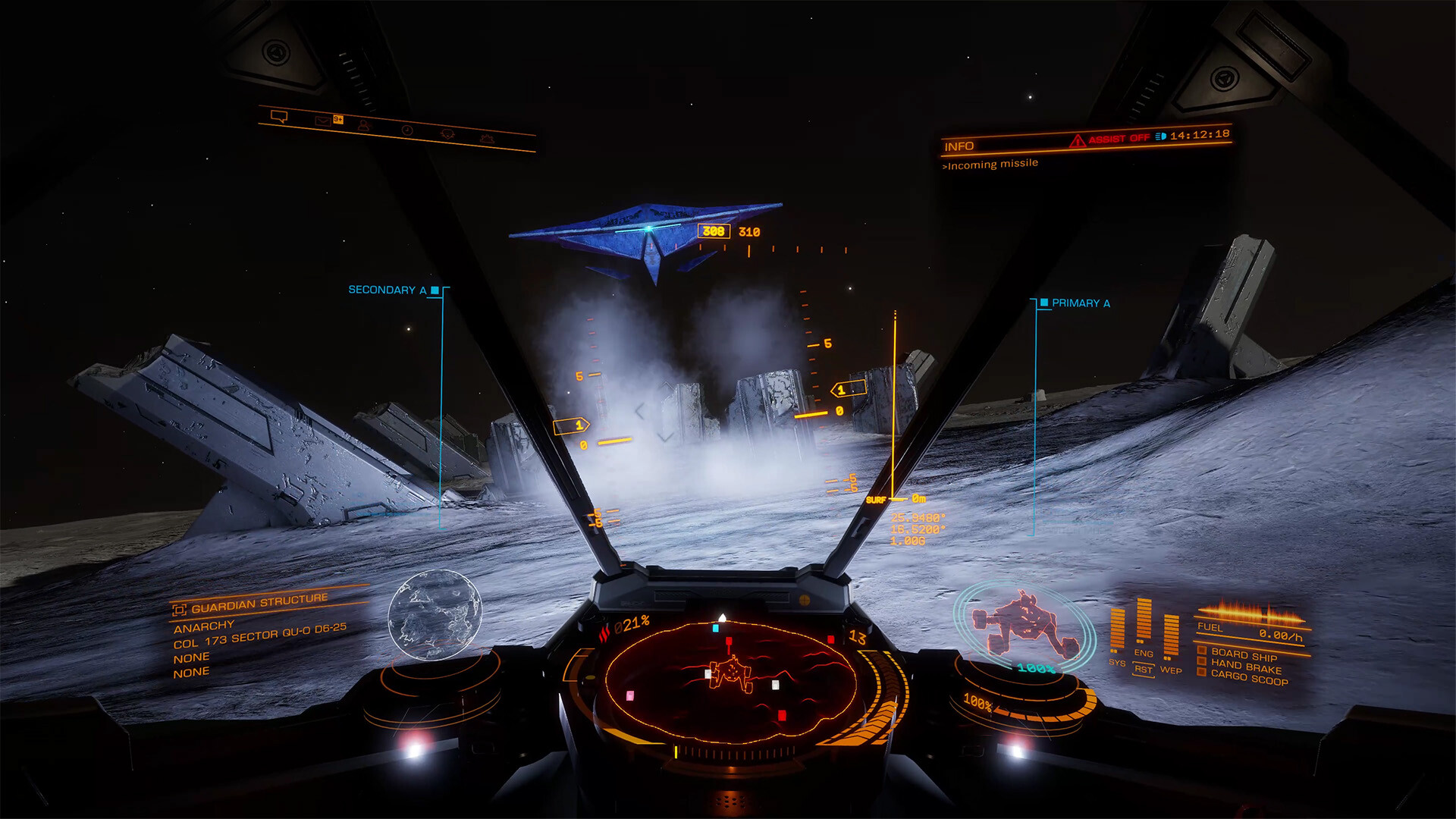
The Odyssey expansion, which lets you walk around stations, settlements, and planet surfaces on foot, launched in 2021 with real stutter problems. The main cause turned out to be the game generating a navigation mesh around every rock on a planet's surface for AI that never left their post, an expensive calculation for no benefit. Frontier fixed that specific bug in a patch that same November, and it removed most of the worst hitching.
Odyssey settlements are still heavier than flying, though, because of NPC characters, their lighting, and their shadows all being calculated at once in a small space. If you get frame drops on foot, turn shadow quality and ambient occlusion down first, since those cost the most for the least visual payoff, and keep your graphics drivers current. The official Odyssey minimum and recommended specs are noticeably higher than the base flying specs for exactly this reason.
VR needs a different PC entirely
Elite Dangerous was one of the first big VR space games, and its VR specs are still some of the highest on this page: an official minimum of a GTX 970 or R9 290, an i7-3770K class CPU, and 16GB of RAM. The reason is that VR headsets need a sustained 90 fps or higher to avoid nausea, roughly one and a half to three times the frame rate a flat-screen player would accept, and any dip is far more noticeable in a headset.
VR runs through SteamVR, so most headsets that plug into SteamVR work, including HTC Vive, Valve Index, and Windows Mixed Reality sets, plus a Meta Quest connected over Link or Steam Link. Direct Oculus app support was dropped years ago. If you want to fly in VR at a steady frame rate, budget for a mid-range card like an RTX 3060 or better even though the official minimum lists something older, because that minimum predates modern VR frame rate expectations.
The gotchas: always online, no ray tracing, and where it stops running
Elite Dangerous needs a constant internet connection to Frontier's servers, even in Solo mode, since the galaxy simulation lives server-side. There is no offline mode. The game is also a one-time purchase with no subscription: Horizons became a free part of the base game in 2020, and Odyssey is the one paid expansion on top of that, so if you are deciding what to buy, Odyssey is the only purchase decision left.
On the technical side, Elite Dangerous still runs on DirectX 11 and has no ray tracing and no DLSS. It has an older version of AMD's FSR upscaling for lower-end hardware, but nothing more modern. Availability outside PC is limited too: there is no Switch version, no native Mac client since Frontier dropped it in 2018, and the PlayStation and Xbox versions are both frozen without Odyssey and receive critical fixes only, since Frontier stopped active console development in 2022.
Can I run Elite Dangerous? Your questions answered
Yes for the base game, which lists 8GB as recommended. Odyssey's official recommended tier asks for 12GB, and 16GB is the safer target if you also plan to use VR.
No, an SSD is not an official requirement. It is not a bad idea, though, since it shortens the load into a station and cuts pop-in when you approach a planet.
About 25GB for the base game on its own. Add the Odyssey expansion and the total climbs to roughly 75GB.
The Odyssey minimum is a GTX 780 or R9 280X, an i5-4590 or FX 8350, and 8GB of RAM. Recommended is a GTX 1060 or RX 580, an i5-8600 or Ryzen 5 2600, and 12GB of RAM. Both are higher than the base flying specs because of the on-foot settlement gameplay.
Yes. Walking around stations and settlements loads a lot more at once, NPCs, lighting, and shadows, than flying through open space does. Expect a lower frame rate on foot than you get in your cockpit on the same PC.
It leans CPU-bound, and specifically single-core CPU speed, more than most current games. Once you have a mid-range graphics card, a faster single-thread CPU clock does more for your frame rate in busy areas than a better GPU does.
Not a hard one. VSync in the graphics options caps you to your monitor's refresh rate, and you can set a custom limit by editing the MaxFramesPerSecond value in the game's DisplaySettings.xml file. Frontier and most players recommend capping it rather than running fully uncapped, since an unlimited frame rate just maxes out your GPU for no real benefit and adds heat.
Odyssey settlements load a lot of NPCs, lighting, and shadow calculations in a small area, which is heavier than open space. A bad stutter bug from the 2021 Odyssey launch, caused by unnecessary navigation-mesh generation around planet rocks, was fixed in a patch that November, but settlements are still the most demanding on-foot spaces in the game.
Yes, always. Even Solo mode connects to Frontier's servers because the galaxy simulation runs server-side. There is no fully offline way to play.
No. It is a one-time purchase. Horizons, once a paid expansion, became a free part of the base game in 2020. Odyssey is the only expansion that still costs extra.
Buying the base game today already includes Horizons for free. The only real choice is whether to add Odyssey, which adds on-foot gameplay, new settlements, and a heavier CPU load. If your PC is on the low end, the base flying game alone is the lighter option.
It has an older version of AMD's FSR upscaling, useful on lower-end hardware, but no DLSS and no newer FSR versions. Since the game still runs on DirectX 11, it cannot use the upscaling tools that need DirectX 12.
No, it still runs on DirectX 11. Players have asked Frontier for a DirectX 12 move for years, but as of now the engine has not switched over.
No. There is no ray tracing in Elite Dangerous. Its lighting is handled with older, non-ray-traced techniques, which is part of why it stays light on the GPU.
The game does not have a built-in frame rate counter. Use your GPU driver's overlay (Nvidia's in-game overlay or AMD's Adrenalin overlay), Steam's own FPS counter in its overlay settings, or a third-party tool like MSI Afterburner or RivaTuner.
That is more than enough. The RTX 3050 clears Elite Dangerous's recommended requirement, so aim for high at 1080p or step up to 1440p. Around 70 to 85 fps at 1080p High while flying, comfortably above the base game's needs.
For sure. The GTX 1650 outpaces Elite Dangerous's recommended card, leaving you high 1080p now and 1440p whenever you like. About 65 to 75 fps at 1080p High while flying, dropping to 45 to 55 on foot in Odyssey.
No trouble at all. The GTX 1060 6GB meets or beats what Elite Dangerous recommends, so 1080p high runs well and 1440p is realistic. Around 90 fps at 1080p High while flying, and roughly 55 to 60 on foot in an Odyssey settlement.
Easily. With the RX 580 you are past Elite Dangerous's recommended tier, which means high settings at 1080p and a genuine shot at 1440p. Roughly 60 to 70 fps at 1080p High in open space, close to Odyssey's official recommended card.
You are well set. The RTX 4060 exceeds Elite Dangerous's recommended card, so 1080p high is easy and 1440p is realistic. Around 140 fps or more at 1080p Ultra, and about 100 at 1440p.
Plenty of power here. The RTX 3060 is above Elite Dangerous's recommended tier, so high 1080p is smooth and 1440p is a fair target. Around 120 fps or more at 1080p Ultra flying, and about 90 at 1440p.
Comfortably, yes. The RTX 2060 clears Elite Dangerous's recommended bar, which puts high 1080p and 1440p both in reach. About 100 fps at 1080p Ultra while flying, with room to spare for Odyssey settlements.
That is more than enough. The GTX 1660 clears Elite Dangerous's recommended requirement, so aim for high at 1080p or step up to 1440p.
Yes, with room to spare. Elite Dangerous recommends less than the GTX 1660 Super offers, so expect smooth 1080p high and a playable 1440p.
The RX 6600 is a strong fit for Elite Dangerous. It lands at or above the recommended spec, so high 1080p is comfortable and 1440p works.
Yes. The GTX 1660 Ti has headroom over Elite Dangerous's recommended card, so you can push 1080p high and move to 1440p when you want.
Yes. On the RTX 3060 Ti, Elite Dangerous runs at high settings in 1080p and scales up to 1440p without much fuss. Comfortably over 130 fps at 1080p Ultra, and around 100 at 1440p.
Yes, with room to spare. Elite Dangerous recommends less than the RTX 4050 offers, so expect smooth 1080p high and a playable 1440p.
It clears the bar. The GTX 1050 Ti matches Elite Dangerous's minimum, so 1080p on low to medium is realistic once you tune a few settings.
Yes, with room to spare. Elite Dangerous recommends less than the RTX 4070 offers, so expect smooth 1080p high and a playable 1440p. Past 180 fps at 1080p Ultra and around 130 at 1440p, though a busy station will still pull this down.
Not natively. Frontier ended Mac support back in 2018, so there is no current Mac client, including on Apple Silicon MacBooks. Cloud streaming or a Windows virtual machine are the only practical routes on a Mac today.
A recent Intel Iris Xe or AMD Radeon 780M-class chip can handle the base flying game at low settings, since the requirements are old and light. Odyssey's on-foot areas and VR are a different story and will struggle on integrated graphics.
A Chromebook has no direct way in, since Elite Dangerous was never built for ChromeOS. A cloud gaming service such as GeForce Now is what makes it possible.
Elite Dangerous is rated Playable, not Verified, on Steam Deck, and it runs through Proton close to 60 fps in space on higher presets once you adjust a couple of settings, such as swapping the scaling method from FSR to CAS. The ROG Ally and Legion Go, with stronger hardware underneath, handle it at least as well.
Yes, and it was one of the earliest big VR space games. It runs through SteamVR, so HTC Vive, Valve Index, Windows Mixed Reality headsets, and a Meta Quest connected over Link or Steam Link all work. Direct Oculus app support was dropped years ago.
Officially a GTX 970 or R9 290, an i7-3770K or FX 4350 class CPU, and 16GB of RAM. In practice that minimum is dated, since VR wants a sustained 90 fps, so a mid-range card like an RTX 3060 or better gives you a much more comfortable margin.
Yes, and it is not particularly demanding for a 4K target while flying. An RTX 3060 or RX 6600 class card holds a strong frame rate at 4K in open space, though Odyssey settlements and busy stations will pull the number down regardless of resolution.
Yes, easily on most cards from the last several years. An RTX 3060 or RX 6600 comfortably holds 90 fps or more at 1440p while flying.
Almost anything. Even a GTX 1060 clears 60 fps at 1080p High while flying. The harder target is a steady 60 in a crowded station or an Odyssey settlement, where a faster single-core CPU matters more than the GPU.
Yes, a GTX 1060 or RX 580 class card handles 1080p Ultra reasonably well in open space, since the game's visual settings are not that GPU-heavy by modern standards. Odyssey on-foot areas on Ultra ask for more, closer to an RTX 2060 or better for consistent frame rates.
Frontier hasn't shipped an official native Linux build, but Steam Proton runs it well, the same route that gets it working on Steam Deck. Most players who launch it through Proton report performance close to the native Windows experience.
Yes, comfortably, for the base game, Odyssey, and VR. The official VR minimum is the only tier that asks for the full 16GB; everything else needs less.
Yes for the base flying game at 1080p, since the official minimum and recommended cards both have well under 4GB. VRAM is not a real limiter in this game the way it is in newer, more graphically dense titles.
Check that you are connected to the internet, since the game always needs a live connection to Frontier's servers, even in Solo mode. After that, verify the game files through Steam, update your graphics drivers, and confirm your CPU supports the required instruction set, since the minimum quad core requirement rules out some very old or low-power chips.
Cap your frame rate instead of leaving it uncapped, since an unlimited frame rate just heats up your GPU without adding a real benefit. In Odyssey, lower shadow quality and ambient occlusion first, since those cost the most for the least visual gain. On foot in a settlement, a faster single-core CPU clock helps more than a GPU upgrade.
Xbox Series X and S play the Xbox One version through backward compatibility, since Frontier never built a native next-gen version. That console build never received the Odyssey expansion and only gets critical fixes now, not new content. It's also on Xbox Game Pass as of 2026, though some players report the Game Pass copy carries more limitations than a purchased one. This page is focused on the PC version specifically.
The PS4 version still runs, but there is no PS5 native build, and it plays through backward compatibility. Frontier ended active console development in March 2022, so the PlayStation version never got Odyssey and only receives critical fixes.
Yes, for the base flying game. At the official minimum of a GTX 470 or R7 240, a quad core CPU, and 6GB of RAM, a genuinely old or budget PC can fly around at 1080p Low. Odyssey's on-foot settlements and VR are both a step up from that and need noticeably more.
No. There is no Switch version of Elite Dangerous. This page covers the PC version, and on consoles the game is available on Xbox and PlayStation only.
GeForce Now hosts Elite Dangerous, making it a solid option on a Mac, a Chromebook, or any PC that can't quite clear the requirements on its own hardware.
A modern i3 or Ryzen 3 handles the base flying game fine, since it is a quad core chip clearing the official minimum with room to spare. Odyssey settlements and VR lean much harder on single-core speed, so an older or lower-clocked i3 or Ryzen 3 will show its limits there.
Frontier has not announced any plan to bring Odyssey to PlayStation. Console development beyond critical fixes was cancelled in March 2022, and there has been no reversal of that decision since.
Yes, on PC. Frontier continues to release content updates and patches for the PC version. Console support is limited to critical fixes only, and new content is a PC-first, and in practice PC-only, priority now.
No. It remains an actively updated, live game on PC with ongoing content releases from Frontier. Reports of it shutting down are not accurate; what did happen is that active console development was cancelled in 2022, which is likely where that idea comes from.