
Can I Run Cuphead on My PC / Laptop?
A hand-drawn 2D run-and-gun boss rush from Studio MDHR. One of the lightest games on Steam, so nearly any PC or laptop handles it.
Check if your PC can run Cuphead
Pick your graphics card and processor to check.
Cuphead runs on almost anything; this checks a realistic low-end bar.
Can I run Cuphead on my PC?
Use the checker above to find out in seconds. Pick your graphics card and processor and it compares them against Cuphead's official requirements. As a quick guide, you need at least a Geforce 9600 GT or AMD HD 3870 512MB or higher graphics card, a Intel Core2 Duo E8400, 3.0GHz or AMD Athlon 64 X2 6000+, 3.0GHz or higher processor, and 3 GB RAM of RAM to play at 1080p.
Can I run Cuphead on my laptop?
Yes, if your laptop has a dedicated graphics card around a Geforce 9600 GT or AMD HD 3870 512MB or higher or better and 3 GB RAM of RAM. Laptops with only integrated graphics usually fall short. Enter your laptop's GPU in the tool above to check. Keep in mind that the laptop version of a card runs a little slower than the desktop card of the same name, and heat can lower sustained frame rates.
The honest answer for almost everyone asking this: yes. Cuphead's official minimum is a Geforce 9600 GT or AMD HD 3870, a Core2 Duo or Athlon 64 X2 processor, and 3 GB of RAM, hardware that is close to two decades old at this point. It runs on nearly any laptop, budget desktop, or integrated graphics chip released in the last ten years. The part people actually get tripped up on is not raw power. It is the game's odd V-Sync default, which quietly locks you to 60fps even when V-Sync looks like it is switched off, plus the fact that Steam itself dropped support for anything older than Windows 10 back in 2024.
Feed your hardware into the checker up top and it will confirm in seconds that you clear this small bar. What follows covers the official numbers, how comfortably various cards handle the game, the backwards V-Sync quirk, storage for the base game plus The Delicious Last Course DLC, and the full list of platforms Cuphead actually ships on.
Cuphead system requirements
| Minimum | Recommended | |
|---|---|---|
| Processor (CPU) | Intel Core2 Duo E8400, 3.0GHz or AMD Athlon 64 X2 6000+, 3.0GHz or higher | |
| Graphics card (GPU) | Geforce 9600 GT or AMD HD 3870 512MB or higher | |
| Memory (RAM) | 3 GB RAM | |
| Operating system | Windows 10 64-bit | Windows 10/11 64-bit |
| DirectX | Version 11 | 11 |
| Storage | 4 GB available space |
Storage: 4 GB for the base game, plus about 2 GB more if you add The Delicious Last Course DLC. No SSD is needed; even a slow hard drive loads this game in seconds.
Cuphead FPS by graphics card
| Graphics card | 1080p | 1440p | 4K | Notes |
|---|---|---|---|---|
| Intel UHD 620 (integrated) | ~60 (V-Sync capped) | , | , | Even basic laptop integrated graphics from the last several years holds a locked 60fps without dropping frames. |
| GTX 750 Ti | ~60 (V-Sync capped) | , | , | Already far beyond what this game asks for. The frame rate ceiling here is the V-Sync setting, not the card. |
| GTX 1050 Ti | ~60 default, 150+ with V-Sync on | , | , | Turning V-Sync on unlocks higher numbers on a fast monitor. Off leaves you at 60. |
| GTX 1060 6GB | ~60 default, 200+ with V-Sync on | , | , | No difference in smoothness versus a much pricier card. This game just isn't demanding. |
| RTX 3060 | ~60 default, 300+ with V-Sync on | , | , | Complete overkill for Cuphead, same as almost anything from the last decade. |
| RTX 4060 | ~60 default, 300+ with V-Sync on | , | , | You will never see this card sweat on this game. |
| RTX 4090 | ~60 default, 300+ with V-Sync on | , | , | No card changes this. Cuphead's frame rate is bound by the V-Sync setting, not GPU horsepower. |
These numbers are approximate, and every card on this list clears Cuphead with enormous headroom regardless of resolution. What actually varies is whether V-Sync is on or off in the game's own options, not which GPU is installed. Real numbers shift a little by scene, driver, and monitor refresh rate.
Can these graphics cards run Cuphead?
| Graphics card | Verdict | Notes |
|---|---|---|
| GTX 1050 Ti | Runs well | Past the recommended tier. High settings at 1080p, 1440p on the table. |
| GTX 1650 | Runs well | Past the recommended tier. High settings at 1080p, 1440p on the table. |
| RX 570 | Runs well | Beats the recommended spec. Comfortable high 1080p, playable 1440p. |
| RX 580 | Runs well | Above recommended. 1080p high is easy, and 1440p works too. |
| GTX 1060 6GB | Runs well | At or above the recommended card. Smooth 1080p high, 1440p realistic. |
| GTX 1650 Super | Runs well | Above recommended. 1080p high is easy, and 1440p works too. |
| GTX 1660 | Runs well | Over the recommended bar. Smooth high 1080p, 1440p realistic. |
| GTX 1660 Super | Runs well | Exceeds recommended. 1080p high is comfortable, 1440p fine. |
| RTX 3050 | Runs well | Recommended tier or better. High 1080p, with room for 1440p. |
| GTX 1660 Ti | Runs well | At or above the recommended card. Smooth 1080p high, 1440p realistic. |
| RX 6600 | Runs well | Exceeds recommended. 1080p high is comfortable, 1440p fine. |
| RTX 2060 | Runs well | Strong fit. High settings at 1080p, 1440p within reach. |
| RTX 4050 | Runs well | Above recommended. 1080p high is easy, and 1440p works too. |
| Arc A750 | Runs well | Exceeds recommended. 1080p high is comfortable, 1440p fine. |
| RTX 3060 | Runs well | Above recommended. 1080p high is easy, and 1440p works too. |
| RX 6600 XT | Runs well | Recommended tier or better. High 1080p, with room for 1440p. |
| RX 7600 | Runs well | Strong fit. High settings at 1080p, 1440p within reach. |
| RX 6700 XT | Runs well | Recommended tier or better. High 1080p, with room for 1440p. |
| RTX 4060 | Runs well | Over the recommended bar. Smooth high 1080p, 1440p realistic. |
| RTX 3060 Ti | Runs well | Recommended tier or better. High 1080p, with room for 1440p. |
| RTX 3070 | Runs well | Past the recommended tier. High settings at 1080p, 1440p on the table. |
| RTX 4070 | Runs well | Strong fit. High settings at 1080p, 1440p within reach. |



Why this is one of the easiest games you'll ever run
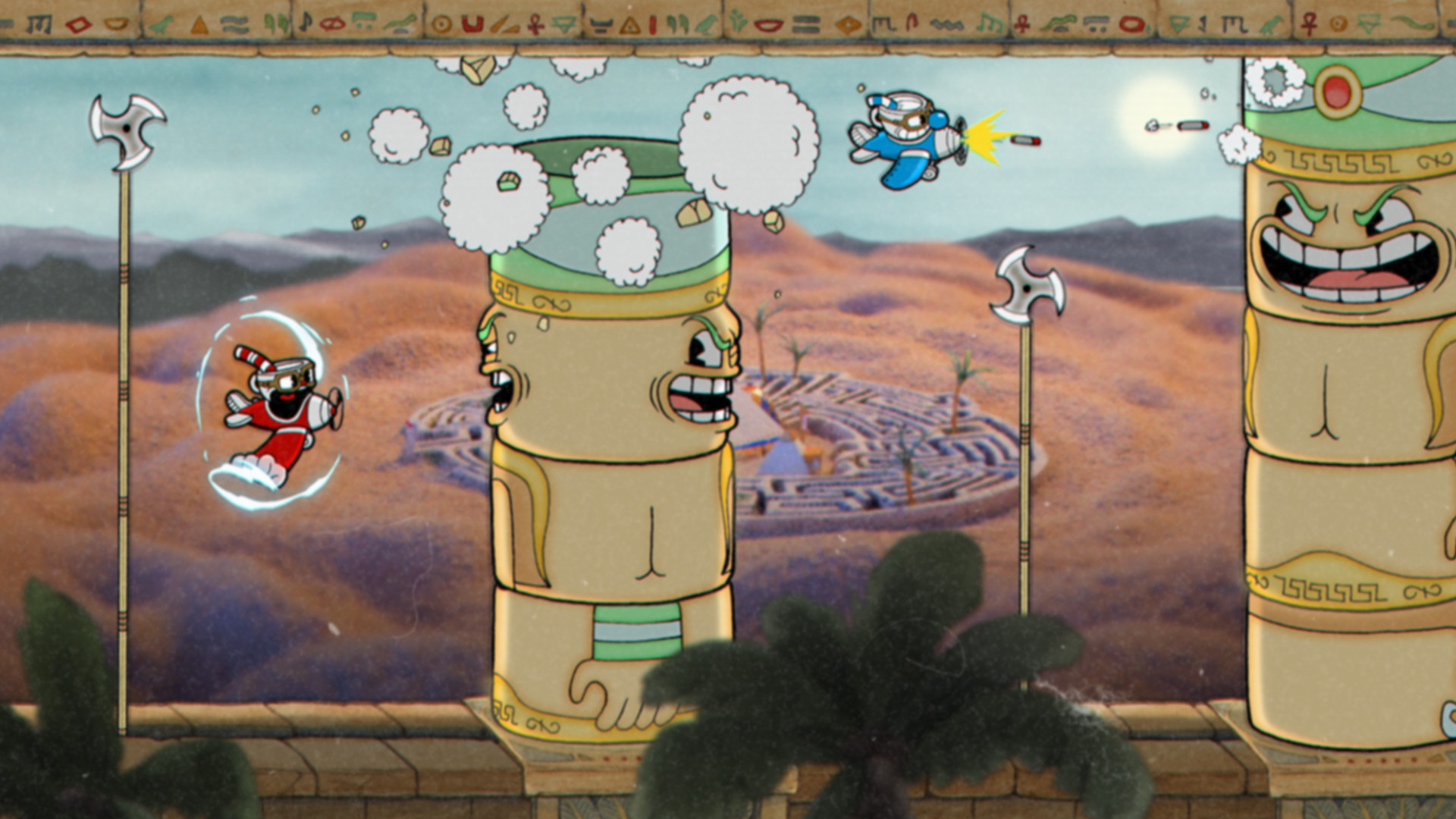
Cuphead's official minimum is a Geforce 9600 GT or AMD HD 3870, a Core2 Duo or Athlon 64 X2 processor, and 3 GB of RAM. Those parts shipped around 2008, roughly a generation before most PCs still in daily use today. In practice that means the game is neither GPU-bound nor CPU-bound in any way that matters. It's a 2D game with hand-painted backgrounds and cel-animated sprites, so rendering cost stays low no matter what resolution you run it at.
That is also why it carries a full Steam Deck Verified badge with no workarounds needed, and why it runs fine on plenty of laptops that would choke on almost anything else in a modern Steam library. Steam itself doesn't even publish a recommended spec for Cuphead, only a minimum, because there's nothing meaningful to recommend beyond it.
The V-Sync quirk that actually decides your frame rate
The one real gotcha on PC is V-Sync. Turn it off expecting an uncapped frame rate, and Cuphead locks you to 60fps anyway. To get more than 60fps on a high refresh monitor, you need V-Sync switched ON in the in-game options, the opposite of how most games handle it. The setting also resets to on every time you relaunch the game, so if you're chasing a higher number, expect to flip it back after every session.
Even once you unlock a higher cap, know that the hand-drawn character animation itself updates at around 24 frames a second no matter your frame rate. A higher cap smooths camera movement, parry timing, and input response, but Cuphead and Mugman won't visually animate any faster. No hardware is holding this game back. The cap is a design choice baked into how the sprites were drawn.
Storage, old Windows versions, and the DLC
The base game needs 4 GB of space, and The Delicious Last Course DLC adds about 2 GB more, so 6 GB covers everything. No SSD is required. The thing more likely to stop you is your operating system, not your drive: Steam dropped client support for anything before Windows 10 at the start of 2024, so a genuinely old PC still running Windows 7 or 8.1 may not be able to launch Steam at all, even though Cuphead's own hardware demands would be a non-issue.
If you're deciding where to play rather than whether you can, the DLC needs the base game already installed and, like the base game, a 64-bit system. Buying the physical or digital release on any platform gets you the same three-chapter package Cuphead ships as today.
Can I run Cuphead? Your questions answered
Studio MDHR lists a Core2 Duo E8400 or Athlon 64 X2 6000+ processor, a Geforce 9600 GT or AMD HD 3870 512MB card, 3 GB of RAM, DirectX 11, and 4 GB of storage, running on 64-bit Windows 10 or newer.
There isn't an official recommended tier here, only a minimum, since the game already runs at a smooth 60fps on that floor. A commonly cited comfortable target is a Core i3-2100 or FX-6300, a GTX 660 or Radeon HD 7870 2GB, and 4 GB of RAM, well beyond what this game actually needs.
It is, and it's the exact official minimum. Below 3 GB you'll want to upgrade, but 4 GB or more gives you plenty of headroom to keep a browser or Discord running alongside it.
4 GB covers the base game on its own. Adding The Delicious Last Course DLC brings the total to roughly 6 GB, and none of it needs to sit on an SSD since load times are already short on a mechanical drive.
DirectX 11 is what it runs on, a version supported by essentially any graphics card from the last fifteen years, integrated chips included.
Both the base game and The Delicious Last Course DLC need a 64-bit processor and OS, and this has held true since launch. Modern hardware has nothing to worry about here.
Cuphead's own requirements are not the obstacle; Steam's client support is. Steam cut off versions older than Windows 10 at the start of 2024, so a machine still on Windows 7 or 8.1 may struggle to even get Steam running, let alone the game itself.
Counterintuitively, switch V-Sync ON in the in-game options. Leaving it off is what caps you at 60fps by default, while turning it on lets a fast monitor push well past that. Expect to flip the toggle again after every relaunch, since it resets to on each time.
By design, the hand-drawn characters animate at roughly 24 frames a second regardless of your overall frame rate. Uncapping fps improves camera smoothness and input response, but the sprites themselves stay at that fixed animation speed. Nothing is malfunctioning here.
Roughly the same as the base game: a 64-bit system, about 4 GB of RAM, and around 2 GB of extra storage on top. Owning the base game is a prerequisite for playing it.
It doesn't. This is a small, simple game that loads in seconds even from a mechanical hard drive, so an SSD won't change your experience in any noticeable way.
Not at all. Somewhere between 512MB and 1GB of graphics memory covers it, and every card sold in the last decade has well more than that. VRAM simply isn't a bottleneck for this game.
Neither, and neither is needed. This is a flat 2D game with no 3D lighting to trace and nothing taxing enough to call for upscaling.
Rarely. The requirements are old enough that nearly any driver released in recent years already supports them. If a crash or visual glitch does show up, a driver update is still the first thing worth trying.
Yes, with room to spare. Cuphead recommends less than the RTX 3050 offers, so expect smooth 1080p high and a playable 1440p. Far more than this game needs. Default 60fps cap, higher with V-Sync enabled.
Yes, comfortably. The GTX 1650 sits at or above Cuphead's recommended card, so 1080p on high is smooth and 1440p is well within reach. No trouble at all. Sits at the default 60fps cap unless you flip V-Sync on for higher numbers.
Yes. The GTX 1060 6GB has headroom over Cuphead's recommended card, so you can push 1080p high and move to 1440p when you want. Complete overkill for this game. Locked at 60fps by default, 200 or more with V-Sync on.
Yes. The RX 580 has headroom over Cuphead's recommended card, so you can push 1080p high and move to 1440p when you want. Handles Cuphead without any effort, same as any card from this era or newer.
Yes, comfortably. The RTX 4060 sits at or above Cuphead's recommended card, so 1080p on high is smooth and 1440p is well within reach. You will never see this card work hard on Cuphead. Default 60fps cap, 300 or more with V-Sync on.
Yes. The RTX 3060 has headroom over Cuphead's recommended card, so you can push 1080p high and move to 1440p when you want. Massive headroom. Default 60fps cap, 300 or more with V-Sync on for a fast monitor.
Yes. The RTX 2060 has headroom over Cuphead's recommended card, so you can push 1080p high and move to 1440p when you want.
Yes, comfortably. The GTX 1660 sits at or above Cuphead's recommended card, so 1080p on high is smooth and 1440p is well within reach.
Yes, comfortably. The GTX 1660 Super sits at or above Cuphead's recommended card, so 1080p on high is smooth and 1440p is well within reach.
Yes. The RX 6600 has headroom over Cuphead's recommended card, so you can push 1080p high and move to 1440p when you want. No performance concerns whatsoever. Default 60fps cap, higher with V-Sync on.
Yes, comfortably. The GTX 1660 Ti sits at or above Cuphead's recommended card, so 1080p on high is smooth and 1440p is well within reach.
Yes. The RTX 3060 Ti has headroom over Cuphead's recommended card, so you can push 1080p high and move to 1440p when you want.
Yes, comfortably. The RTX 4050 sits at or above Cuphead's recommended card, so 1080p on high is smooth and 1440p is well within reach.
The GTX 1050 Ti is a strong fit for Cuphead. It lands at or above the recommended spec, so high 1080p is comfortable and 1440p works. Comfortably holds 60fps and pushes well past it with V-Sync turned on for a high refresh monitor.
Yes. The RTX 4070 has headroom over Cuphead's recommended card, so you can push 1080p high and move to 1440p when you want. Total overkill. Cuphead's frame rate here is set by the V-Sync option, not the card.
Yes, and there is a real official build behind it. Cuphead ships as an Intel binary on Mac through Steam and GOG, and it runs through Rosetta 2 on Apple Silicon without trouble given how light the game is. It is not on the Mac App Store, so Steam or GOG is where to buy it.
Only by streaming it, since Chromebooks cannot run Windows games directly. GeForce Now and Xbox Cloud Gaming both carry Cuphead and will stream it over the internet to a Chromebook.
Without any trouble. Cuphead holds a full Steam Deck Verified badge, meaning it just works out of the box, and the more powerful ROG Ally and Legion Go handle it with the same ease.
Yes, on virtually any dedicated card. Since this is a 2D game, resolution has little effect on performance, so 4K asks barely more of your hardware than 1080p does.
Without hesitation. Anything that clears the minimum treats 1440p the same as 1080p, since Cuphead's rendering cost doesn't scale meaningfully with resolution.
Just about any PC that meets the minimum spec. 60fps is both the default target and the cap, and it holds steady across hardware going back well over a decade, integrated graphics included.
There's no graphics quality menu to speak of in Cuphead. Low, medium, and ultra presets don't exist here, since the hand-drawn art doesn't scale in complexity the way 3D games do.
More than enough, in fact more than double the official 3GB floor. 8GB leaves ample room to run the game with a browser or Discord open in the background.
For this game specifically, yes. Cuphead is comfortable running in 3 to 4GB. 16GB makes sense for everything else your PC does, but the game itself will never come close to using it.
With room to spare. Even older i3 and Athlon-class chips clear the official minimum, and any i3 or Ryzen 3 from recent generations has plenty of extra headroom on top of that.
Given how undemanding this game is, GPU or CPU horsepower is rarely the cause. Confirm you're on 64-bit Windows 10 or newer since Steam dropped older Windows support in 2024, update your graphics drivers, verify game files through Steam, and double check your V-Sync setting, since it directly controls your frame rate cap.
It does. Xbox, PlayStation, and Nintendo Switch all target and hold a steady 60fps, Switch's handheld mode included, matching the PC experience.
No official Linux build exists, though you would be hard pressed to notice. Its full Steam Deck Verified badge means it runs flawlessly through Steam Play (Proton) with no settings changes required, and any distro on a recent Proton version handles it without issue.
It plays fine there, carried over from the original Xbox One release through backward compatibility, and it's also on Xbox Cloud Gaming. This page is about the PC version specifically.
Both handle it well. Cuphead reached PS4 in 2019 and runs on PS5 through backward compatibility without issue. This page centers on the PC release.
It is, with a genuinely native port. Switch holds a steady 60fps in both docked and handheld play, at 1080p docked and 720p handheld, the result of real optimization work by Studio MDHR rather than a lazy port.
Comfortably, yes. The official minimum, a Geforce 9600 GT, a Core2 Duo E8400, and 3GB of RAM, is close to two decades old, and it still delivers a full 60fps. Almost nothing sold today falls short of this bar.
You can. GeForce Now, which requires owning the game on Steam, and Xbox Cloud Gaming both carry it, letting you stream to a Chromebook, phone, or aging PC, though given how light Cuphead is, that route is rarely necessary.
No crossplay exists, and there's no online multiplayer to begin with. Co-op stays local on a single device, and saves don't carry between platforms except through Xbox Play Anywhere linking Xbox consoles to the Microsoft Store PC version.