
Can I Run Crimson Desert on My PC / Laptop?
A big, good-looking open-world action RPG from the Black Desert Online team that runs better than its file size suggests, if you can dodge its VRAM and shader-stutter problems.
Check if your PC can run Crimson Desert
Pick your graphics card and processor to check.
Can I run Crimson Desert on my PC?
Use the checker above to find out in seconds. Pick your graphics card and processor and it compares them against Crimson Desert's official requirements. As a quick guide, you need at least a RX 5500 XT / GTX 1060 graphics card, a Ryzen 5 2600X / i5-8500 processor, and 16 GB RAM of RAM to play at 1080p.
Can I run Crimson Desert on my laptop?
Yes, if your laptop has a dedicated graphics card around a RX 5500 XT / GTX 1060 or better and 16 GB RAM of RAM. Laptops with only integrated graphics usually fall short. Enter your laptop's GPU in the tool above to check. Keep in mind that the laptop version of a card runs a little slower than the desktop card of the same name, and heat can lower sustained frame rates.
Crimson Desert is out now (it launched March 19, 2026), so this is a real answer, not a guess. Most PCs from the last five years clear the bar: the official minimum is a GTX 1060 or RX 5500 XT, a Ryzen 5 2600X or Core i5-8500, and 16GB of RAM. Independent testing backs that up. It is one of the better-optimized big open-world games this year, holding 60fps at 1080p on cards as modest as an RTX 4060 or RTX 3060 Ti. What people get wrong is assuming a fast GPU is the whole story. Two things wreck the experience no matter how strong your card is: running out of graphics memory once you push texture quality past 1080p or High on an 8GB card, and a shader compilation stutter that still has no official fix.
Check your exact CPU and GPU against Crimson Desert's requirements using the tool above. Everything below covers the full spec tiers up to 4K, real frame rates gathered from outlets that benchmarked dozens of cards, a walkthrough of the VRAM and stutter issues, and an FAQ spanning consoles, Mac, handhelds, and specific graphics cards.
Crimson Desert system requirements
| Minimum | Recommended | |
|---|---|---|
| Processor (CPU) | Ryzen 5 2600X / i5-8500 | Ryzen 5 5600 / i5-11600K |
| Graphics card (GPU) | RX 5500 XT / GTX 1060 | RX 6700 XT / RTX 2080 |
| Memory (RAM) | 16 GB RAM | 16 GB RAM |
| Operating system | Windows 10 64-bit | Windows 10 64-bit |
| DirectX | Version 12 | Version 12 |
| Storage | 150 GB available space | 150 GB available space |
Storage: 150 GB. An SSD is required, not just recommended: both the minimum and recommended tiers list it as mandatory.
Full performance tiers
| Tier | Target | CPU | GPU | RAM |
|---|---|---|---|---|
| Minimum | 1080p (upscaled from 900p), 30 fps | Ryzen 5 2600X / i5-8500 | RX 5500 XT / GTX 1060 | 16 GB RAM |
| Recommended | 1080p, 60 fps (or 4K at 30 fps) | Ryzen 5 5600 / i5-11600K | RX 6700 XT / RTX 2080 | 16 GB RAM |
| High (1440p) | 1440p, 60 fps | Ryzen 5 7600X / i5-12600K | RX 7700 XT / RTX 4070 | 16 GB RAM |
| Ultra (4K) | 4K, 60 fps | Ryzen 7 7700X / i5-13600K | RX 9070 XT / RTX 5070 Ti | 16 GB RAM |
Crimson Desert FPS by graphics card
| Graphics card | 1080p | 1440p | 4K | Notes |
|---|---|---|---|---|
| GTX 1060 6GB | ~30 (Low) | , | , | The official minimum card. It hits the 900p-upscaled 30fps target the minimum tier promises, no more. |
| GTX 1650 | ~32-39 (Low) | , | , | About 32fps native, closer to 39 with FSR 3 Quality turned on. |
| RTX 2060 | ~65-75 | ~45 (Ultra) | , | Comfortable at 1080p Ultra. It is well above the RX 5500 XT minimum. |
| RTX 3060 | ~54 (Ultra), ~71 with DLSS | ~39 (Ultra), ~55 with DLSS | , | A steady 60fps at 1080p once DLSS Quality is on. |
| RX 6600 | ~60 (High) | , | , | Holds 60fps at 1080p High, ahead of the RTX 2080 recommended-tier card in raw output. |
| RTX 4060 | ~58 (Ultra), ~75 with DLSS | ~40 (Ultra) | , | One of the more surprising results in reviewer testing: near-60fps at 1080p Ultra on a budget card. |
| RTX 4070 | ~97-100 | ~70-80 | , | Comfortably above 60fps at 1440p, which matches its role as the official 1440p/High tier GPU. |
| RTX 4090 | ~166 | ~123 | ~75-90 | The clear ceiling card. 4K Ultra still needs upscaling for a locked 60. |
These numbers come from several outlets testing at different settings (some at Ultra, some at the game's 'Cinematic' preset, some with DLSS or FSR on), so treat every figure as a ballpark, not a promise. Crimson Desert has also been patched repeatedly since launch, and PC performance shifts with driver updates, so your mileage will vary by scene, settings, and the exact build you are running.
Can these graphics cards run Crimson Desert?
| Graphics card | Verdict | Notes |
|---|---|---|
| GTX 1050 Ti | Below minimum | Beneath the bar. Very low settings, and it may not run. |
| GTX 1650 | Below minimum | Below spec. Low settings and low fps at best. |
| RX 570 | Below minimum | Does not meet minimum. Rough performance is likely. |
| RX 580 | Playable | Passes minimum. Aim low to medium 1080p, upscaling helps. |
| GTX 1060 6GB | Playable | Passes minimum. Aim low to medium 1080p, upscaling helps. |
| GTX 1650 Super | Playable | Passes minimum. Aim low to medium 1080p, upscaling helps. |
| GTX 1660 | Playable | Meets the bar. Low to medium settings at 1080p. |
| GTX 1660 Super | Playable | Meets the bar. Low to medium settings at 1080p. |
| RTX 3050 | Playable | Meets the bar. Low to medium settings at 1080p. |
| GTX 1660 Ti | Playable | Runnable at minimum. Low to medium 1080p, ease settings back. |
| RX 6600 | Playable | Runnable at minimum. Low to medium 1080p, ease settings back. |
| RTX 2060 | Playable | Meets the bar. Low to medium settings at 1080p. |
| RTX 4050 | Playable | Runnable at minimum. Low to medium 1080p, ease settings back. |
| Arc A750 | Playable | Passes minimum. Aim low to medium 1080p, upscaling helps. |
| RTX 3060 | Playable | Minimum covered. 1080p low to medium is the target. |
| RX 6600 XT | Playable | Clears the minimum. 1080p low to medium, better with upscaling. |
| RX 7600 | Playable | Meets the bar. Low to medium settings at 1080p. |
| RX 6700 XT | Runs well | Above recommended. 1080p high is easy, and 1440p works too. |
| RTX 4060 | Runs well | Recommended tier or better. High 1080p, with room for 1440p. |
| RTX 3060 Ti | Runs well | Past the recommended tier. High settings at 1080p, 1440p on the table. |
| RTX 3070 | Runs well | Over the recommended bar. Smooth high 1080p, 1440p realistic. |
| RTX 4070 | Runs well | Exceeds recommended. 1080p high is comfortable, 1440p fine. |


Will it run, and how well
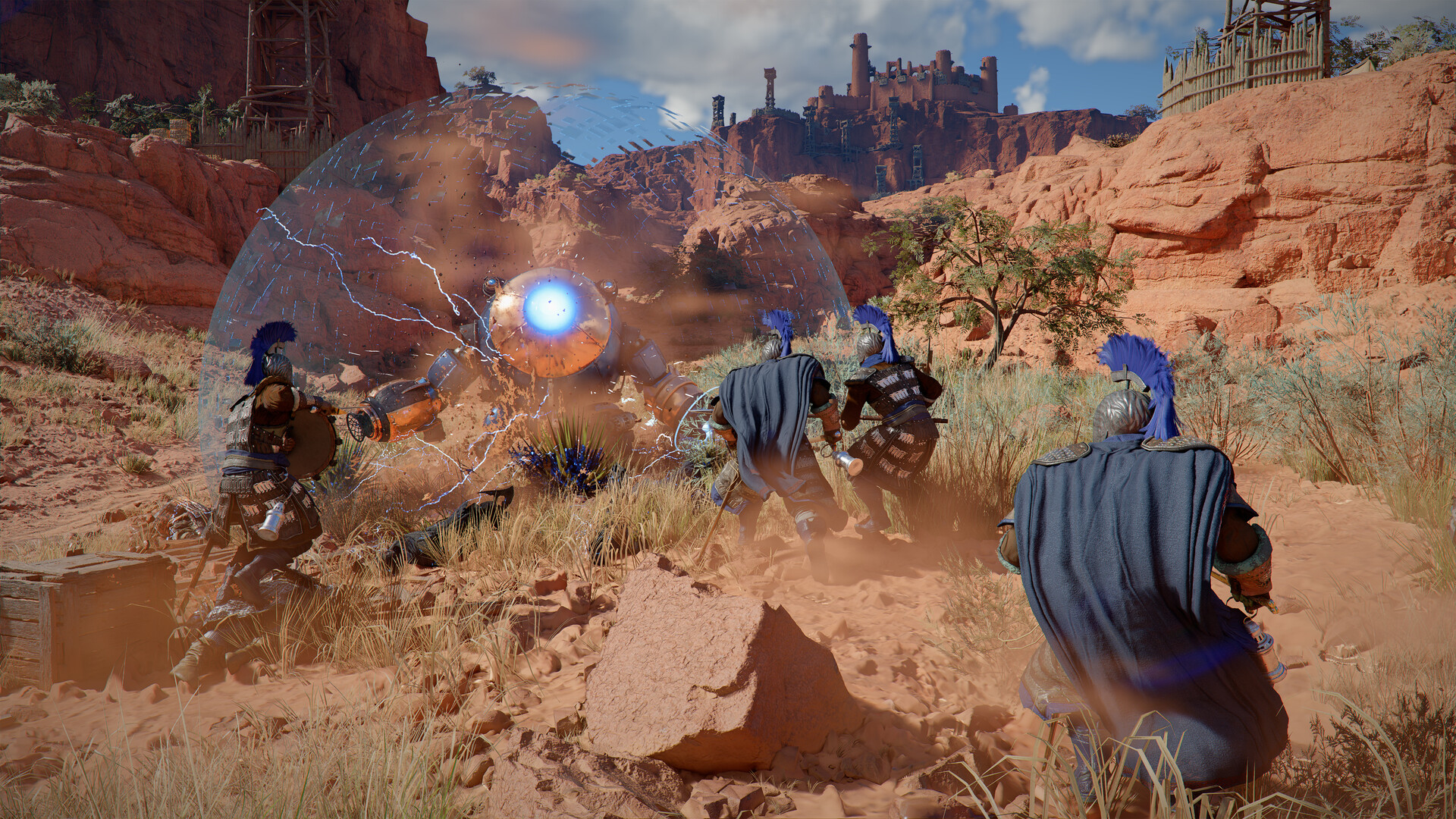
For most players, yes, and better than a lot of big 2026 open-world games. The official minimum is a GTX 1060 or RX 5500 XT with 16GB of RAM, and that lines up with what reviewers found: this game does not need a monster PC to hit 30fps, and it does not need a flagship card to hit 60fps at 1080p either. An RTX 4060 or RX 6600, both mid-range cards from a few years back, land at or near 60fps at 1080p on high settings.
The catch is that raw GPU speed is not the only thing that decides your experience here. Two separate problems can tank a session even on a capable card, and they are both explained below.
The real limiter: VRAM, not horsepower
Crimson Desert's engine (Pearl Abyss calls it BlackSpace, the successor to the tech behind Black Desert Online) streams high-resolution textures aggressively as you move through the world. When your graphics card runs out of VRAM to hold them, it starts swapping data to system memory instead, and that shows up as sudden hitching rather than a smooth drop in frame rate.
In practice, an 8GB card is fine at 1080p or 1440p as long as you keep Texture Quality at High rather than Ultra. Push an 8GB card to Ultra textures, or combine High textures with 1440p and ray tracing, and stutter creeps in. Ultra textures are really built for 12GB and up. If your card has 8GB or less and the game is hitching in busy areas, dropping textures one notch is the single most effective fix.
Shader stutter and other known issues
The other stutter source is shader compilation. The game builds shaders on the fly the first time it encounters a new environment, enemy, or effect, which causes brief freezes the first time you see something new. There is no official pre-compilation step or settings toggle that removes this; it eases off the more you play a given area since the shaders get cached, but new zones bring it back.
A handful of other things are worth knowing going in. Intel Arc cards were rejected outright at launch with a 'device not supported' error, a fallout from a dispute between Intel and Pearl Abyss over early driver access; later Intel drivers made Arc cards playable, but FSR still causes crashes and visual glitches on some Arc setups, so treat Arc as the shakiest of the three GPU vendors here. Some players on both Nvidia and AMD cards have also reported crashes and large frame-time spikes in dense areas, which patches have been steadily addressing since launch. On the DRM side, the game uses Denuvo, so while it plays fully offline once installed, it needs occasional online re-authorization, not a permanent connection.
Getting more frames out of a weaker PC
Turn on upscaling first. Crimson Desert supports DLSS, FSR, and frame generation, and Quality mode alone typically adds 25 to 40 percent on top of native rendering. After that, Texture Quality is the setting to watch on any card under 12GB of VRAM, followed by shadow quality and crowd or NPC density, which are the next biggest frame-rate costs in busy towns like Kastone.
There is no built-in frame-rate cap on PC. The game runs uncapped by default, and PS5 and Xbox Series X offer a 1080p/60fps performance mode, a 1440p/40fps balanced mode, and a 4K/30fps quality mode, so console players have to pick a lane the way PC players pick settings.
Can I run Crimson Desert? Your questions answered
A GTX 1060 or RX 5500 XT, a Ryzen 5 2600X or Core i5-8500, and 16GB of RAM, aimed at 1080p and 30fps (the image is actually rendered at 900p and upscaled). You also need 150GB of SSD space.
An RTX 2080 or RX 6700 XT, a Ryzen 5 5600 or Core i5-11600K, and 16GB of RAM. That is enough for a steady 1080p at 60fps, or you can point the same hardware at 4K and get roughly 30fps instead.
Yes. Pearl Abyss lists 16GB across every official tier, from minimum through the 4K Ultra target, so there is no need to go beyond that for this game specifically.
It needs an SSD. Both the minimum and recommended specs list an SSD as required, not optional, which is unusual even for a 2026 open-world game. A hard drive is not supported.
150GB, and it has to be SSD space specifically, not just any free drive.
Two separate causes. The engine streams high-resolution textures aggressively, so an 8GB card running Ultra textures runs out of VRAM and starts hitching. Separately, the game compiles shaders the first time it sees a new area or effect, which causes a brief freeze that has no official fix yet. Lowering Texture Quality fixes the VRAM half of the problem; the shader stutter mostly settles down after you have played a zone once.
For 1080p or 1440p on High textures, yes. Push to Ultra textures, or add ray tracing on top of High, and 8GB starts to show stutter from texture swapping. Ultra textures are really meant for 12GB cards and up.
Yes, a DirectX 12 capable graphics card is required on PC.
Not permanently. It needs an online connection to install the day-one patch and uses Denuvo DRM, which checks in periodically to renew your authorization. Once that is done you can play offline, just not indefinitely without reconnecting.
No, PC has no built-in frame-rate cap and will run as high as your hardware allows. If you want to cap it yourself, that is a setting in your graphics driver rather than in the game.
Yes, both, along with frame generation on supported cards. Turning on Quality mode upscaling is usually worth 25 to 40 percent more frames, and it is the first thing to try if you are short of 60fps.
It adds noticeable cost on top of an already VRAM-hungry game, so it is best left for 12GB-and-up cards. On 8GB cards, ray tracing combined with high textures is one of the more common causes of stutter people report.
Yes, though keep expectations modest. The RTX 3050 clears Crimson Desert's minimum, so plan on 1080p at low to medium and trim a setting or two for a steady frame rate. Around 38fps at 1080p Ultra, or roughly 51fps with DLSS Quality turned on.
Not really. The GTX 1650 falls under Crimson Desert's minimum card, so you are looking at very low settings and low frame rates, if it starts at all. About 32fps at 1080p Low natively, closer to 39fps with FSR 3 Quality turned on.
You can play it. The GTX 1060 6GB is at Crimson Desert's minimum, so keep to 1080p low to medium and lower a setting if it stutters. The official minimum card. Expect around 30fps at 1080p Low, matching the 900p-upscaled minimum target exactly.
Good enough to play. The RX 580 sits at Crimson Desert's minimum, so expect 1080p low to medium and a bit of tuning for smoothness. Below the GTX 1060 in most testing for this game; expect 1080p Low in the 25 to 30fps range, similar to or slightly under the minimum-spec target.
Easily. With the RTX 4060 you are past Crimson Desert's recommended tier, which means high settings at 1080p and a genuine shot at 1440p. One of the standout results in testing: around 58fps at 1080p Ultra, or 75fps with DLSS Quality on.
You can play it. The RTX 3060 is at Crimson Desert's minimum, so keep to 1080p low to medium and lower a setting if it stutters. About 54fps at 1080p Ultra, rising to around 71fps with DLSS Quality on.
It clears the bar. The RTX 2060 matches Crimson Desert's minimum, so 1080p on low to medium is realistic once you tune a few settings. Comfortable at 1080p Ultra, roughly 65 to 75fps, and around 45fps at 1440p Ultra.
Fine for a lighter setup. The GTX 1660 clears Crimson Desert's minimum, so target 1080p low to medium and adjust down for a steady rate.
It clears the bar. The GTX 1660 Super matches Crimson Desert's minimum, so 1080p on low to medium is realistic once you tune a few settings.
It clears the bar. The RX 6600 matches Crimson Desert's minimum, so 1080p on low to medium is realistic once you tune a few settings. Holds roughly 60fps at 1080p High settings, ahead of the official recommended-tier GPU in raw output.
Yes, at the lower end. With the GTX 1660 Ti you clear Crimson Desert's minimum, so 1080p low to medium is the target and easing back a setting helps.
Plenty of power here. The RTX 3060 Ti is above Crimson Desert's recommended tier, so high 1080p is smooth and 1440p is a fair target. Around 60fps at 1080p on the game's Cinematic preset, a genuinely comfortable 1080p card here.
It will run. The RTX 4050 meets Crimson Desert's minimum, which means 1080p on low to medium and a smoother result once you lower a couple of options.
It is under the bar. The GTX 1050 Ti does not meet Crimson Desert's minimum, so any play would be very low settings with weak performance.
Easily. With the RTX 4070 you are past Crimson Desert's recommended tier, which means high settings at 1080p and a genuine shot at 1440p. Around 97 to 100fps at 1080p and 70 to 80fps at 1440p, well past the game's 1440p/60fps High tier.
Only on newer chips. Crimson Desert has a native Mac version, but the official minimum is an M2 Pro, a base M3, or a base M4 (or better). A base M1 or base M2 MacBook does not meet the requirement, and Apple's Intel-based Macs are not supported at all. Real-world reports on M2 Pro and M2 Max Macs show it running, though with occasional freezes and stability issues that are still being patched, so treat the Mac version as playable but rougher than the Windows build.
No. The official minimum is a dedicated GTX 1060 or RX 5500 XT class card, well above what current integrated graphics like Intel Iris Xe or AMD's Radeon 780M deliver in a demanding open-world game like this.
Cloud streaming is the only way in. Chromebooks simply don't carry the graphics hardware Crimson Desert asks for, so there's no local path.
It depends heavily on which handheld. The AMD Z2 Extreme chip in the ROG Ally X and Xbox Ally X manages up to around 50fps outside towns and holds roughly 30fps inside busy settlements with optimized settings, which is genuinely playable. The Steam Deck struggles more: reviewers needed frame generation plus FSR Performance mode just to scrape a shaky 30fps, and the added input lag makes combat rough, so most reviewers do not recommend a full playthrough on Deck even though it carries a Playable rating on Valve's compatibility list. Intel-based handhelds like the MSI Claw are effectively unplayable right now.
Not currently listed on GeForce Now as of this writing. If your own hardware falls short, check GeForce Now's game list directly since cloud catalogs change often.
PS5 yes, with three modes to choose from: 1080p at 60fps, 1440p at 40fps, or 4K at 30fps, and PS5 Pro adds a native 4K/30fps mode with better ray tracing. There is no PS4 version. This page covers the PC release.
For a steady 60fps at native 4K you want something around an RTX 5070 Ti or RX 9070 XT, matching the official Ultra tier. Slightly weaker cards like the RTX 4080 or RX 9070 can hold 60 at 4K on High settings without upscaling, and anything below that should lean on DLSS or FSR to hit 4K/60.
An RTX 4070 or RX 7700 XT is the official target for a smooth 1440p at 60fps, and testing backs that up with room to spare. Cards like the RTX 3060 or RX 6600 can manage 1440p too, just at reduced settings or with upscaling on.
At 1080p, an RTX 2080 or RX 6700 XT hits the official 60fps recommended target, and testing shows plenty of cheaper cards like the RTX 4060 or RX 6600 get there too. For 1440p at 60, aim for an RTX 4070 or RX 7700 XT class card.
At 1080p, a card around an RTX 3060 Ti or RTX 4060 clears 60fps on the game's top preset. Pushing Ultra to 1440p or 4K needs progressively more GPU and more VRAM, since Ultra textures alone want 12GB or more.
Check first for a graphics card below the GTX 1060/RX 5500 XT minimum, under 16GB of RAM, a hard drive instead of an SSD, or an outdated graphics driver, since those cover most reports. Some players have also hit crashes and frame-time spikes that Pearl Abyss has been steadily patching since launch, so confirm you're on the latest game version and GPU driver before digging further.
Proton is your only route, since there's no native client. Results swing a lot by hardware. Steam Deck class rigs needed frame generation plus FSR Performance mode just to hold a shaky 30fps, with input lag making combat feel rough, so treat that as the floor for weaker Linux hardware. A stronger desktop GPU through Proton should clear that baseline comfortably. Check ProtonDB first if your hardware is modest.
Yes, on Xbox Series X with the same three performance modes as PS5 (1080p/60fps, 1440p/40fps, 4K/30fps). Xbox Series S targets 1080p at 30 to 60fps depending on mode, at reduced settings compared to Series X. This page focuses on the PC version.
Within reason, yes. At the official minimum of a GTX 1060 or RX 5500 XT, a Ryzen 5 2600X or Core i5-8500, and 16GB of RAM, you get 1080p at 30fps (rendered at 900p and upscaled). Below that hardware, expect the game to fall short of the minimum experience rather than just run worse.
It is not officially supported. The minimum CPU tier is a six-core Ryzen 5 2600X or Core i5-8500, and most i3 and Ryzen 3 chips have fewer cores than that, which tends to cause stutter in open-world games like this regardless of your graphics card.
Not yet. There is no Switch version. Pearl Abyss is working on a Nintendo Switch 2 port, but as of this writing it is still in development with a targeted release window in the first half of 2027, and it will not be an original Switch release.
Yes, comfortably above the minimum. Expect roughly 35 to 45fps at 1080p Ultra, or closer to the mid-50s if you drop to High settings.
Yes, sitting between the minimum and recommended tiers. Figure on roughly 45 to 50fps at 1080p Ultra, enough for a mostly smooth experience with the odd dip in busy areas.
Yes, and it holds up well for its age. Reviewer testing put it around 30fps at 1440p Ultra with ray tracing off, which translates to roughly 50 to 55fps at 1080p Ultra, close to the recommended-tier target.
Yes, above the recommended tier. It lands between the RTX 2060 and RTX 3060 in testing, so expect somewhere around 50fps at 1440p Ultra and comfortably above 60 at 1080p Ultra.
Yes. This is the official recommended-tier card, targeting a steady 1080p at 60fps on the recommended settings, or 4K at roughly 30fps if you want to push resolution instead of frame rate.
Yes, well above recommended. Testing shows around 60fps at 1440p Ultra with ray tracing off, and comfortably more than that at 1080p.
Yes, slightly ahead of the standard RTX 3070. Expect a little over 60fps at 1440p Ultra and well past 60 at 1080p.
Yes, easily. Reviewer testing showed around 105fps at 1440p Ultra with ray tracing off, so 1080p is a non-issue and 4K is playable if you add some upscaling.
Yes, similar to or a little ahead of the RTX 3080, putting it around 110fps or more at 1440p Ultra. It has enough VRAM to run Ultra textures without the streaming stutter that hits 8GB cards.
Yes, one of the more efficient cards for this game. Around 60fps at 1080p on the Cinematic preset, with 1% lows in the mid-50s, so it stays close to a locked 60.
Yes, well above the 1440p/High recommended target. Expect roughly 100 to 110fps at 1080p and around 80 to 85fps at 1440p.
Yes, close to the RTX 4070 Ti in this game. Figure on around 100fps at 1080p and roughly 80fps at 1440p.
Yes, and it is one of the cards that clears the game's Ultra 4K tier: reviewers grouped it with the RTX 5070 Ti at 60fps on 4K Cinematic settings.
Yes, easily the strongest result in testing: around 166fps at 1080p and 123fps at 1440p. Even native 4K Ultra stays close to 60, and adding upscaling pushes it well past that.
Yes. This is the official recommended-tier AMD card, targeting 1080p at 60fps on the recommended settings, matching the RTX 2080 on the Nvidia side.
Yes, comfortably above recommended. It lands in similar territory to an RTX 3070, so expect somewhere around 60fps at 1440p Ultra.
Yes. This is the official 1440p/High tier card, and it is built to hold a steady 60fps at 1440p on high settings.
Yes, above the RX 7700 XT. Reviewer testing showed 60fps or a bit more at 1440p on the Cinematic preset.
Yes, a strong performer. It held over 60fps at native 4K on High settings without any upscaling in reviewer testing, and around 93fps at 1440p Ultra with ray tracing off.
Yes, right at the game's official Ultra tier alongside the RTX 5070 Ti, aimed at 4K/60fps. Testing put it around 100fps at 1440p Ultra with ray tracing off.
Yes. Reviewer testing showed around 80fps at 1080p High and roughly 60fps at 1440p High, a solid mid-range result.
Yes, comfortably. Expect 60fps or a little more at 1440p on the Cinematic preset.
Yes, well past 1440p/60. Testing showed around 80fps at 1440p Cinematic and 100fps at 1440p High, with 4K High holding above 60 without upscaling.
Yes. This is the official Ultra-tier card, built to hold 60fps at native 4K on the Cinematic preset, and it does exactly that in testing.
Yes, comfortably above the 4K/60 Ultra target, with testing putting it clearly past 60fps at native 4K on the Cinematic preset.
Yes, the current ceiling card alongside the RTX 4090. Testing showed roughly 100fps at native 4K on the Cinematic preset, and well over 150fps at 1440p.
It is one of the shakier options. Intel Arc cards were rejected entirely at launch and only became playable after later Intel driver updates, and the A750 is weaker than the B580, which itself still has FSR-related crashes for some users. Expect below-recommended performance and treat driver updates as required, not optional, before relying on this card.
No. Integrated graphics like Iris Xe fall well short of the GTX 1060/RX 5500 XT minimum, and this is not a game where lowering settings closes that gap.
Not well. These are the integrated chips in many recent thin laptops, and they sit below the dedicated cards this game asks for. Handheld testing on similar or stronger AMD chips in the Steam Deck and ROG Ally shows even those struggle to hold 30fps in busy areas, so a 780M or 760M laptop should expect worse.
No. Vega 8 is an older, weaker integrated chip that falls well below the minimum GTX 1060/RX 5500 XT requirement, and Crimson Desert is not built to scale down that far.