
Can I Run Battlefield 4 on My PC / Laptop?
A 2013 large-scale military shooter that is still played online today, built around 64-player Conquest and destructible Levolution maps.
Check if your PC can run Battlefield 4
Pick your graphics card and processor to check.
Can I run Battlefield 4 on my PC?
Use the checker above to find out in seconds. Pick your graphics card and processor and it compares them against Battlefield 4's official requirements. As a quick guide, you need at least a Graphics card (AMD): AMD Radeon HD 3870 Graphics card (NVIDIA): Nvidia GeForce 8800 GT graphics card, a Processor (AMD): Athlon X2 2.8 GHz Processor (Intel): Core 2 Duo 2.4 GHz processor, and 4 GB RAM of RAM to play at 1080p.
Can I run Battlefield 4 on my laptop?
Yes, if your laptop has a dedicated graphics card around a Graphics card (AMD): AMD Radeon HD 3870 Graphics card (NVIDIA): Nvidia GeForce 8800 GT or better and 4 GB RAM of RAM. Laptops with only integrated graphics usually fall short. Enter your laptop's GPU in the tool above to check. Keep in mind that the laptop version of a card runs a little slower than the desktop card of the same name, and heat can lower sustained frame rates.
Almost certainly, yes. Battlefield 4 is over a decade old now, and its official bar reflects that: an AMD Radeon HD 3870 or Nvidia GeForce 8800 GT for the minimum, a quad-core Intel or six-core AMD chip plus 8GB of RAM for recommended. A GTX 1060 6GB, several tiers above that minimum, still lands past 100 fps at 1080p on Ultra in real testing, which tells you most graphics cards from the last decade coast through this game without effort. Where people worry unnecessarily is the GPU. It's almost never the thing holding you back.
What actually decides whether a match feels smooth is the processor, and only in one specific situation: full 64-player Conquest with Levolution destruction active. Use the checker above to compare your exact CPU and GPU against Battlefield 4's requirements, then read on for real frame rates on common cards, the frame rate cap, and why big multiplayer matches behave differently from the campaign.
Battlefield 4 system requirements
| Minimum | Recommended | |
|---|---|---|
| Processor (CPU) | Processor (AMD): Athlon X2 2.8 GHz Processor (Intel): Core 2 Duo 2.4 GHz | Processor (AMD): Six-core CPU Processor (Intel): Quad-core CPU |
| Graphics card (GPU) | Graphics card (AMD): AMD Radeon HD 3870 Graphics card (NVIDIA): Nvidia GeForce 8800 GT | Graphics card (AMD): AMD Radeon HD 7870 Graphics card (Nvidia): NVIDIA GeForce GTX 660 |
| Memory (RAM) | 4 GB RAM | 8 GB RAM |
| Operating system | Windows 10 64-bit | Windows 10/11 64-bit |
| DirectX | 11 | 11 |
| Storage | 30 GB available space | 30 GB available space |
Storage: 30 GB. No SSD requirement. A hard drive works fine; an SSD only trims load times on the bigger 64-player maps.
Battlefield 4 FPS by graphics card
| Graphics card | 1080p | 1440p | 4K | Notes |
|---|---|---|---|---|
| GTX 1650 | ~130-150 (Ultra) | , | , | Comfortably above the recommended tier. CPU, not this card, decides 64-player performance. |
| GTX 1060 6GB | ~107-110 (Ultra) | , | , | Benchmarked with a Core i7-6700K. A common real-world result for this card in BF4. |
| RX 580 | ~110-125 (Ultra) | , | , | Similar tier to the GTX 1060 6GB in this game. |
| RTX 3060 | ~200 (capped) | ~150-170 | , | Hits the engine's default 200 fps cap at 1080p. Only large 64-player matches will pull it down. |
| RX 6600 | ~200 (capped) | ~140-160 | , | Same story as the RTX 3060: GPU-bound headroom to spare, capped before it shows. |
| RTX 4060 | ~200 (capped) | ~190 | ~95-110 | Still hits the default cap at 1080p and 1440p. 4K is the first place it has to work for it. |
| RTX 4090 | ~200 (capped) / 300+ uncapped | ~200 (capped) / 250+ uncapped | ~180-220 | Overkill for this game. Raising the fps cap is the only way to see what it can actually do. |
Numbers are approximate and come from a mix of independent benchmarks and typical real-world results. They shift with your CPU, the map, the settings menu (not just the preset), and whether you are in a small match or a full 64-player Conquest server. The engine's default 200 fps cap, not the graphics card, is what limits most of these numbers at 1080p and 1440p.
Can these graphics cards run Battlefield 4?
| Graphics card | Verdict | Notes |
|---|---|---|
| GTX 1050 Ti | Runs well | Over the recommended bar. Smooth high 1080p, 1440p realistic. |
| GTX 1650 | Runs well | Over the recommended bar. Smooth high 1080p, 1440p realistic. |
| RX 570 | Runs well | Strong fit. High settings at 1080p, 1440p within reach. |
| RX 580 | Runs well | Recommended tier or better. High 1080p, with room for 1440p. |
| GTX 1060 6GB | Runs well | Strong fit. High settings at 1080p, 1440p within reach. |
| GTX 1650 Super | Runs well | Past the recommended tier. High settings at 1080p, 1440p on the table. |
| GTX 1660 | Runs well | Above recommended. 1080p high is easy, and 1440p works too. |
| GTX 1660 Super | Runs well | Strong fit. High settings at 1080p, 1440p within reach. |
| RTX 3050 | Runs well | Beats the recommended spec. Comfortable high 1080p, playable 1440p. |
| GTX 1660 Ti | Runs well | Above recommended. 1080p high is easy, and 1440p works too. |
| RX 6600 | Runs well | Over the recommended bar. Smooth high 1080p, 1440p realistic. |
| RTX 2060 | Runs well | Above recommended. 1080p high is easy, and 1440p works too. |
| RTX 4050 | Runs well | Past the recommended tier. High settings at 1080p, 1440p on the table. |
| Arc A750 | Runs well | At or above the recommended card. Smooth 1080p high, 1440p realistic. |
| RTX 3060 | Runs well | At or above the recommended card. Smooth 1080p high, 1440p realistic. |
| RX 6600 XT | Runs well | At or above the recommended card. Smooth 1080p high, 1440p realistic. |
| RX 7600 | Runs well | Over the recommended bar. Smooth high 1080p, 1440p realistic. |
| RX 6700 XT | Runs well | Over the recommended bar. Smooth high 1080p, 1440p realistic. |
| RTX 4060 | Runs well | At or above the recommended card. Smooth 1080p high, 1440p realistic. |
| RTX 3060 Ti | Runs well | At or above the recommended card. Smooth 1080p high, 1440p realistic. |
| RTX 3070 | Runs well | Past the recommended tier. High settings at 1080p, 1440p on the table. |
| RTX 4070 | Runs well | At or above the recommended card. Smooth 1080p high, 1440p realistic. |
Will Battlefield 4 run on your PC
Yes, for almost anyone reading this. Battlefield 4 shipped in 2013 and its official minimum, an AMD Radeon HD 3870 or Nvidia GeForce 8800 GT with a Core 2 Duo, describes hardware that predates most current laptops by well over a decade. A GTX 1060 6GB, itself an old card by today's standards, still turns in over 100 fps at 1080p on Ultra settings in independent testing. If your PC was built any time in the last eight or nine years, the graphics card is not going to be the problem.
The processor is the one part worth checking closely, and even then only in a specific situation covered in the next section. Everything else, RAM, storage, DirectX version, is easy to clear. Use the checker above to confirm your exact parts, then keep reading for what actually changes the experience.
Why the CPU matters more than the GPU
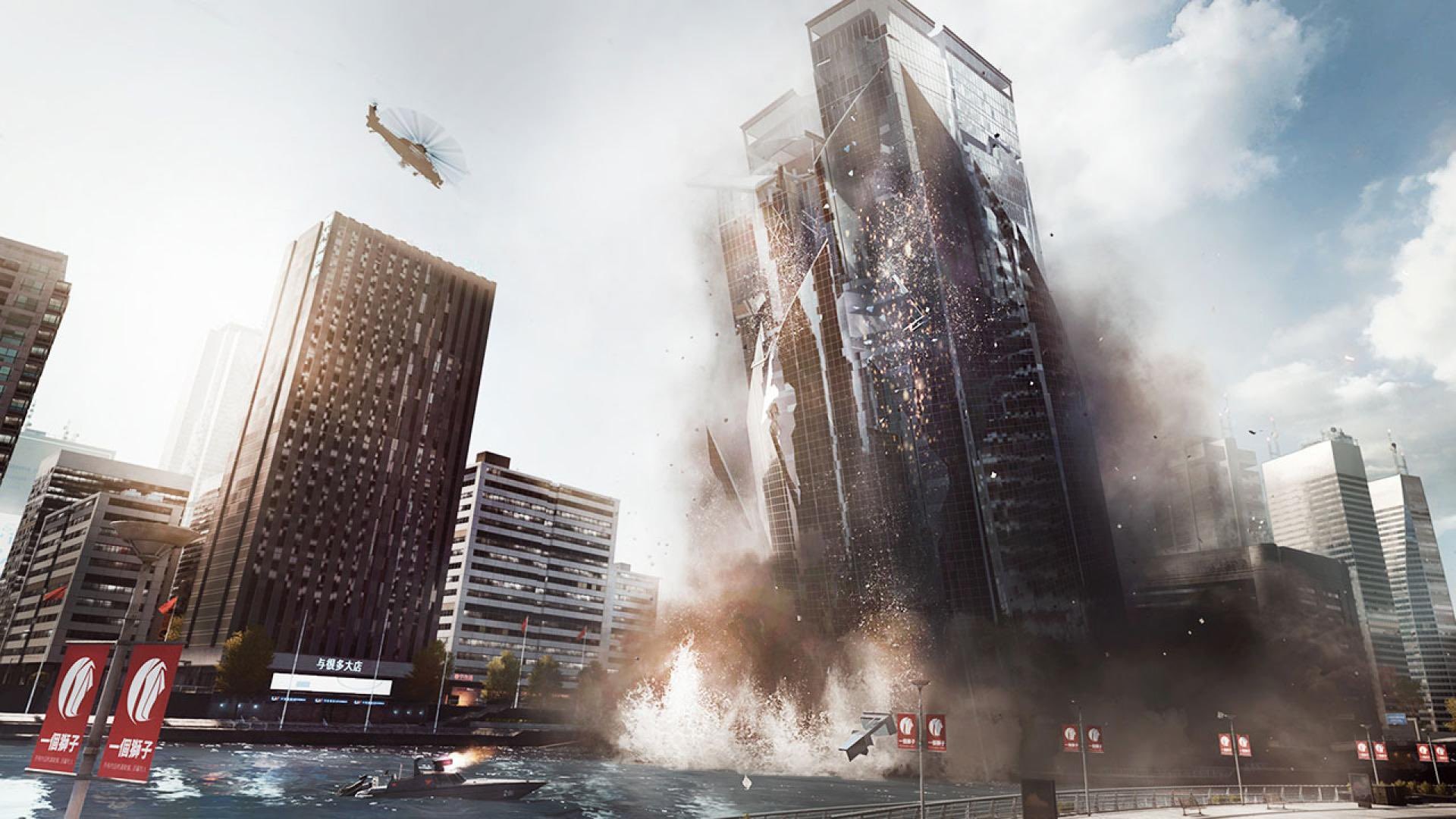
Battlefield 4 runs on Frostbite 3, and the heaviest thing that engine does is not lighting or shadows, it's simulation. Levolution set pieces, like the Shanghai tower collapse or the Golmud Railway dam breaking, along with up to 64 players moving, shooting, and triggering destruction at once in Conquest, all run on the CPU. A weak processor, an old dual-core or a low-power laptop chip, can bottleneck a full 64-player match while the graphics card sits mostly idle with headroom to spare.
Drop out of that specific scenario and the picture changes completely. The campaign, Rush, and smaller player-count servers put far less load on the CPU, so a much older chip keeps up fine there. If a match feels choppy despite a GPU usage overlay reading low, that stutter is the CPU, not the card, and closing background programs or picking a smaller server does more than lowering texture quality.
The frame rate cap and the settings that actually matter
Battlefield 4 caps variable frame rate at 200 fps by default, a leftover engine limit from 2013. A fast CPU paired with almost any card from the last five years hits that ceiling at 1080p, and often at 1440p too, which is why buying a stronger GPU stops making a visible difference past a certain point. Raising it isn't a menu option; it takes a text file named user.cfg placed in the install folder with a line like gametime.maxvariablefps 300.
VRAM is the other setting worth watching, though it rarely bites on anything made in the last several years. On cards with 2GB of memory or less, Ultra textures can overrun the buffer and cause stutter and pop-in that has nothing to do with your frame rate counter. Dropping the texture setting one notch, not the whole preset, usually clears it. Anti-aliasing, specifically MSAA, is the heaviest remaining setting; switching to FXAA or one step down recovers frames for almost no visible loss at 1080p or 1440p.
Getting online, storage, and Steam Deck
The campaign runs fully offline once installed. Multiplayer needs an EA account linked to your Steam account, and on the Steam release, the EA App installed alongside the game. PunkBuster handles anti-cheat and is behind most of the random kicks people report; keeping both Steam and the EA App up to date resolves the majority of those.
The install itself is a light 30GB with no SSD requirement, though a mechanical drive means slower loads on the bigger maps. On Steam Deck, Battlefield 4 is rated Playable rather than Verified: you need a recent Proton build, GE-Proton is the safer pick, to get the EA App login working the first time. Once signed in, it holds a steady 60 fps around Medium settings at the Deck's native resolution.
Can I run Battlefield 4? Your questions answered
A Core 2 Duo 2.4 GHz or Athlon X2 2.8 GHz processor, an AMD Radeon HD 3870 or Nvidia GeForce 8800 GT graphics card, and 4GB of RAM on Windows 10 64-bit. This gets you 1080p on low settings.
A quad-core Intel or six-core AMD processor, an AMD Radeon HD 7870 or Nvidia GeForce GTX 660, and 8GB of RAM. That targets 1080p on high settings at 60 fps.
Officially 4GB clears the bar, but treat 8GB as the real-world number, since a modern Windows install and its background processes eat into that 4GB far more than they did back in 2013. If you multitask heavily while playing, 16GB removes any doubt.
30GB. There is no SSD requirement; a regular hard drive works, it just means longer load times on the biggest 64-player maps than an SSD would give you.
No. It only asks for 30GB of free space and doesn't specify a drive type. An SSD makes level loads faster, but it isn't required to play.
Almost always the CPU, not the GPU. Full 64-player Conquest with Levolution destruction active is heavily CPU-bound, so a weaker or older processor can bottleneck a big match even while your graphics card has plenty of headroom left. Smaller matches and the campaign don't hit this the same way.
It's a default engine limit from Frostbite 3, not a hardware limitation. Create a text file named user.cfg in the game's install folder containing a line like gametime.maxvariablefps 300 to raise it; there is no in-game menu setting for it.
No. It's a 2013 DirectX 11 game and predates both technologies. Any modern card runs it well without them; you're never leaving performance on the table by their absence.
It runs fine on Windows 11. It only requires DirectX 11, which Windows 11 supports without any extra setup.
Yes, official multiplayer servers are still active more than a decade after launch, and the game still sees a steady player base on PC and console.
Yes. Even on the Steam version, you need an EA account linked to your Steam account and the EA App installed to play online. The campaign does not need any of this and runs fully offline.
Multiplayer is included in the base game, so you don't need a separate purchase to get into a match. The old Premium pass added extra maps and cosmetics on top, but it isn't required to play online.
For the campaign and smaller multiplayer matches, yes, that's literally the official minimum. For a full 64-player Conquest match with destruction happening constantly, a chip that old will bottleneck badly and the match will feel choppy no matter how good your graphics card is.
No trouble at all. The RTX 3050 meets or beats what Battlefield 4 recommends, so 1080p high runs well and 1440p is realistic. Handles 1080p Ultra without trouble, usually well past 100 fps and often close to the 200 fps engine cap depending on the CPU it's paired with.
The GTX 1650 is a strong fit for Battlefield 4. It lands at or above the recommended spec, so high 1080p is comfortable and 1440p works. Comfortably clears Battlefield 4 at 1080p Ultra, generally landing in the 130-150 fps range with a reasonable CPU alongside it.
For sure. The GTX 1060 6GB outpaces Battlefield 4's recommended card, leaving you high 1080p now and 1440p whenever you like. Independent benchmarking with a Core i7-6700K put the GTX 1060 6GB at roughly 107-110 fps average at 1080p on Ultra settings, well above a smooth 60 fps.
No trouble at all. The RX 580 meets or beats what Battlefield 4 recommends, so 1080p high runs well and 1440p is realistic. Sits in the same performance tier as the GTX 1060 6GB here, typically 110-125 fps at 1080p on Ultra settings.
That is more than enough. The RTX 4060 clears Battlefield 4's recommended requirement, so aim for high at 1080p or step up to 1440p. Still capped at 200 fps at 1080p and mostly at 1440p too. 4K is the first resolution where it actually has to work, landing around 95-110 fps there.
Comfortably, yes. The RTX 3060 clears Battlefield 4's recommended bar, which puts high 1080p and 1440p both in reach. Hits the default 200 fps cap at 1080p on Ultra settings and stays smooth well into 1440p, typically 150-170 fps there.
Yes, with room to spare. Battlefield 4 recommends less than the RTX 2060 offers, so expect smooth 1080p high and a playable 1440p. Overkill for this game at 1080p, typically bumping into the engine's default 200 fps cap on Ultra settings.
Yes, with room to spare. Battlefield 4 recommends less than the GTX 1660 offers, so expect smooth 1080p high and a playable 1440p.
The GTX 1660 Super is a strong fit for Battlefield 4. It lands at or above the recommended spec, so high 1080p is comfortable and 1440p works.
Yes. On the RX 6600, Battlefield 4 runs at high settings in 1080p and scales up to 1440p without much fuss. Similar story to the RTX 3060: capped at 1080p, and comfortably above 60 fps at 1440p, roughly 140-160 fps.
Yes. On the GTX 1660 Ti, Battlefield 4 runs at high settings in 1080p and scales up to 1440p without much fuss.
No trouble at all. The RTX 3060 Ti meets or beats what Battlefield 4 recommends, so 1080p high runs well and 1440p is realistic.
You are well set. The RTX 4050 exceeds Battlefield 4's recommended card, so 1080p high is easy and 1440p is realistic.
Yes. The GTX 1050 Ti has headroom over Battlefield 4's recommended card, so you can push 1080p high and move to 1440p when you want.
For sure. The RTX 4070 outpaces Battlefield 4's recommended card, leaving you high 1080p now and 1440p whenever you like. Effectively wasted at 1080p and 1440p, both capped by the engine's default limit. Even 4K stays well above 60 fps, typically 130-150 fps.
Not natively. There has never been a Mac version of Battlefield 4, so an M-series MacBook can't run it directly. A Windows layer like CrossOver or Parallels can sometimes get it working since the game is so light, but that's unofficial and not guaranteed to be stable.
Generally, yes. The requirements are old enough now that current integrated graphics such as Intel Iris Xe or AMD Radeon 780M manage 1080p at low to medium settings around 60 fps in smaller matches. Push into a full 64-player Conquest match and the CPU paired with that integrated chip starts to matter more than the graphics side.
Not directly on most Chromebooks, since they don't run Windows natively. Cloud streaming through a service like GeForce Now would be the realistic path, but Battlefield 4 isn't reliably listed there, so check current availability before counting on it.
Given how light this game is, all three run it comfortably. Steam Deck's rating stops at Playable instead of Verified for one specific reason: getting the EA App to log in the first time requires a newer Proton build like GE-Proton. Once that hurdle is cleared, expect a steady 60 fps around Medium settings.
Yes, it launched natively on PS4, and PS5 plays it today by leaning on backward compatibility.
Also yes. Xbox One got the native release, and Xbox Series X/S carries it forward via backward compatibility.
No, and it isn't coming. A Switch port of Battlefield 4 has never existed, and nothing has been announced.
In the campaign and in smaller multiplayer matches, an i3 or Ryzen 3 sails through, since that's already above the official recommended CPU tier. Where it struggles is a full 64-player Conquest match with heavy Levolution destruction going off, the one mode that leans hardest on the processor.
Yes, it has native controller support on the PC version, no third-party software needed to get a gamepad recognized.
Yes, through Proton via Steam, the same way it runs on Steam Deck. A recent Proton build, ideally GE-Proton, gets past the EA App login step that trips up older versions.
It isn't reliably listed on GeForce Now, so cloud streaming isn't a dependable option for this one. The game is light enough that almost any local Windows PC, even a modest laptop, plays it directly without needing to stream it.
Yes, the PC version supports whatever resolution your monitor and graphics card can drive, 4K included. Because the game is so light by current standards, even a mid-range modern card handles 4K well above 60 fps.
No. Battlefield 4 predates cross-play as a standard feature and it was never added. PC, PlayStation, and Xbox players stay in separate player pools.
An EA account that's not properly linked to Steam, an EA App that needs updating, or a PunkBuster update that failed to finish installing are the three things that usually break this. Re-link your EA account, update the EA App, and let PunkBuster complete its first-launch update, and most connection failures go away.
Yes. The single-player campaign runs fully offline once the game is installed and doesn't require an EA account to launch or play through.
If large-scale destruction-driven multiplayer or a solid mid-2010s military campaign appeals to you, yes, it still holds up, and it runs on almost anything, so hardware isn't a barrier to trying it.
Not meaningfully. The expansion maps use the same Frostbite 3 engine and similar destruction-heavy design as the base game, so the same rule applies: the CPU matters more than the GPU in full 64-player matches, regardless of which map you're on.
Levolution is DICE's name for the large scripted destruction events on certain maps, like the Shanghai tower collapsing or the Golmud Railway dam breaking apart. It's the main reason the CPU matters so much in 64-player Conquest, since the game has to simulate all that destruction alongside every player's actions at once.
Up to 64 on PC and current-generation consoles through Conquest Large. Older console versions were capped lower, at 24 players on last-generation hardware, though that mostly matters for anyone still on original PS4 or Xbox One hardware.
Yes, the PC version renders correctly at ultrawide resolutions like 21:9, and since the game is light on modern hardware, running the extra pixels isn't a problem for any card released in the last several years.
The current Steam listing specifies Windows 10 64-bit, so Windows 7 isn't officially supported anymore even though the game originally launched during the Windows 7 era. Windows 10 or 11 is the safe choice today.
No split-screen on PC. The console versions historically supported local co-op in some modes, but the PC version has always been built around online multiplayer and a solo campaign instead.