
Can I Run Battlefield 1 on My PC / Laptop?
A 2016 WWI shooter on the Frostbite engine, easy on most graphics cards but demanding on your CPU once a 64-player match gets going.
Check if your PC can run Battlefield 1
Pick your graphics card and processor to check.
Can I run Battlefield 1 on my PC?
Use the checker above to find out in seconds. Pick your graphics card and processor and it compares them against Battlefield 1's official requirements. As a quick guide, you need at least a Graphics card (AMD): AMD Radeon™ HD 7850 2GB Graphics card (NVIDIA): NVIDIA GeForce® GTX 660 2GB graphics card, a Processor (AMD): AMD FX-6350 Processor (Intel): Intel Core i5 6600K processor, and 8 GB RAM of RAM to play at 1080p.
Can I run Battlefield 1 on my laptop?
Yes, if your laptop has a dedicated graphics card around a Graphics card (AMD): AMD Radeon™ HD 7850 2GB Graphics card (NVIDIA): NVIDIA GeForce® GTX 660 2GB or better and 8 GB RAM of RAM. Laptops with only integrated graphics usually fall short. Enter your laptop's GPU in the tool above to check. Keep in mind that the laptop version of a card runs a little slower than the desktop card of the same name, and heat can lower sustained frame rates.
Your graphics card is not going to be the problem with Battlefield 1. The official floor, a Radeon HD 7850 2GB or GeForce GTX 660 2GB paired with an FX-6350 or Core i5-6600K, is low enough that nearly any card from the last decade sails past it. Where people actually get caught out is the CPU. Drop into a full 64-player Conquest match with tanks, artillery, and buildings collapsing at once, and the processor carries a load the graphics card never sees, so an older or weaker chip holds the whole game back no matter how strong your GPU is.
Further down you'll find the complete spec tiers, frame rate ranges running from weak cards to strong ones, and a breakdown of the CPU load in big multiplayer matches, the DirectX 11 versus DirectX 12 choice, and the 2024 change that took Steam Deck support away. For a direct verdict on your own setup, run your CPU and GPU through the checker at the top of the page.
Battlefield 1 system requirements
| Minimum | Recommended | |
|---|---|---|
| Processor (CPU) | Processor (AMD): AMD FX-6350 Processor (Intel): Intel Core i5 6600K | Processor (AMD): AMD FX 8350 Wraith Processor (Intel): Intel Core i7 4790 or equivalent |
| Graphics card (GPU) | Graphics card (AMD): AMD Radeon™ HD 7850 2GB Graphics card (NVIDIA): NVIDIA GeForce® GTX 660 2GB | Graphics card (AMD): AMD Radeon™ RX 480 4GB Graphics card (NVIDIA): NVIDIA GeForce® GTX 1060 3GB |
| Memory (RAM) | 8 GB RAM | 16 GB RAM |
| Operating system | 64-bit Windows 10 | 64-bit Windows 10 or later |
| DirectX | Version 11 | Version 11 |
| Storage | 50 GB available space | 50 GB available space |
Storage: 50 GB by Steam's official listing, though real installs often land closer to 80 GB once patches and shader data are counted. An SSD is not required, but it cuts load times between matches.
Battlefield 1 FPS by graphics card
| Graphics card | 1080p | 1440p | 4K | Notes |
|---|---|---|---|---|
| GTX 1050 Ti | ~65-75 (High) | , | , | Well past the ancient GTX 660 minimum, so this card has room to spare. |
| RX 570 | ~75-85 (High) | , | , | Same tier as the recommended-spec RX 480, comfortable at 1080p. |
| GTX 1060 6GB | ~85 (Ultra) | , | , | One of the most benchmarked cards for this game at launch. Ultra 1080p sits well past 60. |
| RX 580 8GB | ~90-100 (Ultra) | , | , | Same generation as the RX 480, which beat the GTX 1060 in most launch reviews. |
| GTX 1660 | ~120+ (Ultra) | ~90 | , | GPU stops being the limit around this tier. 64-player matches start leaning on your CPU instead. |
| RTX 3060 | ~140+ (Ultra) | ~110 | , | Comfortably above 60 fps everywhere. Its 12GB of VRAM is overkill for a game this old. |
| RTX 4070 | ~180+ (single-player) | ~150 | , | In 64-player Conquest, expect frame rates to settle lower, often 90 to 130, because the CPU becomes the limit before the GPU does. |
| RTX 4090 | very high, CPU-bound | very high, CPU-bound | ~100+ | At 4K the GPU finally has real work to do. In busy multiplayer even this card will not push far past what your CPU allows. |
Numbers are rough averages on Ultra unless noted, based on GPU reviews from around the game's launch plus how each newer card typically scales against them. Real frame rates depend on the map, how many players are on screen, driver version, and how much destruction is happening at once. On mid-range and faster cards, the ceiling you hit in 64-player Conquest is usually your CPU, not your GPU.
Can these graphics cards run Battlefield 1?
| Graphics card | Verdict | Notes |
|---|---|---|
| GTX 1050 Ti | Playable | Minimum covered. 1080p low to medium is the target. |
| GTX 1650 | Playable | Just clears it. 1080p low to medium, smoother after tuning. |
| RX 570 | Playable | Meets minimum. Low to medium at 1080p, tune for a steady rate. |
| RX 580 | Playable | Just clears it. 1080p low to medium, smoother after tuning. |
| GTX 1060 6GB | Runs well | Beats the recommended spec. Comfortable high 1080p, playable 1440p. |
| GTX 1650 Super | Runs well | Past the recommended tier. High settings at 1080p, 1440p on the table. |
| GTX 1660 | Runs well | Beats the recommended spec. Comfortable high 1080p, playable 1440p. |
| GTX 1660 Super | Runs well | Strong fit. High settings at 1080p, 1440p within reach. |
| RTX 3050 | Runs well | Strong fit. High settings at 1080p, 1440p within reach. |
| GTX 1660 Ti | Runs well | Above recommended. 1080p high is easy, and 1440p works too. |
| RX 6600 | Runs well | Over the recommended bar. Smooth high 1080p, 1440p realistic. |
| RTX 2060 | Runs well | Beats the recommended spec. Comfortable high 1080p, playable 1440p. |
| RTX 4050 | Runs well | At or above the recommended card. Smooth 1080p high, 1440p realistic. |
| Arc A750 | Runs well | Recommended tier or better. High 1080p, with room for 1440p. |
| RTX 3060 | Runs well | Recommended tier or better. High 1080p, with room for 1440p. |
| RX 6600 XT | Runs well | Exceeds recommended. 1080p high is comfortable, 1440p fine. |
| RX 7600 | Runs well | Beats the recommended spec. Comfortable high 1080p, playable 1440p. |
| RX 6700 XT | Runs well | Past the recommended tier. High settings at 1080p, 1440p on the table. |
| RTX 4060 | Runs well | Over the recommended bar. Smooth high 1080p, 1440p realistic. |
| RTX 3060 Ti | Runs well | Over the recommended bar. Smooth high 1080p, 1440p realistic. |
| RTX 3070 | Runs well | Exceeds recommended. 1080p high is comfortable, 1440p fine. |
| RTX 4070 | Runs well | Over the recommended bar. Smooth high 1080p, 1440p realistic. |
The real bottleneck is your CPU, not your GPU
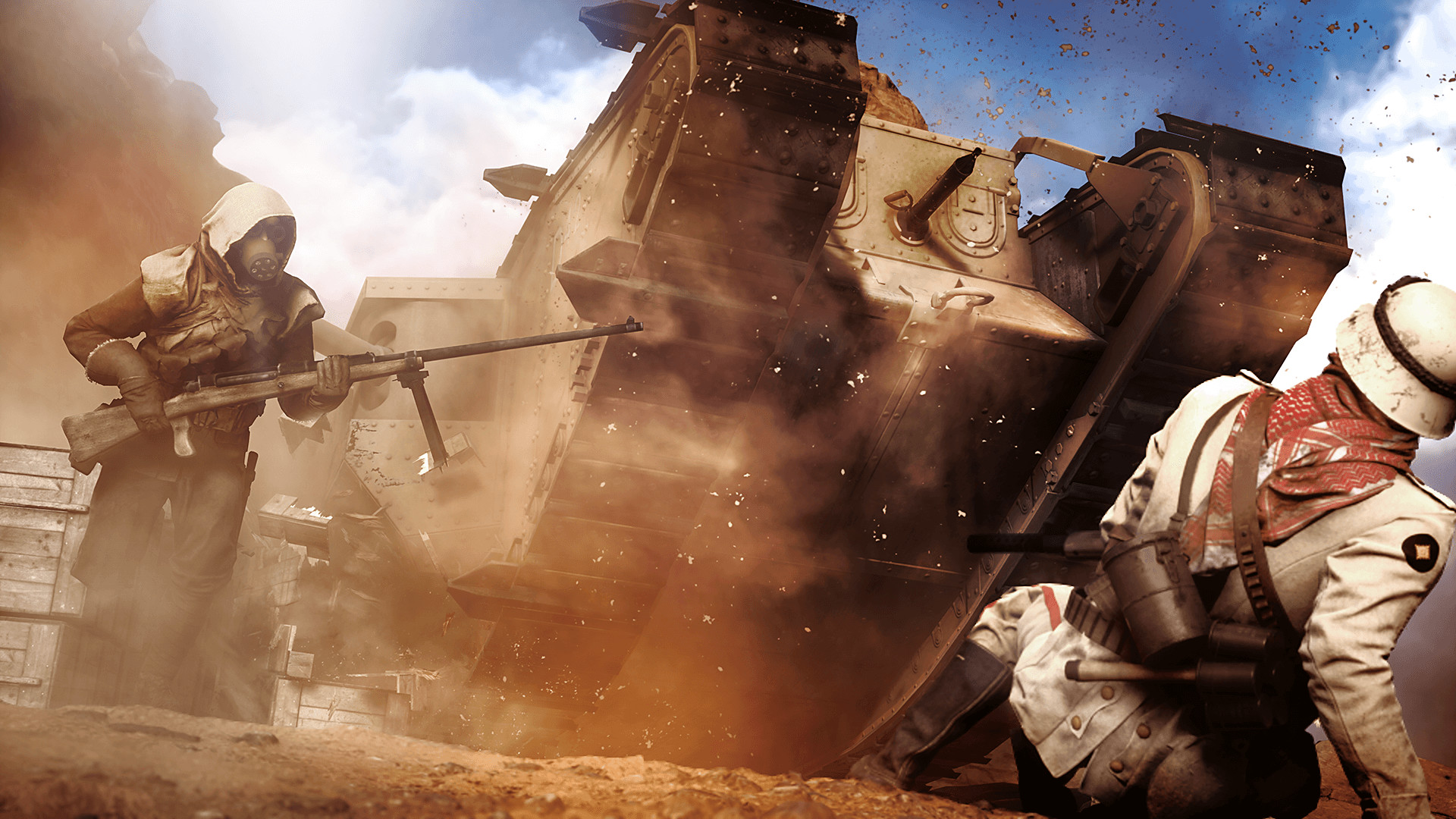
Battlefield 1 is efficient for what it looks like on screen. A card that struggles with newer releases can still hit playable frame rates here, so the GPU rarely decides whether the game runs at all. What actually limits you is your processor, especially once you load into a 64-player Conquest or Operations match with tanks rolling, artillery firing, and buildings collapsing at the same time. The physics for all that destruction, plus the movement and hit detection for dozens of players, runs on the CPU, and an older quad-core chip chokes under that load even while the GPU sits well under its limit.
That is why an FX-6350 sits at the bottom of the official spec sheet instead of something weaker. Testing from around the game's launch showed dual-core CPUs unable to hold a stable frame rate at all, and even some quad-cores dipped into the 30s during the busiest 64-player fights while the graphics card had headroom to spare. If your PC feels rough only in big multiplayer matches and runs fine in the single-player campaign, that gap is your CPU telling you it is the weaker part of your build.
DirectX 11 or DirectX 12: which to pick
Battlefield 1 shipped with both a DirectX 11 and a DirectX 12 mode, which was unusual for 2016. DX12 can pull ahead on some AMD cards and in CPU-heavy scenes, but it also introduced extra stutter and inconsistent frame times for a lot of players, particularly on Nvidia hardware. There is no universal right answer here. The long-standing recommendation is to start on DX11, since it is the more stable default, and only try DX12 if you are on an AMD card chasing a few extra frames and are willing to test for stutter yourself.
Whichever mode you use, keep your graphics drivers current. Battlefield 1 is an older, largely finished title now, so driver updates aimed at it specifically are rare, and the smoothest result usually comes from whichever mode gave you fewer hitches in your own testing rather than whichever one scores higher in a benchmark chart.
Running it on a low-end or integrated PC
At the true minimum, a GTX 660 2GB or Radeon HD 7850 2GB gets you 1080p on Low settings, and 8GB of system RAM is the floor DICE lists, though the recommended tier actually asks for 16GB, which is what you want if you are running Discord and a browser alongside the game. Graphics memory matters less here than in newer titles, since the textures were built for 2016 hardware, so even a 2GB card clears the minimum without VRAM problems.
Integrated graphics generally fall short of that GTX 660 bar, so a laptop without a dedicated GPU will struggle even at Low. If your hardware is borderline, lower the resolution scale before you touch texture quality, since textures are not the heaviest part of this game's workload. Turning off motion blur and dialing back mesh quality and lighting quality recovers more frames than most other sliders on a weak GPU.
Steam Deck and Linux: what changed
Battlefield 1 has no native Mac or Switch version and never has. On PC it is sold through Steam and the EA app, and the Revolution edition, which bundles in all the premium DLC maps and weapons, uses the same executable and the same requirements as the standalone base game.
The Steam Deck situation changed in late 2024. Battlefield 1 used to run reasonably well through Proton and held a workable rating on the Deck for years. An EA anti-cheat update in October 2024 added a kernel-level driver that does not support Linux, and that broke the game on Steam Deck and any other Linux setup for good. Unless EA changes its anti-cheat policy, Battlefield 1 is Windows-only now, with no Steam Deck and no desktop Linux through Proton.
Can I run Battlefield 1? Your questions answered
A Radeon HD 7850 2GB or GeForce GTX 660 2GB graphics card, an FX-6350 or Core i5-6600K processor, 8GB of RAM, and 50GB of storage, running Windows 10 64-bit with DirectX 11.
A Radeon RX 480 4GB or GeForce GTX 1060 3GB, an FX 8350 or Core i7-4790, and 16GB of RAM. Note that most GTX 1060 cards sold were the 6GB version, and 6GB clears this tier with no downside.
It is almost always the CPU. A full 64-player Conquest or Operations match runs destruction physics, vehicle simulation, and hit detection for dozens of players at once, and that load falls on your processor rather than your graphics card. If single-player runs smoothly but multiplayer chugs, an older or weaker CPU is the likely cause.
Both, depending on your hardware, but the CPU is the more common limit for anyone with a reasonably modern graphics card. In 64-player matches, even a strong GPU can sit idle waiting on the processor to finish its work each frame.
8GB is the official minimum, but the recommended tier asks for 16GB, and that is the realistic target if you want headroom for a browser or Discord running in the background.
About 50GB by Steam's listing, though real installs often end up closer to 80GB after patches and DLC content are factored in. Keep some extra free space rather than cutting it close.
No, an SSD is not an official requirement and a hard drive works fine. It does shorten load times between rounds, which matters more in a fast-paced multiplayer shooter than in a slower single-player game.
DX11 is the safer default and the more stable of the two. DX12 can be faster on some AMD cards and in CPU-heavy scenes, but it has a history of extra stutter and inconsistent frame times, especially on Nvidia hardware. Try both and keep whichever runs smoother on your system.
No. The game released in 2016, before ray tracing hardware existed, and DICE never added it in a later update. If you are shopping for ray tracing performance, this is not the game to judge a card on.
Not natively. It predates both technologies. You can force AMD FSR or Nvidia Image Scaling from your graphics driver's control panel if you want extra frames on a weak GPU, but there is no built-in upscaling menu in the game itself.
No, it is one of the more forgiving big-budget shooters on the GPU side. The challenge, if there is one, is keeping your CPU fed during large multiplayer matches, not finding a graphics card that can handle the visuals.
There is no hard 60fps lock in the menus. If your frame rate seems stuck at 60, check that Vsync is off and that your monitor is actually set to a higher refresh rate, since both commonly default to 60. Going beyond that requires enabling the game's developer console and using a frame rate command, which is not officially supported and not something most players need to bother with.
No. Revolution is the same game with all the premium DLC maps and weapons included. It uses the identical executable and the identical system requirements as the standalone base game.
Yes, comfortably. The RTX 3050 sits at or above Battlefield 1's recommended card, so 1080p on high is smooth and 1440p is well within reach.
Fine for a lighter setup. The GTX 1650 clears Battlefield 1's minimum, so target 1080p low to medium and adjust down for a steady rate. Manages roughly 55 to 65 fps at 1080p Medium to High, well ahead of the official minimum card.
No trouble at all. The GTX 1060 6GB meets or beats what Battlefield 1 recommends, so 1080p high runs well and 1440p is realistic. About 85 fps at 1080p Ultra in launch-era testing, comfortably above 60.
The RX 580 gets you in. It meets Battlefield 1's minimum, so low to medium at 1080p works, and turning a couple of things down keeps it steady. Around 90 to 100 fps at 1080p Ultra, usually a step ahead of the GTX 1060 in this game.
Comfortably, yes. The RTX 4060 clears Battlefield 1's recommended bar, which puts high 1080p and 1440p both in reach. Well over 150 fps at 1080p, but expect the frame rate to plateau lower in big Conquest matches because of CPU load.
Yes, with room to spare. Battlefield 1 recommends less than the RTX 3060 offers, so expect smooth 1080p high and a playable 1440p. About 140 fps at 1080p Ultra and 110 at 1440p, though 64-player matches will hit a CPU ceiling before this card runs out of headroom.
You are well set. The RTX 2060 exceeds Battlefield 1's recommended card, so 1080p high is easy and 1440p is realistic. Well past 100 fps at 1080p Ultra, with 1440p Ultra usually holding 90 or more.
Yes, with room to spare. Battlefield 1 recommends less than the GTX 1660 offers, so expect smooth 1080p high and a playable 1440p. Over 120 fps at 1080p Ultra. The GPU stops being the limiting factor around this tier.
Comfortably, yes. The GTX 1660 Super clears Battlefield 1's recommended bar, which puts high 1080p and 1440p both in reach.
No trouble at all. The RX 6600 meets or beats what Battlefield 1 recommends, so 1080p high runs well and 1440p is realistic. Around 130 fps at 1080p Ultra, more than enough for a steady 60 with room to spare.
No trouble at all. The GTX 1660 Ti meets or beats what Battlefield 1 recommends, so 1080p high runs well and 1440p is realistic.
Yes, comfortably. The RTX 3060 Ti sits at or above Battlefield 1's recommended card, so 1080p on high is smooth and 1440p is well within reach.
Yes. On the RTX 4050, Battlefield 1 runs at high settings in 1080p and scales up to 1440p without much fuss.
You can play it. The GTX 1050 Ti is at Battlefield 1's minimum, so keep to 1080p low to medium and lower a setting if it stutters. Comfortably clears the old GTX 660 minimum, running around 65 to 75 fps at 1080p High.
For sure. The RTX 4070 outpaces Battlefield 1's recommended card, leaving you high 1080p now and 1440p whenever you like. 180 fps plus in single-player, though 64-player Conquest typically settles into the 90 to 130 range regardless of GPU.
A MacBook is a dead end for this one on its own; Battlefield 1 has never had a native macOS build. Cloud streaming through GeForce Now is the realistic path, since an unofficial Windows layer is not something you want to trust for a multiplayer shooter.
Older integrated chips fall short of the GTX 660 minimum. Newer ones like Intel Iris Xe or AMD's Radeon 780M can manage Low settings at 1080p, since the game's assets are not heavy by modern standards, but do not expect a smooth experience in busy multiplayer.
No local install path exists for a Chromebook. GeForce Now is the workaround, running the game on remote hardware somewhere else and streaming the picture back to your screen.
Not anymore. Battlefield 1 used to run through Proton on the Steam Deck, but an EA anti-cheat update in October 2024 added a kernel-level driver with no Linux support, which broke the game on Steam Deck and every other Linux-based handheld. It is Windows-only now.
No, not currently. The game ran through Proton before October 2024, but EA's newer anti-cheat requires a kernel-level driver that only exists for Windows, so Linux and Steam Deck support was removed and has not returned.
Yes, and it is not particularly demanding at 4K by modern standards. An RTX 3070 or RX 6800 class card and up will hold well over 60 fps at 4K Ultra in most scenes, since the GPU workload is light for a game this old.
Yes, comfortably. A GTX 1660 or RTX 2060 class card holds a strong frame rate at 1440p Ultra, and the CPU becomes the more relevant factor once you are in a full multiplayer match.
Almost any card at or above the recommended GTX 1060 or RX 480 hits 60 fps at 1080p High. The harder target is a steady 60 in 64-player Conquest, which needs a solid multi-core CPU as much as it needs GPU power.
Yes, on far less hardware than most current games. A GTX 1060 or RX 580 handles 1080p Ultra well, and anything from an RTX 2060 up handles 1440p Ultra with room to spare.
8GB clears the official floor and nothing more. DICE's own recommended tier calls for 16GB, and that's the number to actually target if you want a smooth run, particularly with Discord or a browser open alongside the match.
Yes, for the minimum settings the game was built around. The textures date to 2016, so even the official minimum cards with 2GB of graphics memory clear the bar without stutter from VRAM running out.
Yes for single-player and smaller matches, but a budget dual or quad-core chip is exactly the kind of CPU that struggles once a 64-player Conquest match gets going, since the game leans on the processor for destruction and player simulation. Expect noticeably choppier multiplayer than campaign on that hardware.
Yes. Series X|S runs it via backward compatibility, and turning on FPS Boost lifts the frame rate above what the original Xbox One target ever hit. The Xbox One build also still plays directly on the console. This page is focused on the PC version specifically.
Yes to both. The PS4 version is the native release, and PS5 owners play it through backward compatibility, which generally runs a bit smoother and with less frame pacing trouble than on the original PS4 hardware.
No, there is no Switch version. This page covers the PC version, and on consoles the game is only on PlayStation and Xbox.
Yes. Battlefield 1 is playable through GeForce Now, which streams the game from Nvidia's servers, so your own device mainly needs to handle video and a stable connection rather than run the game itself.
Yes. Multiplayer is still active on PC and consoles years after launch, though population varies by region and time of day. If you cannot connect, check for a game update first, since a stale client is a common cause of connection trouble.
Multiplayer obviously does, but the single-player campaign can mostly be played offline once the game and your platform account are set up. Some menus, stats, and store features still expect a connection, so full offline play is not guaranteed on every platform.
No. Battlefield 1 predates DICE and EA's crossplay features, so PC, PlayStation, and Xbox players are kept in separate matchmaking pools.
Yes. It is an older title but runs fine on Windows 11 with a current graphics driver. If you hit launch problems, running the game in compatibility mode for Windows 10 or updating your driver usually clears it up.