
Can I Run Baldur's Gate 3 on My PC / Laptop?
Larian's huge D&D role-playing game. The strain is your processor in the Act 3 Lower City, not your graphics card.
Check if your PC can run Baldur's Gate 3
Pick your graphics card and processor to check.
Can I run Baldur's Gate 3 on my PC?
Use the checker above to find out in seconds. Pick your graphics card and processor and it compares them against Baldur's Gate 3's official requirements. As a quick guide, you need at least a Nvidia GTX 970 / AMD RX 480 / Intel Arc A380 (4GB VRAM) graphics card, a Intel i5-4690 / AMD FX-8350 processor, and 8 GB of RAM to play at 1080p.
Can I run Baldur's Gate 3 on my laptop?
Yes, if your laptop has a dedicated graphics card around a Nvidia GTX 970 / AMD RX 480 / Intel Arc A380 (4GB VRAM) or better and 8 GB of RAM. Laptops with only integrated graphics usually fall short. Enter your laptop's GPU in the tool above to check. Keep in mind that the laptop version of a card runs a little slower than the desktop card of the same name, and heat can lower sustained frame rates.
The short answer is that most modern PCs run Baldur's Gate 3 fine for the first two acts, and then Act 3 humbles them. The official minimum is a GTX 970 or RX 480 with 8GB of RAM, and the game asks for an SSD, which it actually needs. What decides your experience is not your graphics card. It is your processor once you reach the Lower City in Act 3, where the frame rate drops on almost every setup.
That Act 3 story is the thing competitors gloss over, so it is what the sections below dig into. The checker above places your parts against the official requirements, and then you get the spec tiers, real frame rates by card, a graphics-card verdict table, and an answer to every version of the question people actually ask.
Baldur's Gate 3 system requirements
| Minimum | Recommended | |
|---|---|---|
| Processor (CPU) | Intel i5-4690 / AMD FX-8350 | Intel i7-8700K / AMD Ryzen 5 3600 |
| Graphics card (GPU) | Nvidia GTX 970 / AMD RX 480 / Intel Arc A380 (4GB VRAM) | Nvidia RTX 2060 Super / AMD RX 5700 XT / Intel Arc A580 (8GB VRAM) |
| Memory (RAM) | 8 GB | 16 GB |
| Operating system | Windows 10 64-bit | Windows 10 64-bit |
| DirectX | 11 | 11 |
| Storage | 150 GB SSD | 150 GB SSD |
Storage: 150 GB, and an SSD is required, not just recommended. The real install is closer to 100 GB, but keep the full 150 GB free for patches and saves.
Full performance tiers
| Tier | Target | CPU | GPU | RAM |
|---|---|---|---|---|
| Minimum | 1080p Low, 30 fps | i5-4690 / FX-8350 | GTX 970 / RX 480 | 8 GB |
| Recommended | 1080p High, 60 fps | i7-8700K / Ryzen 5 3600 | RTX 2060 Super / RX 5700 XT | 16 GB |
| 1440p 60 | 1440p High, 60 fps | Ryzen 5 5600 / i5-11400 | RTX 3060 / RX 6600 XT | 16 GB |
| 4K 60 | 4K, 60 fps with DLSS or FSR | Ryzen 7 5800X3D / i7-12700K | RTX 4070 Ti / RX 7900 XT | 16 GB |
Baldur's Gate 3 FPS by graphics card
| Graphics card | 1080p | 1440p | 4K | Notes |
|---|---|---|---|---|
| GTX 1060 6GB | ~40 | , | , | 1080p Ultra in a busy city scene. Higher on Low or with FSR on. |
| RX 6600 | ~62 | , | , | 1080p Ultra, around 65 with FSR. A comfortable 1080p card. |
| RTX 3060 | ~70+ | ~60 | , | Solid at 1080p, and holds 1440p with a light DLSS or FSR assist. |
| RTX 3060 Ti | , | ~80 | , | 1440p Ultra. This is where the processor starts to set the ceiling. |
| RTX 4070 | , | ~90 | , | In Act 3 cities the CPU, not this card, decides the frame rate. |
| RTX 4080 / 4090 class | , | , | ~80-90 | All strong cards pile up near the same city ceiling. That ceiling is your CPU. |
These are hard late-game city numbers, roughly the worst case. Act 1 and Act 2 run far higher on the same hardware. Figures are approximate and shift with scene, settings, and driver. In the Act 3 Lower City the processor sets the ceiling, so even the strongest cards land near the same figure.
Can these graphics cards run Baldur's Gate 3?
| Graphics card | Verdict | Notes |
|---|---|---|
| GTX 1050 Ti | Below minimum | Below the minimum. Very low settings, low frame rates. |
| GTX 1650 | Below minimum | Under minimum. Expect the lowest settings and weak fps. |
| RX 570 | Below minimum | Below spec. Low settings and low fps at best. |
| RX 580 | Playable | At the minimum bar. 1080p low to medium, drop a setting if needed. |
| GTX 1060 6GB | Playable | Meets minimum. Low to medium at 1080p, tune for a steady rate. |
| GTX 1650 Super | Playable | Just clears it. 1080p low to medium, smoother after tuning. |
| GTX 1660 | Playable | Runnable at minimum. Low to medium 1080p, ease settings back. |
| GTX 1660 Super | Playable | At the minimum bar. 1080p low to medium, drop a setting if needed. |
| RTX 3050 | Playable | Meets minimum. Low to medium at 1080p, tune for a steady rate. |
| GTX 1660 Ti | Playable | Clears the minimum. 1080p low to medium, better with upscaling. |
| RX 6600 | Playable | Just clears it. 1080p low to medium, smoother after tuning. |
| RTX 2060 | Runs well | Exceeds recommended. 1080p high is comfortable, 1440p fine. |
| RTX 4050 | Runs well | Beats the recommended spec. Comfortable high 1080p, playable 1440p. |
| Arc A750 | Runs well | Past the recommended tier. High settings at 1080p, 1440p on the table. |
| RTX 3060 | Runs well | Beats the recommended spec. Comfortable high 1080p, playable 1440p. |
| RX 6600 XT | Runs well | Past the recommended tier. High settings at 1080p, 1440p on the table. |
| RX 7600 | Runs well | Exceeds recommended. 1080p high is comfortable, 1440p fine. |
| RX 6700 XT | Runs well | Strong fit. High settings at 1080p, 1440p within reach. |
| RTX 4060 | Runs well | Past the recommended tier. High settings at 1080p, 1440p on the table. |
| RTX 3060 Ti | Runs well | Exceeds recommended. 1080p high is comfortable, 1440p fine. |
| RTX 3070 | Runs well | Recommended tier or better. High 1080p, with room for 1440p. |
| RTX 4070 | Runs well | Beats the recommended spec. Comfortable high 1080p, playable 1440p. |
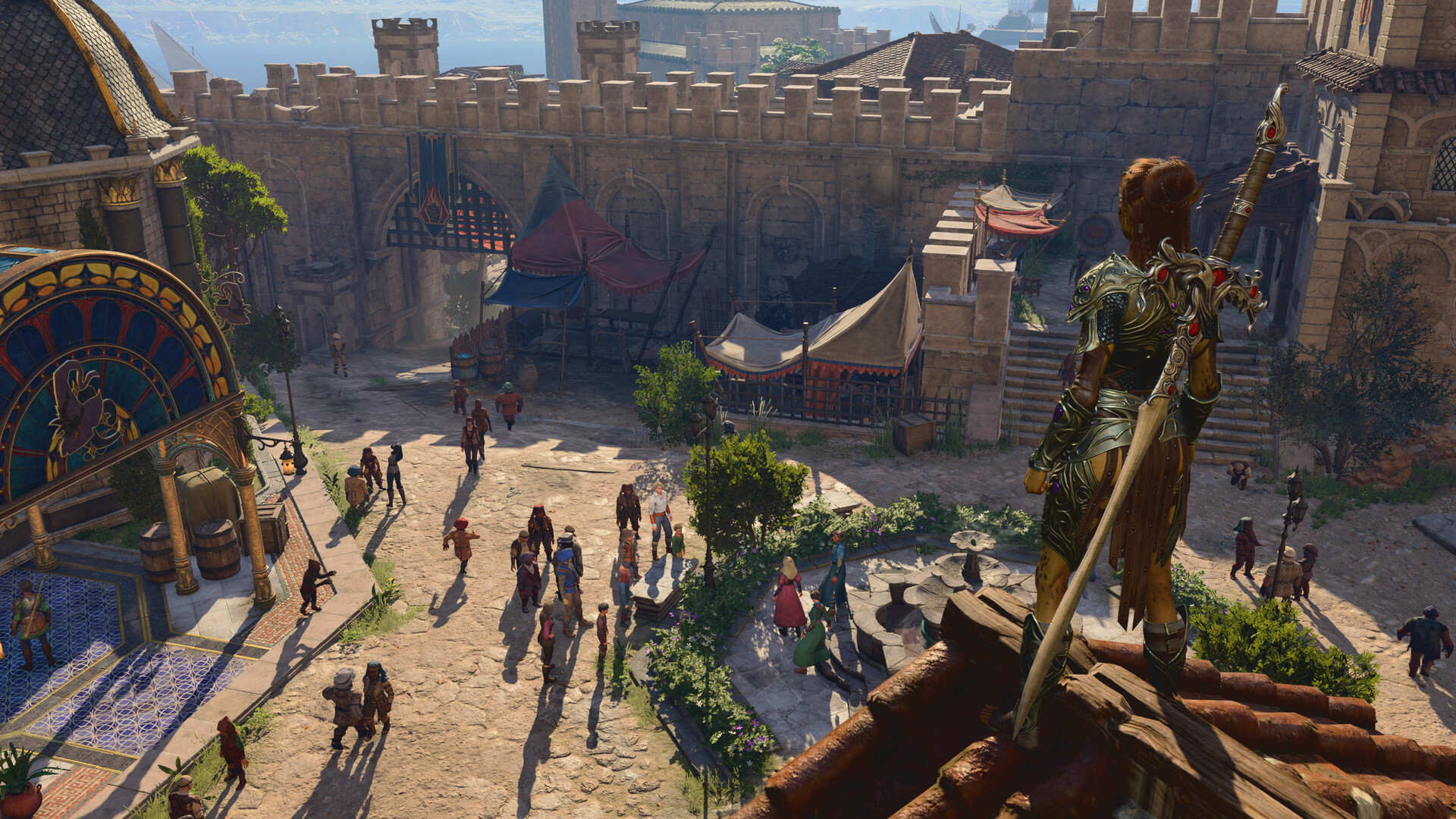

Act 3 in the Lower City is a CPU test, not a graphics test
For most of Baldur's Gate 3 your graphics card is what matters, and a mid-range one is plenty at 1080p. Then you reach the Lower City in Act 3. It is packed with hundreds of NPCs, each one running its own schedule, pathfinding, and reactions, and all of that lands on your processor. Graphics settings barely touch it, because the load is simulation, not pixels.
The proof is that even a very fast processor drops here. Digital Foundry measured a top-tier Core i9 falling to around 90 fps just standing in the city, and turning on DLSS did almost nothing, because the graphics card was never the bottleneck. Mid-range processors dip into the 50s. This is why a stack of expensive cards all land near the same frame rate in Act 3: the CPU is holding every one of them back.
What actually lifts your frame rate in the city
Since Act 3 is processor-bound, the fixes are the settings that ask the least of your CPU. Turn Crowd Density down first, then Shadow Quality, then Cloud Quality. Those recover real frames. Dropping your resolution or turning on upscaling does little in the city, because that only helps a graphics card that was never the limit.
Two more things help. A faster processor with strong single-core speed and 16GB or more of RAM does more for Act 3 than a graphics-card upgrade. And if you play split-screen co-op, expect a large hit in crowded zones, since the game is drawing the whole scene twice.
VRAM, RAM, and why the SSD is not optional
Graphics memory is not the pressure point here. The game uses roughly 4 to 5GB at 1080p on max settings, so a 6GB card is comfortable and 8GB is safe up to 1440p. A 4GB card can run the minimum but you will lower textures and shadows.
System RAM and the drive matter more. 8GB is the real minimum and it struggles late, especially with a browser or Discord open, so 16GB is the honest target. The SSD is a genuine requirement, not a suggestion. Baldur's Gate 3 streams constantly, and on a hard drive you get long loads, texture pop-in, and worse stutter. Install it on an SSD.
DLSS, FSR, DLAA, and the Vulkan question
The game shipped with Nvidia DLSS and DLAA, and FSR 2.2 arrived in a later patch. DLAA gives the cleanest image on RTX cards with no upscaling, while DLSS or FSR on Quality buys frames when your graphics card is the limit, which mostly means high resolutions and the first two acts. None of it rescues Act 3, because that is a processor problem.
At the launcher you can pick DirectX 11 or Vulkan. DirectX 11 is the more stable choice for most Windows PCs. Vulkan can help some AMD systems, Linux, and the Steam Deck, but it crashes more often on certain setups, so treat it as something to try, not a guaranteed win.
Can I run Baldur's Gate 3? Your questions answered
The Lower City in Act 3 is full of NPCs, and simulating all of them loads your processor, not your graphics card. Frame rates fall there on almost every setup, even top-end ones. It is the single biggest performance quirk in the game.
No. Upscaling only helps when the graphics card is the bottleneck, and in Act 3 the processor is the limit. Lowering Crowd Density and Shadow Quality helps more, and a faster CPU helps most.
Larian's minimum sits at 8GB, and yes, the game runs there, though it starts to show cracks in the later acts, especially with a browser or Discord running alongside it. Treat 16GB as the number to actually build around for a playthrough that stays stable start to finish. Beyond that, 32GB only pays off if you're multitasking hard or running a big mod list.
16GB handles everything Baldur's Gate 3 throws at it, Act 3 included, without you needing to think about memory again. That's the figure worth budgeting for.
Yes. Larian lists an SSD as a requirement, not a preference. The game streams data constantly, and on a hard drive you get long loads, texture pop-in, and worse stutter. Install it on an SSD.
Steam lists 150 GB. The actual install is closer to 100 GB, but keep the full 150 GB free for patches and saves, and put it on an SSD.
Yes at 1080p, where the game uses about 4 to 5GB on max settings. 8GB is safe up to 1440p. A 4GB card runs the minimum if you lower textures and shadows.
For most Windows PCs, DirectX 11 is the more stable pick. Vulkan can help some AMD systems, Linux, and the Steam Deck, but it crashes more often on certain setups. Try both and keep whichever runs cleaner for you.
DirectX 11. There is also a Vulkan mode you can choose at the launcher. There is no DirectX 12 path.
Yes, quite a bit. Split-screen draws the whole scene twice, so frames drop hard in crowded areas like the Grove and the Lower City. Turn settings down and use DLSS or FSR to claw some back.
Install it on an SSD, use 16GB of RAM, and in Act 3 lower Crowd Density and Shadow Quality first. Keep your GPU drivers current, and cap your frame rate slightly below your average to smooth the frame timing.
Start with your GPU drivers; an outdated one is behind most launch failures. If updating doesn't fix it, try switching between DirectX 11 and Vulkan at the launcher, since one mode sometimes clashes with a specific card. Verifying the game files and closing overlay software like Discord or MSI Afterburner clears up what's left.
Both matter, but the processor is the one people underrate. A mid-range graphics card handles 1080p all game. The processor is what carries you through the Act 3 city, so do not pair a great GPU with a weak CPU.
The RTX 3050 gets you in. It meets Baldur's Gate 3's minimum, so low to medium at 1080p works, and turning a couple of things down keeps it steady.
That card falls short. The GTX 1650 is under Baldur's Gate 3's minimum, which leaves you very low settings and a shaky frame rate. Roughly 30 to 40 fps at 1080p Low. The 4GB of VRAM keeps textures modest (estimate).
It will run. The GTX 1060 6GB meets Baldur's Gate 3's minimum, which means 1080p on low to medium and a smoother result once you lower a couple of options. Around 40 fps at 1080p in a busy city, higher on Low or with FSR.
Good enough to play. The RX 580 sits at Baldur's Gate 3's minimum, so expect 1080p low to medium and a bit of tuning for smoothness.
Yes, with room to spare. Baldur's Gate 3 recommends less than the RTX 4060 offers, so expect smooth 1080p high and a playable 1440p. Comfortable 1080p high and good 1440p with DLSS. VRAM is not the limit here (estimate).
Yes, comfortably. The RTX 3060 sits at or above Baldur's Gate 3's recommended card, so 1080p on high is smooth and 1440p is well within reach. About 70 plus at 1080p and near 60 at 1440p with a light upscaling assist.
That is more than enough. The RTX 2060 clears Baldur's Gate 3's recommended requirement, so aim for high at 1080p or step up to 1440p. Around 55 to 65 fps at 1080p high, near the recommended tier (estimate).
It will run. The GTX 1660 meets Baldur's Gate 3's minimum, which means 1080p on low to medium and a smoother result once you lower a couple of options. About 45 to 55 fps at 1080p on medium to high (estimate).
Good enough to play. The GTX 1660 Super sits at Baldur's Gate 3's minimum, so expect 1080p low to medium and a bit of tuning for smoothness.
The RX 6600 gets you in. It meets Baldur's Gate 3's minimum, so low to medium at 1080p works, and turning a couple of things down keeps it steady. About 62 fps at 1080p Ultra, around 65 with FSR.
You can play it. The GTX 1660 Ti is at Baldur's Gate 3's minimum, so keep to 1080p low to medium and lower a setting if it stutters.
You are well set. The RTX 3060 Ti exceeds Baldur's Gate 3's recommended card, so 1080p high is easy and 1440p is realistic. Around 80 fps at 1440p Ultra, where the CPU starts to cap it.
Easily. With the RTX 4050 you are past Baldur's Gate 3's recommended tier, which means high settings at 1080p and a genuine shot at 1440p.
It is under the bar. The GTX 1050 Ti does not meet Baldur's Gate 3's minimum, so any play would be very low settings with weak performance.
Yes, comfortably. The RTX 4070 sits at or above Baldur's Gate 3's recommended card, so 1080p on high is smooth and 1440p is well within reach. Around 90 fps at 1440p, though Act 3 cities are CPU-capped below that.
Yes. Baldur's Gate 3 has a native macOS version for Apple Silicon, bought through Steam or GOG, not the Mac App Store. It runs well on M1 Pro and newer, and the base M1 or M2 handles it at lower settings. This is one of the few big RPGs that runs natively on a Mac.
Barely, and below a good experience. Iris Xe sits under the GTX 970 minimum, so expect low settings and an unstable frame rate at 1080p, worse in Act 3. A dedicated graphics card is the right call.
Yes. Baldur's Gate 3 is Steam Deck Verified and even got a native Deck build for better performance and load times. It plays well on all three handhelds with tuned settings. Act 3 is the hardest part and can dip, so expect to cap the frame rate.
1440p 60 wants an RTX 3060 or RX 6600 XT class card. Native 4K 60 is heavy, so most people hit it with an RTX 4070 Ti or RX 7900 XT plus DLSS or FSR. Remember the Act 3 city is CPU-limited, so a strong processor matters at every resolution.
For 1080p 60, an RTX 2060 Super or RX 5700 XT with 16GB of RAM. Holding 60 in the Act 3 city also needs a capable modern processor, since that is where the frame rate is decided.
Yes at 1080p Ultra on a card like the RTX 3060 or RX 6600, and at 1440p Ultra on an RTX 3060 Ti or better. Ultra mostly taxes the graphics card, so the usual Act 3 processor limit still applies on top.
Not for a normal playthrough. 16GB is enough. 32GB only helps if you run large mod lists or keep many other apps open while playing.
PS5 yes, and it runs well. There is no PS4 version, since the game was built past that generation. The PC version this page covers scales higher than the PS5 build.
Yes. Baldur's Gate 3 is on GeForce Now, which streams it from a strong server so a weak PC, Mac, or Chromebook can play it. You need a solid internet connection, and it later added curated mod support on GeForce Now.
A Chromebook's hardware sits nowhere near what this game asks for, and Larian never built a Chrome OS version, so local play is off the table. GeForce Now is the workaround, streaming the game to your Chromebook over a strong connection.
Larian never built a Linux binary for this one, but the SteamOS tuning work they did for Steam Deck Verified status pays off on desktop distros too, since that same tuning runs through Proton. Most players report an easy install with default settings and a strong Proton rating as a result. One thing doesn't change with your OS: Act 3 still leans on your CPU, so a fast processor matters on Linux exactly like it does on Windows.
Yes, on both. The Series X runs it well. The Series S launched without split-screen co-op because of its memory, and that mode was finally added in a later patch. There is no Xbox One version. This page covers the PC release.
No. There is no Switch version, and none has been confirmed for Switch 2. On the go, your options are the Steam Deck, ROG Ally, or Legion Go, or cloud streaming.
Yes, at the minimum of a GTX 970 or RX 480, an i5-4690, 8GB of RAM, and an SSD, expect 1080p Low around 30 fps. Add a bit more, 16GB of RAM and a card like a GTX 1060 or RX 580, and it gets comfortable outside Act 3. The processor is what will strain in the city.
A modern quad-core i3 or Ryzen 3 can start the game, but Baldur's Gate 3 leans on the processor in Act 3, so a weak or older CPU will drop frames badly in the Lower City. A 6-core chip like a Ryzen 5 or i5 is a much safer floor.