
Can I Run Balatro on My PC / Laptop?
A poker-based roguelike deck builder from LocalThunk, built in the lightweight Love2D engine. It is one of the least demanding games sold on Steam.
Check if your PC can run Balatro
Pick your graphics card and processor to check.
Balatro's own minimum listing just says "integrated graphics" with no named card, so the checker below tests against a realistic low bar (an old laptop-grade integrated chip) instead of matching against nothing.
Can I run Balatro on my PC?
Use the checker above to find out in seconds. Pick your graphics card and processor and it compares them against Balatro's official requirements. As a quick guide, you need at least a OpenGL 2.1 compatible graphics card, integrated graphics graphics card, a Intel Core i3 processor, and 1 GB RAM of RAM to play at 1080p.
Can I run Balatro on my laptop?
Yes, if your laptop has a dedicated graphics card around a OpenGL 2.1 compatible graphics card, integrated graphics or better and 1 GB RAM of RAM. Laptops with only integrated graphics usually fall short. Enter your laptop's GPU in the tool above to check. Keep in mind that the laptop version of a card runs a little slower than the desktop card of the same name, and heat can lower sustained frame rates.
Yes, almost certainly. Balatro is a 2D card game built in the Love2D engine, and Steam's own minimum listing asks for 1GB of RAM, an Intel Core i3, and just "integrated graphics" with no specific card named. For nearly everyone who searches "can I run Balatro," the honest answer is that the PC or laptop they already own clears it without a second thought. The part people get wrong is assuming a graphics card matters here at all. Balatro is not GPU-bound. What actually slows it down is a weak CPU paired with a lot of visual effects stacking up on screen, foil, holographic, and polychrome cards piling up late in a run.
The checker above uses a realistic low bar since Steam never names a specific card for this game. Below you'll find the official spec listing, the real reason people report lag or slowdown, and answers for Mac, Linux, mobile, consoles, and the handhelds people ask about most.
Balatro system requirements
| Minimum | Recommended | |
|---|---|---|
| Processor (CPU) | Intel Core i3 | |
| Graphics card (GPU) | OpenGL 2.1 compatible graphics card, integrated graphics | |
| Memory (RAM) | 1 GB RAM | |
| Operating system | Windows 10 64-bit | Windows 10/11 64-bit |
| DirectX | 12 | 12 |
| Storage | 150 MB available space |
Storage: Steam lists 150 MB, though the real install lands closer to 700 MB to 1 GB once patches, mods folders, and save data are counted. Any drive works. There is no SSD requirement.
Balatro FPS by graphics card
| Graphics card | 1080p | 1440p | 4K | Notes |
|---|---|---|---|---|
| Intel UHD 620/630 (older laptop) | ~60-120 | , | , | Fine most of the time. Can dip during effect-heavy late-run states if the paired CPU is weak. |
| GT 1030 / GTX 750 Ti | ~300+ | , | , | Nowhere near stressed. CPU and background apps matter more than the card. |
| GTX 1650 | ~450-500 | , | , | Bumping into the engine's own frame cap, not the card's limit. |
| GTX 1060 6GB | ~500 (capped) | ~500 (capped) | , | Resolution barely changes anything since the game is 2D. |
| RTX 3060 | ~500 (capped) | ~500 (capped) | ~500 (capped) | Total overkill. Any modern CPU alongside this will never see a dip. |
| RTX 4070 | ~500 (capped) | , | , | Included only to show the ceiling never moves. This card gives Balatro nothing a GTX 1650 doesn't. |
Balatro isn't limited by graphics horsepower, so these numbers are less about a frame rate ceiling and more about whether a machine avoids slowdown in effect-heavy late-run states. Real results depend on your CPU, what's running in the background, and how many foil or holographic cards are visible at once.
Can these graphics cards run Balatro?
| Graphics card | Verdict | Notes |
|---|---|---|
| GTX 1050 Ti | Runs well | Strong fit. High settings at 1080p, 1440p within reach. |
| GTX 1650 | Runs well | Over the recommended bar. Smooth high 1080p, 1440p realistic. |
| RX 570 | Runs well | Exceeds recommended. 1080p high is comfortable, 1440p fine. |
| RX 580 | Runs well | At or above the recommended card. Smooth 1080p high, 1440p realistic. |
| GTX 1060 6GB | Runs well | Recommended tier or better. High 1080p, with room for 1440p. |
| GTX 1650 Super | Runs well | Past the recommended tier. High settings at 1080p, 1440p on the table. |
| GTX 1660 | Runs well | At or above the recommended card. Smooth 1080p high, 1440p realistic. |
| GTX 1660 Super | Runs well | Exceeds recommended. 1080p high is comfortable, 1440p fine. |
| RTX 3050 | Runs well | Exceeds recommended. 1080p high is comfortable, 1440p fine. |
| GTX 1660 Ti | Runs well | Past the recommended tier. High settings at 1080p, 1440p on the table. |
| RX 6600 | Runs well | Recommended tier or better. High 1080p, with room for 1440p. |
| RTX 2060 | Runs well | Strong fit. High settings at 1080p, 1440p within reach. |
| RTX 4050 | Runs well | Beats the recommended spec. Comfortable high 1080p, playable 1440p. |
| Arc A750 | Runs well | Over the recommended bar. Smooth high 1080p, 1440p realistic. |
| RTX 3060 | Runs well | At or above the recommended card. Smooth 1080p high, 1440p realistic. |
| RX 6600 XT | Runs well | Beats the recommended spec. Comfortable high 1080p, playable 1440p. |
| RX 7600 | Runs well | At or above the recommended card. Smooth 1080p high, 1440p realistic. |
| RX 6700 XT | Runs well | Recommended tier or better. High 1080p, with room for 1440p. |
| RTX 4060 | Runs well | Past the recommended tier. High settings at 1080p, 1440p on the table. |
| RTX 3060 Ti | Runs well | Recommended tier or better. High 1080p, with room for 1440p. |
| RTX 3070 | Runs well | Over the recommended bar. Smooth high 1080p, 1440p realistic. |
| RTX 4070 | Runs well | Recommended tier or better. High 1080p, with room for 1440p. |
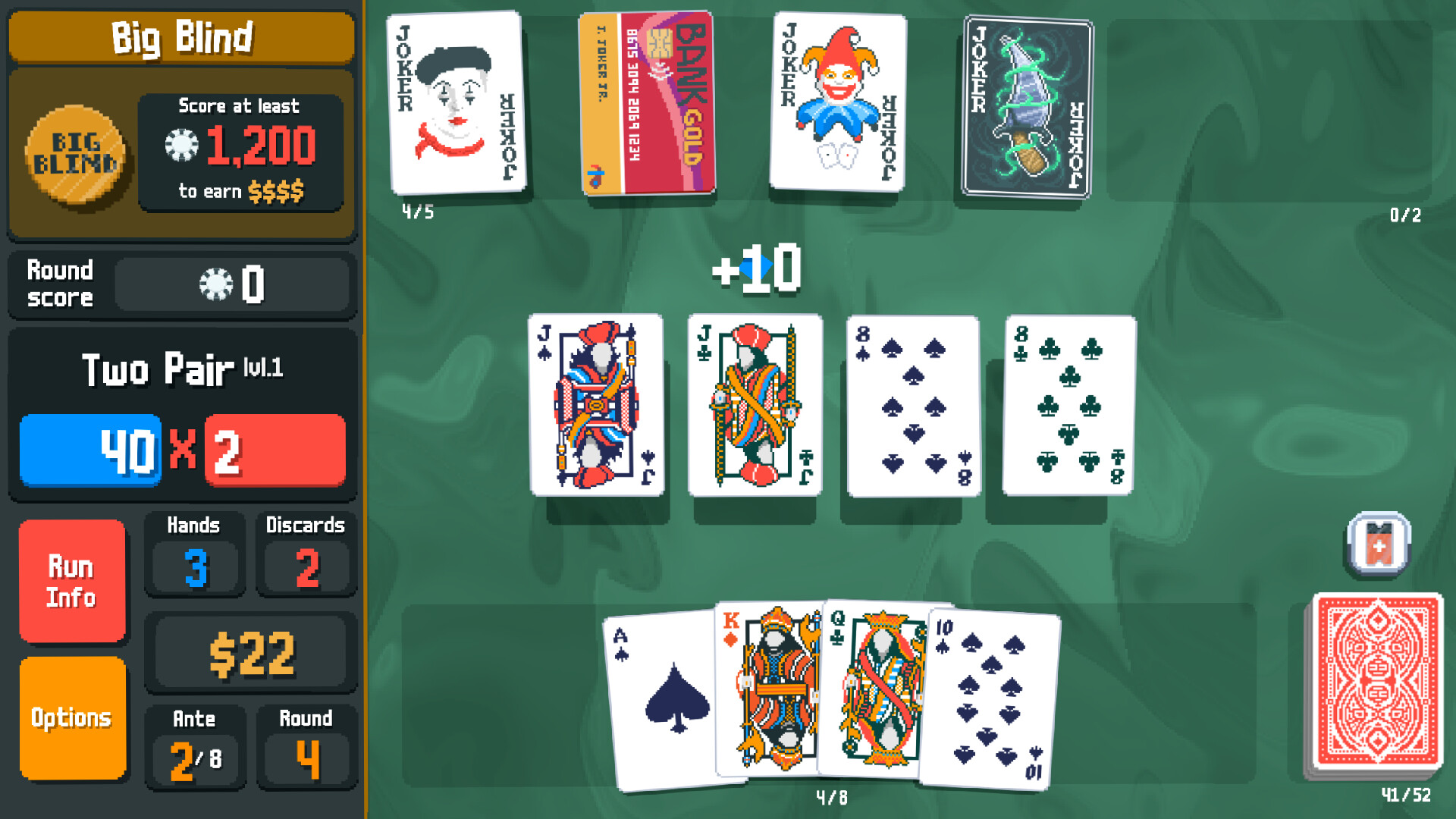
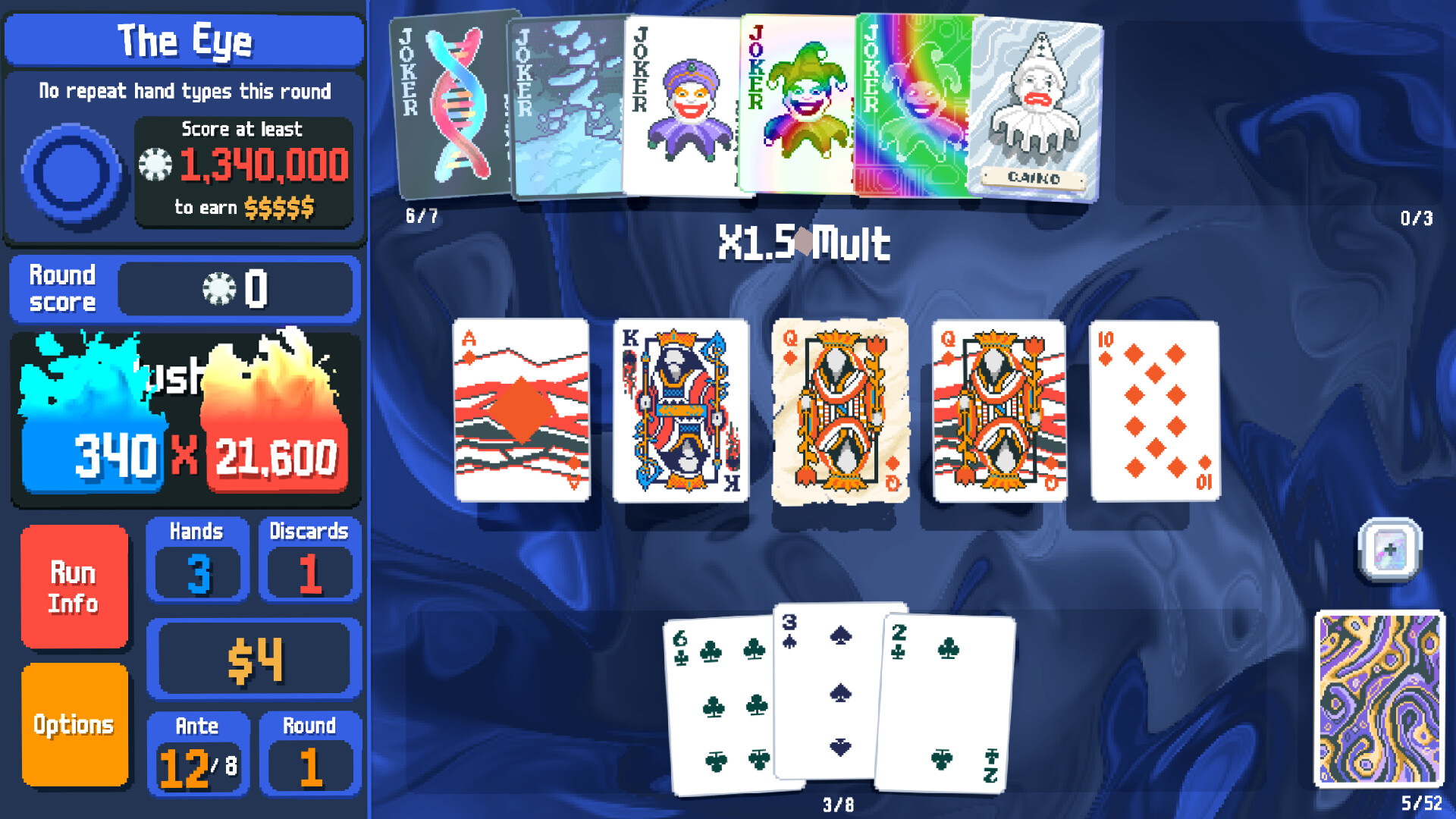

Why the graphics card barely matters
Balatro renders flat 2D sprites through Love2D, a lightweight framework built on top of SDL and OpenGL. There's no lighting engine, no shadow map, no draw-distance setting, none of the things that make a modern game GPU-hungry. The game's own internal frame cap sits around 500fps, and almost any graphics card released in the last decade, including plain integrated graphics, hits that ceiling without breaking a sweat.
That's why the Steam listing doesn't name a card at all. It just says "integrated graphics," because naming one would overstate what the game needs. If you're trying to decide whether your PC can handle Balatro, the graphics card is close to the last thing worth checking.
Why it's actually running slow (and what to do about it)
When people report lag or stutter in Balatro, it is almost never the GPU. The most common cause is a weak, low-power CPU, the kind found in budget or older laptops, getting loaded down by the game's own uncapped frame rate. With vsync off, Balatro will happily render as fast as your hardware allows, which on a laptop means extra heat, fan noise, and battery drain for frames you can't see anyway. Turning on vsync in the video settings, or capping frame rate through your graphics driver's control panel, fixes this in seconds.
The second common cause is visual effect buildup late in a run. Once you're carrying a full board of foil, holographic, polychrome, or negative jokers and cards, the particle and shader effects stack up, and that is genuinely more taxing than anything else in the game. A CPU on the weaker end, think an old dual-core Celeron or Pentium laptop chip, can start to chug here even though menus and early hands ran perfectly smoothly.
Beyond those two, the usual suspects apply: close the Steam overlay and Discord overlay if you notice a drop, update your graphics driver, and set the game's process priority to High in Task Manager if a laptop's power-saving mode is throttling it. None of these are Balatro-specific problems; they're the standard fixes for any lightweight game misbehaving on a heavily loaded machine.
Where you can actually play it
Balatro launched day one on Steam, PS4, PS5, Xbox One, Xbox Series X/S, and Nintendo Switch in February 2024. A native macOS build followed about a week later. A dedicated Nintendo Switch 2 version arrived in February 2026 with sharper resolution and faster load times than the original Switch release.
On Linux there's no official native binary, but the game runs flawlessly through Steam Proton given how little it demands, and it carries a Verified rating on Steam Deck. A mobile version for iOS and Android arrived in September 2024 as a paid download, with an Apple Arcade version available the same day for subscribers.
Can I run Balatro? Your questions answered
Technically yes, that's the listed minimum, but in practice 4GB gives more breathing room alongside Windows itself, Steam, and any overlay software running in the background. The game's own memory footprint is small either way.
By itself, sure, Balatro will never touch more than a sliver of 8GB. Where that extra headroom earns its keep is running the game next to a browser stacked with tabs, streaming software, or Discord.
No. A mechanical hard drive loads Balatro in a couple of seconds at most, since the whole install is under a gigabyte. An SSD helps but changes nothing meaningful here.
Steam lists 150MB, though the real folder size after patches, save data, and any mods usually lands closer to 700MB to 1GB. Either way it's one of the smallest games you'll install this year.
Almost always it's the CPU, not the GPU. The game renders uncapped up to about 500fps by default, which can spike CPU usage and heat on weaker laptops for no visible benefit. Turn on vsync in the video settings or cap the frame rate through your graphics driver, and most reported slowdowns disappear.
A board loaded with foil, holographic, polychrome, or negative cards adds real particle and shader work that a weak CPU (think an old dual-core laptop chip) can struggle to keep up with, even though the same PC ran the early hands perfectly. It's the one moment in the game where hardware actually matters.
The engine tops out around 500fps with vsync off, which functions as an unofficial cap since almost nothing needs to go higher. There's no built-in option to set a custom target like 60 or 144 in the base game; you have to use vsync, your GPU driver's frame limiter, or a community mod for finer control.
Yes, at any resolution your monitor supports. Since the game is flat 2D artwork, resolution has almost no effect on performance, unlike a 3D game where 4K multiplies the GPU's workload.
There isn't really a settings menu to speak of beyond resolution, window mode, and vsync. There's no graphics quality slider because there's nothing demanding enough to need one.
Yes, comfortably. The official minimum is a Core i3, and any Ryzen 3 from the last several generations is well past that bar. Even older i3 chips from a decade ago handle Balatro without issue outside of the heaviest late-run visual moments.
No. The game's textures are simple 2D sprites, so even 2GB of VRAM on an old card is far more than Balatro ever asks for. This isn't a game where you need to worry about running out of graphics memory.
Officially no. Steam lists Windows 10 64-bit as the minimum OS, and there's no official Windows 7 support. Some older systems may still launch it unofficially, but it isn't tested or guaranteed by the developer.
For a Windows PC, yes, that's a fair way to put it. Between the low RAM requirement, the lack of a named graphics card, and the tiny install size, Balatro is built to run on the kind of budget or aging hardware that struggles with most modern games.
No. Steam's minimum requirement is just "integrated graphics," and that's accurate rather than a marketing understatement. A dedicated GPU changes nothing about how Balatro looks or plays.
CPU-bound, to the extent it's bound by anything at all. The graphics side is trivial for any hardware sold in the last decade, while the CPU handles the game logic, animation timing, and the particle effects that pile up on a heavily upgraded board late in a run. If Balatro ever feels slow, look at the CPU and background load before blaming the graphics card.
Comfortably, yes. The RTX 3050 clears Balatro's recommended bar, which puts high 1080p and 1440p both in reach. Frame-capped at 1080p and 1440p; total overkill for this game.
No trouble at all. The GTX 1650 meets or beats what Balatro recommends, so 1080p high runs well and 1440p is realistic. Hits close to the engine's roughly 500fps cap at 1080p without effort.
No trouble at all. The GTX 1060 6GB meets or beats what Balatro recommends, so 1080p high runs well and 1440p is realistic. Runs at the engine's frame cap (around 500fps) at 1080p and 1440p alike.
Yes, comfortably. The RX 580 sits at or above Balatro's recommended card, so 1080p on high is smooth and 1440p is well within reach. Sits near the game's frame cap at 1080p; the card is not the limiting factor.
Yes. On the RTX 4060, Balatro runs at high settings in 1080p and scales up to 1440p without much fuss. Frame-capped at 1080p, 1440p, and 4K.
Easily. With the RTX 3060 you are past Balatro's recommended tier, which means high settings at 1080p and a genuine shot at 1440p. Frame-capped at 1080p, 1440p, and 4K without any tuning needed.
Easily. With the RTX 2060 you are past Balatro's recommended tier, which means high settings at 1080p and a genuine shot at 1440p. Frame-capped at 1080p, 1440p, and 4K.
Easily. With the GTX 1660 you are past Balatro's recommended tier, which means high settings at 1080p and a genuine shot at 1440p. Frame-capped around 500fps at 1080p and 1440p.
Comfortably, yes. The GTX 1660 Super clears Balatro's recommended bar, which puts high 1080p and 1440p both in reach. Frame-capped around 500fps regardless of resolution.
Yes. On the RX 6600, Balatro runs at high settings in 1080p and scales up to 1440p without much fuss. Frame-capped at every common resolution, including 4K.
Easily. With the GTX 1660 Ti you are past Balatro's recommended tier, which means high settings at 1080p and a genuine shot at 1440p. Frame-capped at 1080p and 1440p, same as the rest of this tier.
That is more than enough. The RTX 3060 Ti clears Balatro's recommended requirement, so aim for high at 1080p or step up to 1440p. Frame-capped everywhere; this card gives Balatro nothing extra.
Yes, comfortably. The RTX 4050 sits at or above Balatro's recommended card, so 1080p on high is smooth and 1440p is well within reach. Frame-capped at 1080p; the paired CPU matters far more than this GPU.
You are well set. The GTX 1050 Ti exceeds Balatro's recommended card, so 1080p high is easy and 1440p is realistic. Well past 400fps at 1080p, closing in on the game's own frame cap.
Yes. On the RTX 4070, Balatro runs at high settings in 1080p and scales up to 1440p without much fuss. Frame-capped at 4K just as easily as 1080p; a GTX 1650 gets the same practical result.
Yes. Balatro got a native macOS build about a week after the Windows release, and it runs well on every Apple Silicon MacBook, including the base M1 Air. It's one of the rare cases where the Mac version needs nothing extra.
LocalThunk never shipped a native Linux build, but you'd hardly notice: Balatro asks so little of the hardware that Proton runs it cleanly, and it holds a Verified rating on Steam Deck's Linux-based OS. Proton is the simplest path for most Linux users and it just works.
Yes, without much question. Steam's minimum requirement literally just says "integrated graphics" with no card named, and any Intel, AMD, or Apple integrated GPU from the last several years handles Balatro fine.
The Steam version won't launch since ChromeOS can't run Windows executables directly, but that's not really a problem here: grab the Android version from the Google Play Store instead. Most Chromebooks sold in the last several years support Android apps, so that route covers nearly everyone.
Yes, easily. Balatro carries an official Verified rating on Steam Deck, and since it needs a fraction of what any handheld gaming PC offers, a ROG Ally or Legion Go runs it just as smoothly, capped only by battery life if you leave vsync off.
Yes. The mobile version launched in September 2024 as a paid download on both the App Store and Google Play, with an Apple Arcade version available the same day for subscribers. It requires iOS 13.5 or later; Android's minimum version isn't tightly published, but any phone from the past several years handles it.
Yes. Balatro released day one on both PS4 and PS5 in February 2024, and it runs identically well on either, since the game asks so little of the hardware.
Yes, on all of them. Balatro launched simultaneously across Xbox One, Xbox Series X, and Xbox Series S in February 2024, with no meaningful performance gap between the older and newer consoles.
Yes, it was one of the original day-one platforms back in February 2024, and the original Switch handles it without issue given how light the game is.
Yes, a dedicated Switch 2 version released in February 2026 with a sharper resolution and faster loading than the original Switch release, though the original version also still runs fine on Switch 2 through backward compatibility.
Balatro's system demands are low enough that cloud gaming isn't really necessary, but a Steam library game like this can generally be streamed through services that support your own Steam account, subject to that service's current library and streaming rules changing over time.
Yes, this is one of the clearest cases of a game built for low-end hardware on purpose. A ten-year-old office PC with basic integrated graphics and 4GB of RAM will run Balatro without any real compromise.
The Steam release is tied to Steam for activation and cloud saves, so running it outside Steam isn't officially supported. The mobile, console, and standalone storefront versions each have their own independent launch method without needing the Steam client.
That's a deliberately low bar, not a sign the game is outdated itself. OpenGL 2.1 support has existed in graphics drivers since the mid-2000s, so LocalThunk set the requirement low on purpose to signal that basically nothing modern will struggle with it.